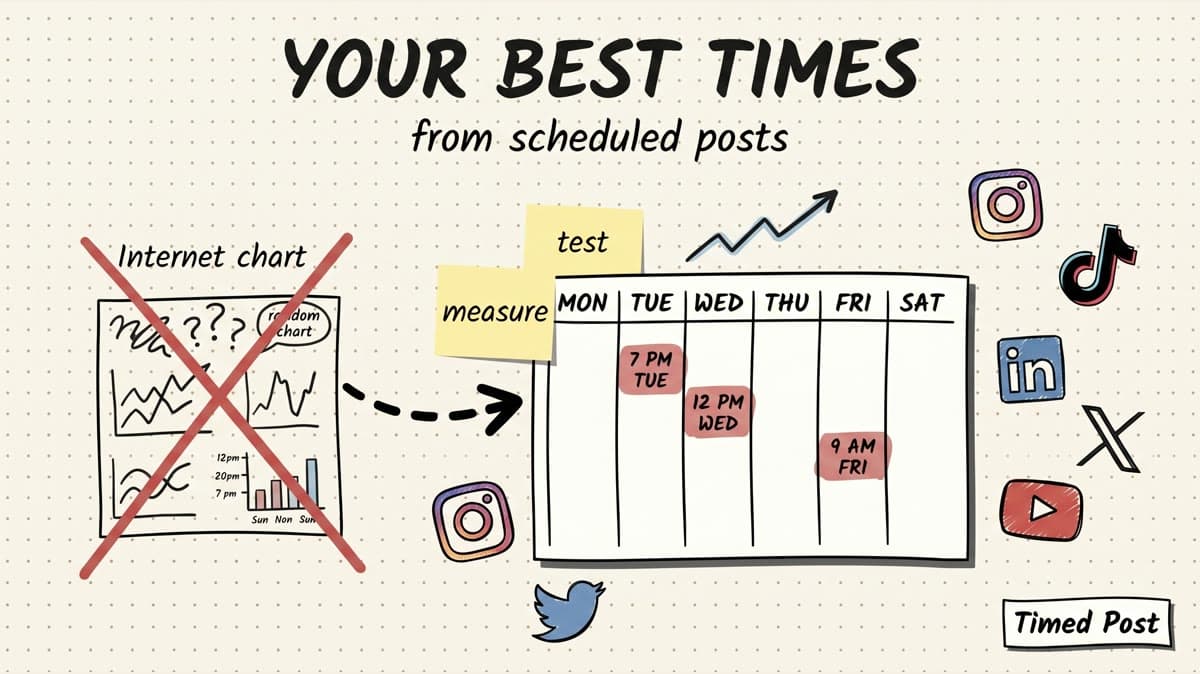
The best posting time is not the time a generic chart gives you. It is the time your own audience keeps proving they respond.
Use public best-time guides as a starting point, not a rule.
If you post across Instagram, TikTok, LinkedIn, X, YouTube, Facebook, Threads, and Pinterest, the average chart usually breaks in two places:
- it mixes audiences that do not behave like yours
- it ignores the workflow cost of testing times manually in 6 or 7 different apps
A solo founder posting product updates on LinkedIn has a different audience rhythm from a TikTok creator posting daily edits, a small agency managing restaurant clients, or an ecommerce brand pushing weekend offers on Pinterest and Instagram.
So the better workflow is simple:
- Start with a reasonable baseline from your existing best-time research.
- Schedule the same type of post into 2-4 time windows per platform.
- Track the result by platform, content type, and time slot.
- Keep the windows that win twice, not once.
- Move those windows into your recurring Timed Post calendar.
If you need the generic baseline first, use Timed Post's best times to post on social media guide. This article is the next step: turning broad advice into your own posting schedule.
quick answer: use a 4-week timing test
For most creators and small teams, the cleanest test is 4 weeks.
One week is too noisy. A post can win because the topic was stronger, the hook was sharper, the comment thread took off, or a platform randomly gave it more distribution.
Four weeks is long enough to spot a pattern without turning posting times into a research project.
Here is the basic setup:
| Step | What to do | Why it matters |
|---|---|---|
| Pick 2-4 time windows per platform | Example: morning, lunch, late afternoon, evening | You need enough variation to compare, but not so many slots that the data turns into mush. |
| Keep content type consistent | Compare LinkedIn text posts to LinkedIn text posts, not videos to carousels | Format changes can hide timing signals. |
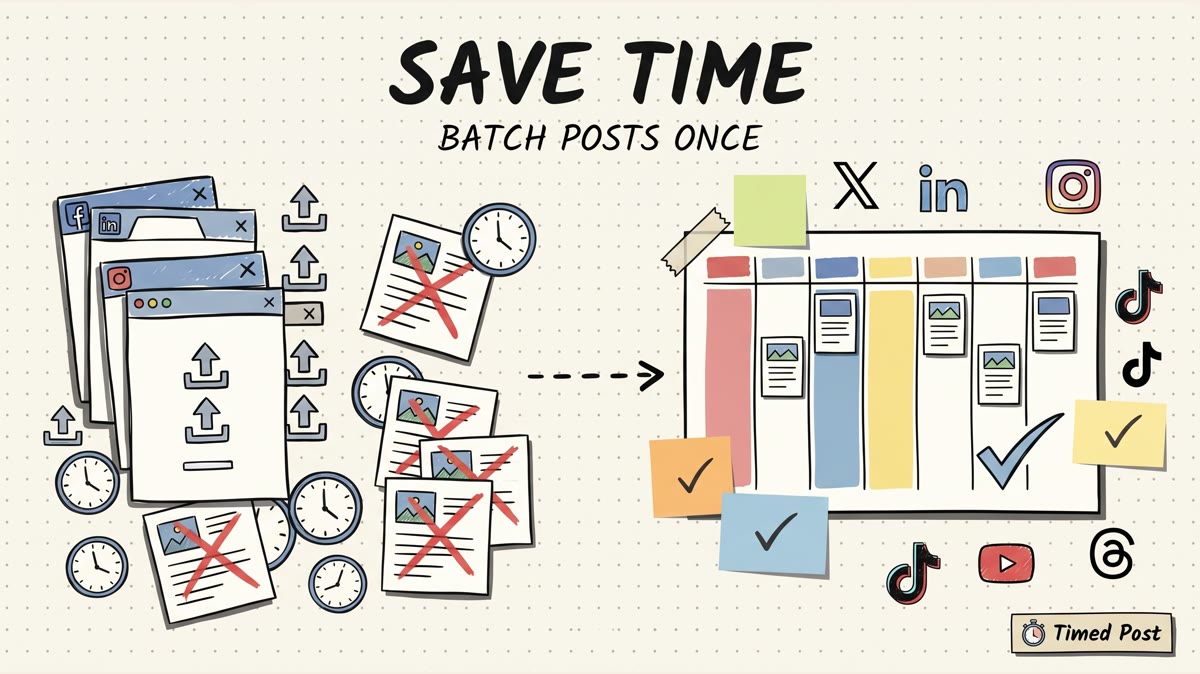
| Schedule in batches | Put the test into one weekly calendar session | Manual testing dies when you have to open every app each day. |
| Track the same metrics | Reach, engagement, clicks, saves, watch time, comments, or profile actions | Pick the metric that matches the goal of the post. |
| Promote repeat winners | A slot needs to perform well more than once | One lucky post is not a strategy. |
A practical test might look like this:
| Platform | Test windows | Primary metric | Secondary metric |
|---|---|---|---|
| 8-9 AM, 12-1 PM, 6-8 PM | Saves or profile actions | Reach / comments | |
| TikTok | 11 AM-1 PM, 5-7 PM, 8-10 PM | Average watch time | Shares / follows |
| 8-10 AM, 12 PM, 4-6 PM | Comments or profile clicks | Impressions | |
| X | 8-10 AM, 2-4 PM, 7-9 PM | Replies / reposts | Link clicks |
| YouTube Shorts | 12-2 PM, 5-8 PM, weekend morning | Retention | Views / subscribers |
| Morning, evening, weekend | Outbound clicks | Saves |
Do not test every platform the same way. The point is not to find one magic hour for all social media. The point is to find the few repeatable windows where each platform gives your posts a fair shot.
why generic best-time charts are useful, but dangerous
Generic timing studies are not useless.
They help when you have no posting history. A brand new account needs somewhere to start, and platform-level patterns can prevent obvious mistakes. If every source says your audience is usually active during weekday work breaks, it is reasonable to test those windows first.
The problem starts when the generic chart becomes the whole strategy.
Most best-time articles blend thousands or millions of accounts together. That can hide the exact thing you need:
- your country and timezone
- your niche
- your account size
- your audience age
- your post format
- whether your followers are creators, buyers, operators, students, parents, or office workers
- whether your goal is comments, watch time, saves, clicks, or sales
A creator selling Notion templates might win on Sunday evening because people are planning the week. A B2B founder might win on LinkedIn at 9 AM because the audience is checking work updates. A restaurant might win on Instagram at 4 PM because people are deciding dinner.
Same platform. Different reason. Different best time.
That is why Timed Post's Instagram timing guide, Facebook timing guide, Pinterest timing guide, and X/Twitter timing guide are best used as baselines. They get you moving. Your scheduled post data tells you what to keep.
what counts as scheduled post data?
Scheduled post data is any performance signal tied to a post that had a planned publish time.
You do not need a perfect analytics warehouse.
You need a simple log that answers four questions:
- What platform did this post go to?
- What type of post was it?
- What day and time did it publish?
- What happened after it went live?
Start with these fields:
| Field | Example | Why it matters |
|---|---|---|
| Platform | Instagram, TikTok, LinkedIn, X, YouTube, Facebook, Pinterest | Every platform has a different audience rhythm. |
| Account / client | Founder account, ecommerce brand, agency client A | Client and brand audiences behave differently. |
| Content type | Text post, Reel, Short, carousel, image, link post | Timing data is useless if you mix formats blindly. |
| Topic | Product update, tutorial, meme, case study, offer | Strong topics can beat weak timing. |
| Publish time | Tuesday 9:10 AM, local timezone | The core variable you are testing. |
| Goal metric | Saves, comments, clicks, watch time, leads | A good time for reach may not be a good time for buyers. |
| Result after 24-72 hours | Metric snapshot | Gives you a consistent comparison window. |
| Notes | Holiday, collab, repost, paid boost, controversial topic | Explains weird outliers. |
You can collect this from native analytics. Instagram has professional account insights through its Help Center, Meta documents Business Suite insights, TikTok provides analytics for creators/business accounts, LinkedIn has Page analytics, YouTube has YouTube Analytics, and Pinterest has Pinterest Analytics.
Useful official docs:
- Instagram Help Center: view account insights on Instagram
- Meta Business Help: insights in Meta Business Suite
- TikTok Support: analytics tools
- LinkedIn Help: LinkedIn Page analytics
- YouTube Help: get started with YouTube Analytics
- Pinterest Business Help: Pinterest Analytics
The tool does not matter as much as the discipline. If you record the same fields for four weeks, you will know more than the person copying a chart from Google and hoping it applies.
the 4-week workflow
Here is the actual workflow I would use for Timed Post.
week 0: pick baseline windows
Do not start with 12 windows per platform.
Pick 2-4.
For example:
| Platform | Baseline windows to test |
|---|---|
| Morning commute, lunch, evening | |
| TikTok | Late morning, after school/work, late evening |
| Workday morning, lunch, late afternoon | |
| X | Morning, mid-afternoon, evening |
| Lunch, early evening, weekend morning | |
| YouTube Shorts | Lunch, evening, weekend |
| Morning, evening, weekend | |
| Threads | Morning, lunch, evening |
If you already have a published timing guide for the platform, start there. If not, use your audience intuition and keep it simple.
For Timed Post users, the easiest setup is to create a weekly calendar pattern and schedule the test in one session. That matters because timing tests fail when every post becomes a fresh decision.
This is also where bulk scheduling helps. If you have 20 post versions to test, uploading and scheduling them one by one across apps turns into busywork fast.
week 1-4: schedule similar posts into different windows
The mistake is comparing a great post at 9 AM with a boring post at 6 PM and deciding 9 AM is the winner.
That is not timing data. That is content quality data.
You want similar posts across different windows.
Example for a founder:
| Post type | Monday | Wednesday | Friday |
|---|---|---|---|
| Product build note | 9 AM | 1 PM | 6 PM |
| Lesson learned | 12 PM | 4 PM | 8 PM |
| Customer/problem story | 8 AM | 2 PM | 7 PM |
Example for a creator:
| Post type | Window A | Window B | Window C |
|---|---|---|---|
| Short tutorial | 11 AM | 5 PM | 9 PM |
| Trend reaction | 12 PM | 6 PM | 10 PM |
| Behind-the-scenes clip | 9 AM | 3 PM | 8 PM |
Example for a small agency:
| Client type | What to compare |
|---|---|
| Restaurant | weekday afternoon vs evening vs weekend morning |
| Fitness coach | early morning vs lunch vs evening |
| Local service business | morning search intent vs after-work scroll time |
| Ecommerce brand | payday/weekend windows vs weekday lunch |
The schedule does not need to be mathematically perfect. It needs to be consistent enough that patterns can show up.
If your current process is copy-pasting posts into separate apps, read the multi-platform posting strategy guide before you test. You need a repeatable posting system first. Otherwise your timing test becomes another messy tab routine.
after each post: capture the right metric
Do not judge every post by likes.
Likes are visible and easy, but they are often the least useful signal.
Choose the metric based on the job of the post:
| Goal | Better metric |
|---|---|
| Grow awareness | Reach, impressions, views |
| Start conversations | Comments, replies, DMs |
| Drive traffic | Link clicks, profile clicks, outbound clicks |
| Build saves/resources | Saves, bookmarks, shares |
| Improve video distribution | Watch time, retention, completion rate |
| Validate buyer intent | Trial clicks, demo calls, checkout clicks, qualified replies |
A LinkedIn post with 4 strong comments from target users may be more useful than a post with 200 empty likes.
An Instagram carousel with saves may be more valuable than a Reel with quick views and no action.
A TikTok that drives profile visits may matter more than a spike in likes if your goal is to send people to a tool, newsletter, or product.
This is why the test should start with the goal, not the time slot.
after 4 weeks: find repeat winners
At the end of the test, group posts by platform, content type, and time window.
Do not combine everything into one score.
Use a simple table:
| Platform | Format | Window | Posts tested | Avg result | Keep? |
|---|---|---|---|---|---|
| Text post | 8-10 AM | 5 | 14 comments / 900 impressions | Yes | |
| Text post | 6-8 PM | 4 | 3 comments / 420 impressions | No | |
| TikTok | Short video | 7-9 PM | 6 | 38% avg retention | Yes |
| TikTok | Short video | 11 AM-1 PM | 5 | 22% avg retention | Maybe |
| Carousel | 12-1 PM | 4 | 26 saves | Yes | |
| Carousel | 8-9 AM | 4 | 9 saves | No |
The rule I like: a time slot needs at least two wins before you trust it.
One win can be luck.
Two wins starts to look like a pattern.
Three wins earns a recurring slot in the calendar.
Schedule your posts across every platform
Draft once, publish everywhere — automatically.
No credit card · Cancel anytime
platform notes: what to watch by network
You can use the same testing framework across platforms, but the interpretation changes.
Instagram timing depends heavily on format.
A Reel, carousel, Story, and single image do not behave the same way.
For Instagram, separate:
- Reels
- carousels
- single image posts
- Stories
- product/offer posts
If you mix them, your timing data gets noisy. A strong carousel posted at lunch can make lunch look like the magic slot when the real winner was the format.
For creators and brands, saves and profile actions are often more useful than likes. If the goal is to turn attention into a next step, track the action that moves the audience closer.
Timed Post angle: schedule your baseline Instagram windows, then compare them against your Instagram scheduling workflow so you are not rebuilding the plan every week.
TikTok
TikTok can punish impatient analysis.
Some videos get quick early traction. Others take longer to find the right audience. If you judge every TikTok after 30 minutes, you will keep moving the schedule around based on noise.
For TikTok, track:
- average watch time
- completion rate
- shares
- profile visits
- follows
- comments with real intent
Do not only track views.
If a 6 PM slot gets more views but a 9 PM slot gets better retention and follows, the second slot may be more useful for a creator trying to build a real audience.
If your current TikTok workflow is still manual, pair the timing test with Timed Post's TikTok scheduling tools guide or the TikTok video scheduling guide.
LinkedIn timing tests should separate personal profiles from company pages.
Founder posts often depend on comments, conversation quality, and the first few people who engage. Company pages can behave differently, especially if the page has a smaller audience.
For LinkedIn, track:
- comments from relevant people
- profile views
- follows
- link clicks
- impressions by audience quality
A post that reaches fewer people but gets replies from buyers, founders, or operators may beat a higher-impression post that only gets passive likes.
If you post founder content, your best time may be tied to when your network is actually in work mode, not when the platform average peaks.
X and Threads
X and Threads move fast.
A good time slot can help, but frequency, reply quality, and the topic matter a lot.
For X, track:
- replies
- reposts
- profile clicks
- link clicks
- follows
For Threads, track conversation quality and whether the post actually starts a useful exchange.
Do not turn either platform into a rigid one-post-per-day calendar if your audience responds to live conversation. The schedule should create consistency, not stop you from replying like a human.
If you are using X as a founder channel, pair the timing test with the live best times to post on Twitter/X guide for initial baselines, then keep your own reply and click data as the final judge.
YouTube Shorts
For YouTube Shorts, the time slot is only one part of the loop.
The bigger signals are usually tied to whether people keep watching.
Track:
- viewed vs swiped away
- average view duration
- retention
- subscribers gained
- comments
Do not compare a tutorial Short with a random trend clip and blame the posting time. Compare similar formats.
If you clip long-form videos into Shorts, schedule your test windows around when your audience normally watches, then check YouTube Analytics after the same comparison window for each post.
Facebook timing can vary wildly by audience.
A local business, creator page, private community, and ecommerce brand do not have the same rhythm.
For Facebook, track:
- reach
- comments
- shares
- link clicks
- event or offer actions
If the post is for a local audience, timezone and day-of-week matter more than global averages.
Use the Facebook scheduling guide to understand the native workflow, then use your own data to decide whether lunch, evening, or weekend windows deserve recurring slots.
Pinterest is slower than most platforms.
Do not judge a Pin the way you judge an X post.
For Pinterest, track:
- saves
- outbound clicks
- impressions over a longer window
- boards/topics that keep producing traffic
A Pin may not prove much in 24 hours. Give Pinterest a longer comparison window, especially if your goal is evergreen traffic.
Timed Post's Pinterest timing guide gives a starting schedule, but your own outbound clicks should decide what stays.
the mistake: testing time while changing everything else
Most people think they are testing posting times.
They are actually changing the time, topic, hook, format, platform, caption length, CTA, image, and audience mood all at once.
Then they look at the winner and say, "Tuesday at 9 AM works."
Maybe.
Or maybe the Tuesday post had the best hook.
To keep the test clean enough, use these rules:
| Bad test | Better test |
|---|---|
| One meme at 9 AM vs one tutorial at 6 PM | Similar tutorial posts across 9 AM and 6 PM |
| Comparing Instagram Reels to LinkedIn text posts | Compare by platform and format separately |
| Moving times every day based on yesterday's result | Run the same windows for 4 weeks |
| Tracking likes only | Track the metric tied to the post's goal |
| Using one lucky post as proof | Require repeat wins before changing the calendar |
This is also why a scheduler matters.
Manual testing forces you to make too many tiny decisions in the moment. You open Instagram, notice a notification, tweak the caption, change the time, forget to post on Threads, then later wonder whether the timing test worked.
A scheduled workflow removes the drama.
Build the test once. Let the posts go live. Review the results after.
how to turn winners into a recurring Timed Post calendar
Once you find repeat winners, do not leave them in a spreadsheet.
Put them into your weekly schedule.
A simple recurring calendar might look like this:
| Day | Platform | Slot | Content type |
|---|---|---|---|
| Monday | 9 AM | Founder lesson / product build note | |
| Monday | X | 10 AM | Short version of the same idea |
| Tuesday | 12 PM | Carousel / visual checklist | |
| Tuesday | Threads | 12:15 PM | Conversation starter |
| Wednesday | TikTok | 7 PM | Short tutorial / behind the scenes |
| Thursday | YouTube Shorts | 6 PM | Repurposed clip |
| Friday | 1 PM | Community / offer post | |
| Weekend | Morning | Evergreen pin |
This is where Timed Post fits naturally.
You are not using Timed Post because scheduling is cute. You are using it because a timing test across 5+ platforms is miserable when every platform lives in a separate tab.
With Timed Post, you can draft the source idea once, adapt the caption per platform, schedule the post into the winning slot, and keep the week visible on one calendar.
That is the whole point of a multi-platform scheduler: less guessing, less app switching, fewer missed posts.
If you are still choosing between tools, the best multi-platform social media scheduler guide explains what to look for. If you already know you need to batch the work, the live social media workflows guide shows how to cut repeated publishing work without turning your week into tab management.
a simple scoring model for your posting windows
You do not need a complex score.
Use this:
slot score = goal metric + supporting metric - noise penalty
Example:
| Post | Window | Goal metric | Supporting metric | Noise note | Decision |
|---|---|---|---|---|---|
| LinkedIn founder lesson | 9 AM | 11 comments | 6 profile clicks | normal day | keep |
| LinkedIn founder lesson | 6 PM | 2 comments | 1 profile click | normal day | drop |
| TikTok tutorial | 8 PM | 41% retention | 18 shares | strong hook | test again |
| Instagram carousel | 12 PM | 34 saves | 7 profile actions | normal day | keep |
| X launch post | 10 AM | 21 link clicks | 9 replies | quoted by larger account | mark as outlier |
Noise penalty just means you do not over-trust weird posts.
Mark a post as noisy if:
- it was boosted or promoted
- a larger account shared it
- it was tied to a news event
- it used a totally different format
- it had a much stronger or weaker hook than usual
- it went live during a holiday or outage
- it was posted to the wrong account or wrong audience
You do not have to delete noisy posts. Just stop them from rewriting your whole calendar.
when to retest your best times
Your best posting times are not permanent.
Retest when one of these changes:
- your audience grows into a new geography
- you switch content format
- you start posting for a new client or brand
- a platform changes the way it distributes content
- your product moves into a new market
- your posting frequency changes
- your engagement drops for 3-4 weeks without an obvious content reason
For most accounts, a quarterly retest is enough.
For early-stage creators and founders, monthly can make sense because the audience is changing quickly.
Do not retest every week. That usually creates motion without learning.
the full checklist
Use this before your next scheduling session:
| Check | Done? |
|---|---|
| Pick 2-4 time windows per platform | |
| Choose one primary goal metric per platform | |
| Separate formats before comparing results | |
| Schedule 4 weeks of posts in batches | |
| Track publish time, platform, format, topic, and result | |
| Review results after the same comparison window | |
| Mark outliers before making decisions | |
| Keep time slots that win at least twice | |
| Move repeat winners into your recurring calendar | |
| Retest monthly or quarterly, not every day |
If that sounds like a lot, the work is not the tracking. The work is the manual posting chaos around it.
Once the schedule is in one calendar, the test becomes simple:
Plan the windows. Schedule the posts. Check the results. Keep the winners.
That beats copying a generic chart every time.
FAQ
How many posts do I need before I trust a best posting time?
You need at least 3-5 similar posts in a time window before you should take the signal seriously. One post can win because the topic or hook was better. Two wins are interesting. Three or more repeat wins are worth turning into a recurring slot.
Should I use generic best-time studies or my own analytics?
Use generic studies to choose your first test windows, then use your own analytics to decide what stays. Generic data is helpful when an account has no history. Once you have scheduled posts and performance data, your own audience should matter more.
What metric should I use to judge the best time to post?
Use the metric tied to the goal of the post. If the goal is conversation, track comments or replies. If the goal is traffic, track clicks. If the goal is video growth, track retention and watch time. Likes are easy to count, but they are not always the best decision metric.
How long should I run a posting time test?
Run the first test for 4 weeks. That gives you enough repeated windows to spot patterns without overcomplicating the process. For Pinterest and evergreen content, use a longer review window because posts can keep moving after the first day.
Can Timed Post find my best posting times automatically?
Timed Post helps you run the test by scheduling posts across platforms from one calendar and keeping the workflow consistent. Use Timed Post to schedule the windows, then compare performance from Timed Post analytics and native platform analytics where needed. The important part is not magic prediction. It is running a clean test and keeping the slots that actually work.
How often should I change my posting schedule?
Do not change it after every post. Keep winning slots until the pattern weakens for a few weeks, your audience changes, or your content format changes. For most creators and small teams, a monthly or quarterly timing review is enough.