
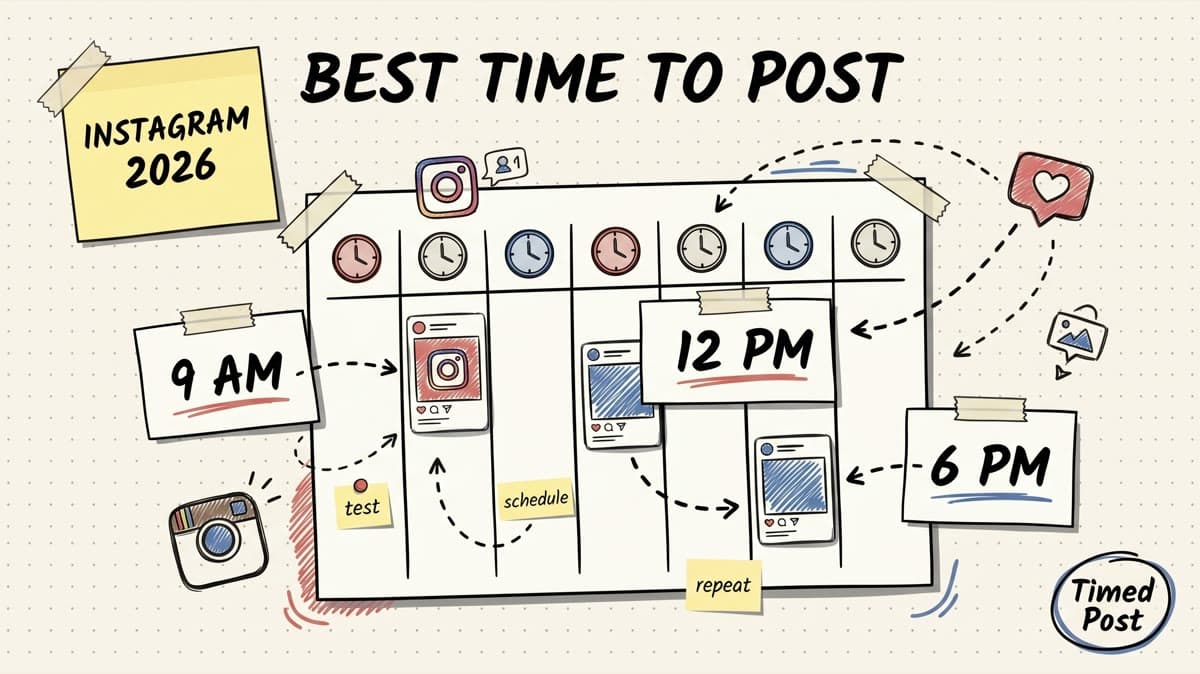
The best time to post on Instagram in 2026 is usually midweek, from late morning to early evening, with the strongest starting windows around Wednesday and Thursday between 9 a.m. and 6 p.m. local time.
But that is the safe answer, not the useful one.
The useful answer is this:
- Start with Wednesday and Thursday as your default test days.
- Post Reels when people have enough time to watch: lunch, after work, and evening.
- Post carousels when people are browsing slower: late morning, lunch, or early evening.
- Avoid treating Sunday as your main publishing day unless your own analytics prove it works.
- Build a 30-day test schedule instead of trusting one universal “best time” forever.
Instagram timing matters because the first few minutes after publishing can shape reach. If your post gets saves, shares, comments, profile clicks, or watch time early, it has a better chance of being pushed to more people.
But timing does not rescue weak content. A bad post at the perfect time is still a bad post. A strong post at a decent time usually beats a weak post at a “perfect” time.
This guide gives you the best starting windows, how to adjust them for your audience, and how to turn timing into a repeatable Instagram posting system instead of guessing every day.
If you manage more than Instagram, read the broader best times to post on social media guide too. If you are comparing tools before building the calendar, the best Instagram schedulers breakdown is the natural companion. This article is the Instagram-specific timing version.
Quick answer: the best times to post on Instagram in 2026
Use this as your starting point if you do not have enough account data yet.
| Day | Best starting window | Secondary window | Notes |
|---|---|---|---|
| Monday | 11 a.m.–1 p.m. | 6 p.m.–8 p.m. | Good for educational posts and weekly reset content. |
| Tuesday | 11 a.m.–2 p.m. | 5 p.m.–8 p.m. | Strong midweek engagement window. Good test day. |
| Wednesday | 12 p.m.–2 p.m. | 6 p.m.–9 p.m. | Usually one of the strongest days for engagement. |
| Thursday | 9 a.m.–12 p.m. | 5 p.m.–8 p.m. | Often the safest “default” posting day. |
| Friday | 10 a.m.–12 p.m. | 3 p.m.–5 p.m. | Can work, but attention drops later in the day. |
| Saturday | 10 a.m.–12 p.m. | 6 p.m.–8 p.m. | Works for lifestyle, creator, food, fitness, local, and entertainment niches. |
| Sunday | 6 p.m.–8 p.m. | none | Usually weaker. Use for lighter content or testing, not your best launch post. |
If you want the simplest schedule, start with this:
| Posting frequency | Recommended Instagram schedule |
|---|---|
| 2 posts/week | Tuesday 12 p.m. + Thursday 6 p.m. |
| 3 posts/week | Monday 12 p.m. + Wednesday 6 p.m. + Thursday 10 a.m. |
| 5 posts/week | Monday 12 p.m. + Tuesday 6 p.m. + Wednesday 12 p.m. + Thursday 10 a.m. + Friday 11 a.m. |
| Daily | Rotate lunch and evening slots, but keep Sunday as a lighter test day. |
All times should be based on your audience’s local time, not your own location if your audience is somewhere else.
The real best time is audience-specific
Most “best time to post on Instagram” data is based on large averages. That is useful for choosing a starting point, but it is not your final answer.
A creator with a US audience, an ecommerce brand selling in the UK, and an agency managing local restaurants will not have the same best posting time.
Your best time depends on:
- where your audience lives
- whether they check Instagram during work breaks or after work
- whether your content is fast entertainment or slower educational content
- whether you post Reels, carousels, single images, Stories, or product content
- how often you post
- how strong your content already is
- how much early engagement your audience gives you
That is why the best workflow is not “find one magic hour.” It is choosing a tool and workflow that lets you repeat tests without chaos; if you are still comparing options, start with how to choose an Instagram scheduler.
The better workflow is:
- Pick 3–5 strong starting windows.
- Schedule posts into those windows for 30 days.
- Track reach, saves, shares, comments, watch time, and profile visits.
- Keep the windows that win.
- Replace the weak windows with new tests.
This is exactly where a scheduler helps. You do not want to manually remember every test slot. You want a simple calendar where you can batch the content, schedule it, and compare results after.
If you are still posting manually inside Instagram, this Instagram scheduling guide explains the basic workflow and where native scheduling starts to feel limiting. And if you are wondering what Instagram itself allows, read does Instagram allow scheduling posts natively? before building your stack.
Best day to post on Instagram
For most accounts, the best days to post on Instagram are Tuesday, Wednesday, and Thursday.
Wednesday and Thursday are usually the safest days to prioritize because they catch people in the middle of the week, when routines are stable and attention is less scattered than Friday night or Sunday.
Here is the practical ranking:
| Rank | Day | Why it works |
|---|---|---|
| 1 | Wednesday | Strong lunch and evening windows; good for Reels, carousels, and educational posts. |
| 2 | Thursday | Reliable engagement before the weekend drop. Good for launches and value posts. |
| 3 | Tuesday | Strong test day, especially around lunch and early evening. |
| 4 | Monday | Decent for planning, productivity, B2B, and weekly reset content. |
| 5 | Saturday | Niche-dependent. Can work for lifestyle and entertainment. |
| 6 | Friday | Fine earlier in the day, weaker later. People switch into weekend mode. |
| 7 | Sunday | Usually weakest unless your audience has a Sunday browsing habit. |
Do not blindly avoid weekends if you are in food, travel, fitness, local events, nightlife, creator entertainment, or hobby content. Those audiences may browse heavily on weekends.
But if your account is B2B, SaaS, agency, ecommerce operations, productivity, marketing, or professional education, midweek is usually the safer starting point.
Best time to post Instagram Reels
For Reels, prioritize times when people can actually watch.
The best starting windows for Instagram Reels are:
- 12 p.m.–2 p.m. on Tuesday, Wednesday, and Thursday
- 6 p.m.–9 p.m. on Wednesday and Thursday
- 10 a.m.–12 p.m. on Saturday if your niche is consumer/lifestyle/entertainment
Reels are different from static posts because Instagram cares heavily about watch behavior:
- how long people watch
- whether they rewatch
- whether they share it
- whether they save it
- whether they scroll away instantly
That means posting a Reel at 8 a.m. might work if your audience commutes and watches short videos in the morning. But for many accounts, evening can perform better because people have more time to watch, rewatch, and send the Reel to someone.
A practical Reels testing plan:
| Week | Reel 1 | Reel 2 | Reel 3 |
|---|---|---|---|
| Week 1 | Tuesday 12 p.m. | Wednesday 6 p.m. | Thursday 9 a.m. |
| Week 2 | Monday 12 p.m. | Wednesday 8 p.m. | Friday 11 a.m. |
| Week 3 | Tuesday 6 p.m. | Thursday 12 p.m. | Saturday 11 a.m. |
| Week 4 | Repeat the top 3 slots from weeks 1–3 |
Do not test timing with random content quality. If one Reel is strong and another is weak, the time slot is not the only variable.
For a clean test, post similar content types across different time windows. For example, compare three educational Reels, not one educational Reel against one meme and one product demo.
Schedule your posts across every platform
Draft once, publish everywhere — automatically.
No credit card · Cancel anytime
Best time to post Instagram carousels
Carousels usually work best when people have a slower browsing window.
Start with:
- 11 a.m.–1 p.m. on Monday, Tuesday, Wednesday, and Thursday
- 5 p.m.–8 p.m. on Tuesday, Wednesday, and Thursday
- 10 a.m.–12 p.m. on Saturday for consumer niches
Carousels often depend on saves and shares. People need enough attention to swipe, read, and decide if the post is worth saving.
That is why carousels often perform well during lunch breaks or early evening. People are browsing, but not always in full “short video dopamine” mode.
Good carousel timing use cases:
- tips and frameworks: lunch or early evening
- product education: midweek late morning
- personal story: evening
- stats or research: Tuesday–Thursday lunch
- client/customer examples: Thursday morning or afternoon
If you are writing carousels, your caption still matters. A strong first line and useful body copy can improve saves, comments, and profile clicks. If captions are a weak point, use this guide on Instagram captions that convert alongside your timing tests.
Best time to post Instagram Stories
Stories are less about one perfect publishing moment and more about showing up repeatedly during the day.
Good Story windows:
- morning check-in: 8 a.m.–10 a.m.
- lunch: 12 p.m.–2 p.m.
- evening: 6 p.m.–9 p.m.
Stories disappear from the feed faster than posts and Reels, so one Story at one time is not enough for many accounts.
A better Story rhythm:
- 1 Story in the morning
- 1–2 Stories around lunch
- 1–2 Stories in the evening
That gives you multiple chances to appear near the front of someone’s Story tray.
Stories are useful for:
- polls
- behind-the-scenes content
- launch countdowns
- quick product updates
- reposting Reels
- sending people to a new post
- lightweight community engagement
If you only have time for one Story window, use evening. People are more likely to casually tap through Stories after work.
Best time to post by time zone
Use your audience’s time zone, not your own.
If most of your audience is in one country, this is simple. If your audience is split across regions, choose the time zone with the most valuable audience or create separate posting windows.
Examples:
| Audience location | Good starting windows |
|---|---|
| US East Coast | 12 p.m. EST, 6 p.m. EST, 8 p.m. EST |
| US West Coast | 12 p.m. PST, 6 p.m. PST, 8 p.m. PST |
| US mixed | 12 p.m. EST / 9 a.m. PST, or 6 p.m. EST / 3 p.m. PST |
| UK | 12 p.m. GMT, 6 p.m. GMT, 8 p.m. GMT |
| Europe mixed | 12 p.m. CET, 6 p.m. CET, 8 p.m. CET |
| MENA | 12 p.m., 5 p.m., 8 p.m. local audience time |
If your audience is split between North America and Europe, test two windows:
- 12 p.m. EST / 5 p.m. UK
- 6 p.m. EST / 11 p.m. UK
The first one often catches Europe after work and North America at lunch. The second one is stronger for North America but late for Europe.
For multi-platform teams, this is where posting manually becomes annoying. You might need Instagram at 12 p.m., LinkedIn earlier, TikTok in the evening, and X multiple times per day. That is why building a cross-platform calendar matters. Timed Post’s broader multi-platform posting guide covers how to plan those windows without keeping everything in your head. For the strategy layer behind that calendar, use the multi-platform posting strategy guide.
Best time to post by account type
Different accounts have different audience habits.
| Account type | Best starting windows | Notes |
|---|---|---|
| Creator / influencer | 12 p.m.–2 p.m., 6 p.m.–9 p.m. | Evening often works well for Reels and story-driven content. |
| Ecommerce brand | 11 a.m.–1 p.m., 5 p.m.–8 p.m. | Test product drops midweek and weekend mornings. |
| SaaS / B2B | 9 a.m.–12 p.m., 12 p.m.–2 p.m. | Weekdays matter more. Avoid relying on weekends. |
| Agency / social media manager | 10 a.m.–1 p.m., 5 p.m.–7 p.m. | Use consistent client calendars and compare by account. |
| Local business | 11 a.m.–1 p.m., 4 p.m.–7 p.m. | Match local decision moments: lunch, commute, after work. |
| Fitness / wellness | 6 a.m.–8 a.m., 12 p.m., 6 p.m.–8 p.m. | Morning can work better than average. |
| Food / restaurant | 11 a.m., 4 p.m.–7 p.m., weekend late morning | Post before people decide where to eat. |
For agencies, the biggest mistake is applying one Instagram posting time to every client.
A restaurant client, SaaS founder, fitness coach, and ecommerce store should not all use the same posting schedule.
If you manage multiple brands, build a separate timing test per account. Timed Post has workflows for managing several calendars in one place; this guide on managing multiple social media accounts is a good next read if that is your setup.
How to find your own best time to post on Instagram
Here is the simple process.
Step 1: Open Instagram Insights
Go to your professional dashboard and check when your followers are most active.
Look for:
- top cities and countries
- active days
- active hours
- follower growth
- reach by post
- engagement by post
Do not only look at likes. Likes are easy. Saves, shares, comments, profile visits, website clicks, and watch time tell you more.
Step 2: Pick 5 test windows
Start with these:
- Tuesday 12 p.m.
- Wednesday 12 p.m.
- Wednesday 6 p.m.
- Thursday 10 a.m.
- Thursday 6 p.m.
If your niche is consumer/lifestyle, add Saturday 11 a.m.
If your audience is B2B, keep most tests between Monday and Thursday.
Step 3: Schedule 30 days of posts
Do not test for three days and call it data.
You need enough posts to see a pattern. A 30-day test is a good starting point.
Your test can look like this:
| Week | Monday | Tuesday | Wednesday | Thursday | Friday |
|---|---|---|---|---|---|
| 1 | Carousel 12 p.m. | Reel 12 p.m. | Carousel 6 p.m. | Reel 10 a.m. | Light post 11 a.m. |
| 2 | Reel 12 p.m. | Carousel 6 p.m. | Reel 12 p.m. | Carousel 6 p.m. | Light post 11 a.m. |
| 3 | Carousel 12 p.m. | Reel 12 p.m. | Reel 6 p.m. | Carousel 10 a.m. | Light post 11 a.m. |
| 4 | Repeat winning slots | Repeat winning slots | Repeat winning slots | Repeat winning slots | Optional |
In Timed Post, you can batch this instead of opening Instagram every day. Draft the posts, set the time windows, and review your calendar before anything goes out.
This is the same reason bulk workflows matter for larger calendars. If you are scheduling more than a few posts at once, read the bulk scheduling guide to avoid the copy-paste mess. If your goal is mostly to win back time, the save 15 hours managing multiple accounts workflow is also worth linking into your process.
Step 4: Track the right metrics
Use this table:
| Metric | Why it matters |
|---|---|
| Reach | Shows how many people saw the post. |
| Saves | Strong signal for educational/value content. |
| Shares | Strong signal that people found it useful or entertaining. |
| Comments | Shows conversation, but can be niche-dependent. |
| Profile visits | Good for creator, founder, and brand discovery. |
| Website clicks | Useful for ecommerce, SaaS, lead magnets, and campaigns. |
| Reel watch time | Critical for Reels performance. |
| Follows from post | Shows whether the post attracts the right audience. |
Do not optimize only for likes. Likes are a shallow signal.
For example:
- A meme might get more likes.
- A carousel might get fewer likes but more saves.
- A product post might get fewer comments but more profile visits and clicks.
The best posting time depends on the outcome you want.
Step 5: Keep a timing scorecard
Use a simple scorecard:
| Date | Time | Format | Topic | Reach | Saves | Shares | Comments | Profile visits | Notes |
|---|---|---|---|---|---|---|---|---|---|
| May 12 | 12 p.m. | Reel | Tutorial | 4,200 | 81 | 34 | 17 | 56 | Strong hook. |
| May 14 | 6 p.m. | Carousel | Checklist | 3,100 | 116 | 22 | 9 | 41 | High saves. |
| May 15 | 10 a.m. | Image | Product | 1,400 | 18 | 5 | 3 | 32 | Better clicks than likes. |
After 30 days, look for patterns.
You are not trying to prove that one exact minute is magic. You are trying to find reliable windows.
Common mistakes with Instagram posting times
Mistake 1: copying someone else’s best time
Competitor data is a starting point. It is not your audience.
A large creator’s best time might not work for a new SaaS account. A fashion brand’s best time might not work for a B2B founder.
Use public data to choose your first tests, then let your own analytics decide.
Mistake 2: testing too many variables at once
If you post a funny Reel at 6 p.m. and a boring carousel at 12 p.m., you did not learn that 6 p.m. is better. You learned that the Reel was better.
To test timing, keep content type and quality as consistent as possible.
Mistake 3: ignoring time zones
Posting at 12 p.m. your time means nothing if your audience is asleep.
Check where your audience actually lives.
Mistake 4: only measuring likes
Likes are not useless, but they are not enough.
For Instagram growth, saves, shares, watch time, and profile visits usually tell a better story.
Mistake 5: posting manually forever
Manual posting feels fine when you post once or twice per week.
Then you add Reels, Stories, carousels, LinkedIn, TikTok, Threads, Pinterest, X, and client accounts.
Suddenly your content system becomes tabs, reminders, duplicate uploads, and “did I already post this?” checks.
That is the workflow Timed Post is built to remove: draft once, schedule across platforms, and keep your calendar clean. If you are still switching between seven tabs, this guide on how to schedule posts to multiple social media platforms is the next workflow to fix once that draft goes live.
A simple Instagram posting schedule for 2026
If you want a no-drama starting schedule, use this:
For creators
| Day | Time | Format |
|---|---|---|
| Monday | 12 p.m. | Carousel or static post |
| Tuesday | 6 p.m. | Reel |
| Wednesday | 12 p.m. | Carousel |
| Thursday | 6 p.m. | Reel |
| Saturday | 11 a.m. | Casual Reel or Story push |
For SaaS and B2B accounts
| Day | Time | Format |
|---|---|---|
| Monday | 11 a.m. | Founder/operator post |
| Tuesday | 12 p.m. | Educational carousel |
| Wednesday | 6 p.m. | Product workflow Reel |
| Thursday | 10 a.m. | Case study, feature, or comparison |
| Friday | 11 a.m. | Light recap or behind-the-scenes post |
For ecommerce brands
| Day | Time | Format |
|---|---|---|
| Monday | 12 p.m. | Product education |
| Tuesday | 6 p.m. | Reel or UGC |
| Wednesday | 12 p.m. | Carousel or collection post |
| Thursday | 6 p.m. | Product drop or offer |
| Saturday | 10 a.m. | Lifestyle / UGC / community post |
For agencies managing clients
| Day | Time | Format |
|---|---|---|
| Monday | 12 p.m. | Client A educational post |
| Tuesday | 12 p.m. | Client B Reel |
| Wednesday | 6 p.m. | Client C carousel |
| Thursday | 10 a.m. | Client A Reel |
| Friday | 11 a.m. | Client B recap/light post |
For agencies, the calendar matters more than the individual post. You need to see every client’s content in one place so you do not overlap campaigns, miss approvals, or publish the wrong post to the wrong account.
The manage 10 client accounts in 5 hours a week workflow goes deeper on that agency setup.
How Timed Post helps with Instagram timing tests
The hard part is not reading a table of best times.
The hard part is actually publishing consistently enough to learn what works.
Timed Post helps by giving you one place to:
- draft Instagram posts ahead of time
- schedule posts into specific test windows
- view the calendar before publishing
- plan content for multiple platforms together
- avoid re-uploading the same asset across tabs
- keep client or brand workspaces separate
- turn a timing test into a repeatable weekly system
A simple workflow:
- Choose your 5 Instagram test windows.
- Create 15–20 posts for the month.
- Add them to your Timed Post calendar.
- Keep Reels, carousels, and static posts balanced.
- Publish for 30 days.
- Review the winning windows.
- Build next month’s calendar around those winners.
This is where scheduling becomes more than convenience. It becomes the way you collect cleaner data.
If you publish randomly, your analytics stay messy.
If you schedule intentionally, you can actually see which time windows are worth keeping.
Final recommendation
If you need one answer, post on Instagram on Wednesday or Thursday between 12 p.m. and 6 p.m. local audience time.
If you need a real growth system, do this instead:
- Start with Tuesday, Wednesday, and Thursday.
- Test lunch and evening windows.
- Separate Reels from carousels in your analysis.
- Measure saves, shares, watch time, and profile visits, not just likes.
- Run the test for 30 days.
- Build next month’s schedule around the winning windows.
The best time to post on Instagram is not a magic hour. It is a repeatable test.
Pick the starting windows, schedule the content, measure the result, and keep improving the calendar.
FAQ
What is the best time to post on Instagram in 2026?
The best starting times to post on Instagram in 2026 are Wednesday and Thursday between 12 p.m. and 6 p.m. local audience time. For many accounts, lunch and early evening windows perform better because people are actively browsing.
What is the best day to post on Instagram?
The best days to post on Instagram are usually Tuesday, Wednesday, and Thursday. Wednesday and Thursday are the safest starting points for most creators, brands, and B2B accounts.
Is Sunday a bad day to post on Instagram?
Sunday is often weaker than midweek, but it depends on your audience. It can still work for lifestyle, food, fitness, entertainment, and local content. For B2B or professional accounts, Sunday should usually be a test day rather than your main posting day.
What is the best time to post Instagram Reels?
The best starting windows for Instagram Reels are 12 p.m.–2 p.m. and 6 p.m.–9 p.m. on Tuesday, Wednesday, and Thursday. Reels often perform well when people have enough time to watch, rewatch, and share.
Should I post on Instagram every day?
You can post every day if you can keep quality consistent. If daily posting lowers content quality, post 3–5 strong times per week instead. Consistency matters, but weak daily posts can hurt more than fewer strong posts.
Should I use my time zone or my audience’s time zone?
Use your audience’s time zone. If your audience is mostly in the US but you live in Europe, schedule around US audience behavior, not your local lunch break.
How long should I test Instagram posting times?
Test for at least 30 days. A few posts are not enough to prove a time slot works. You need enough posts across similar formats to see patterns in reach, saves, shares, watch time, and profile visits.
Can scheduling tools improve Instagram reach?
Scheduling tools do not magically increase reach by themselves. They help you post consistently, test timing windows cleanly, and avoid random publishing. That makes it easier to learn which times work for your audience.


