Meta description: The 8 best Instagram schedulers in 2026 - ranked by features, price, and platform support. Find the right tool for solo creators, agencies, and teams.
Posting consistently on Instagram in 2026 is not optional. The algorithm rewards accounts that show up regularly, and audiences follow creators who are always there. But posting manually every day - at the right time, with the right caption, while managing three other platforms - is a fast track to burnout.
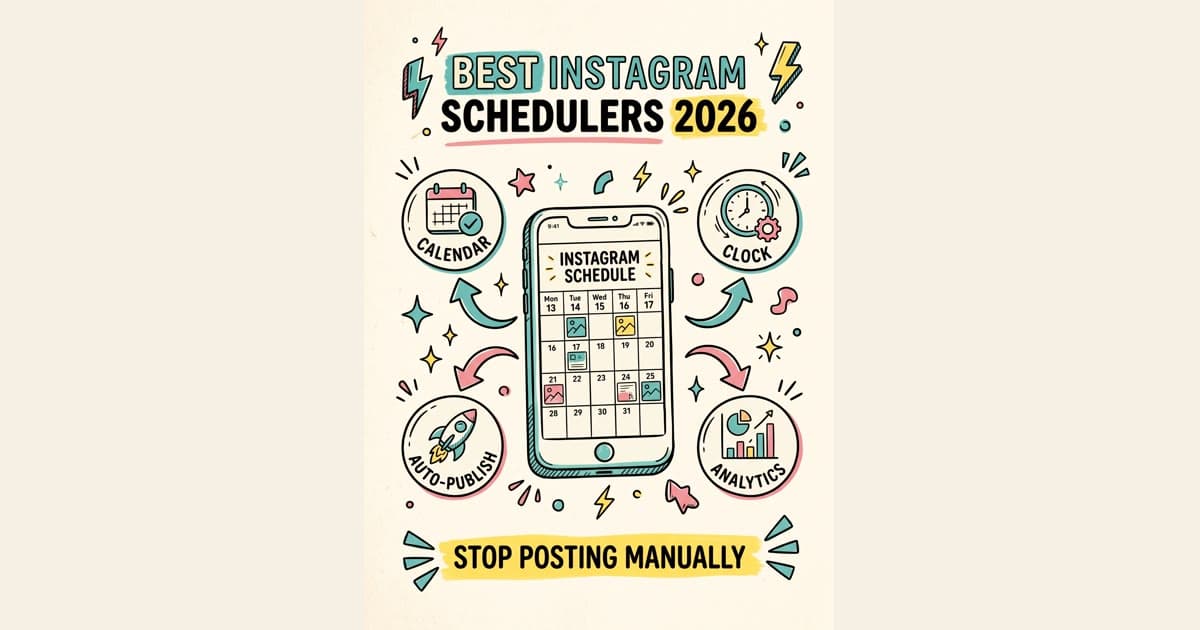
That's where Instagram schedulers come in. The best Instagram schedulers in 2026 do more than queue up posts. They help you batch your content, hit peak engagement windows, repurpose across platforms, and keep your presence alive even when you're heads-down on client work or taking a weekend off.
This guide covers the top Instagram post schedulers in 2026, who each tool is built for, and how to pick the right one without overpaying.
Why Scheduling Instagram Posts Matters More in 2026
Instagram's algorithm has gotten more competitive. Reels get boosted in the first 30 minutes after posting. Carousels get re-served to non-engagers if the first wave performs well. Timing is now a genuine lever - not just a best practice.
Here's what consistent scheduling actually gives you:
Time savings. Batching content takes 2-3 hours per week instead of 20-30 minutes every single day. That's hours back every week.
Consistency. Accounts that post 4-7 times per week get significantly more reach than sporadic posters. Schedulers make that rhythm automatic.
Platform coverage. Most creators and businesses are on more than just Instagram. Scheduling to Facebook, X, LinkedIn, TikTok, and Pinterest at the same time - from one dashboard - is where the real efficiency is.
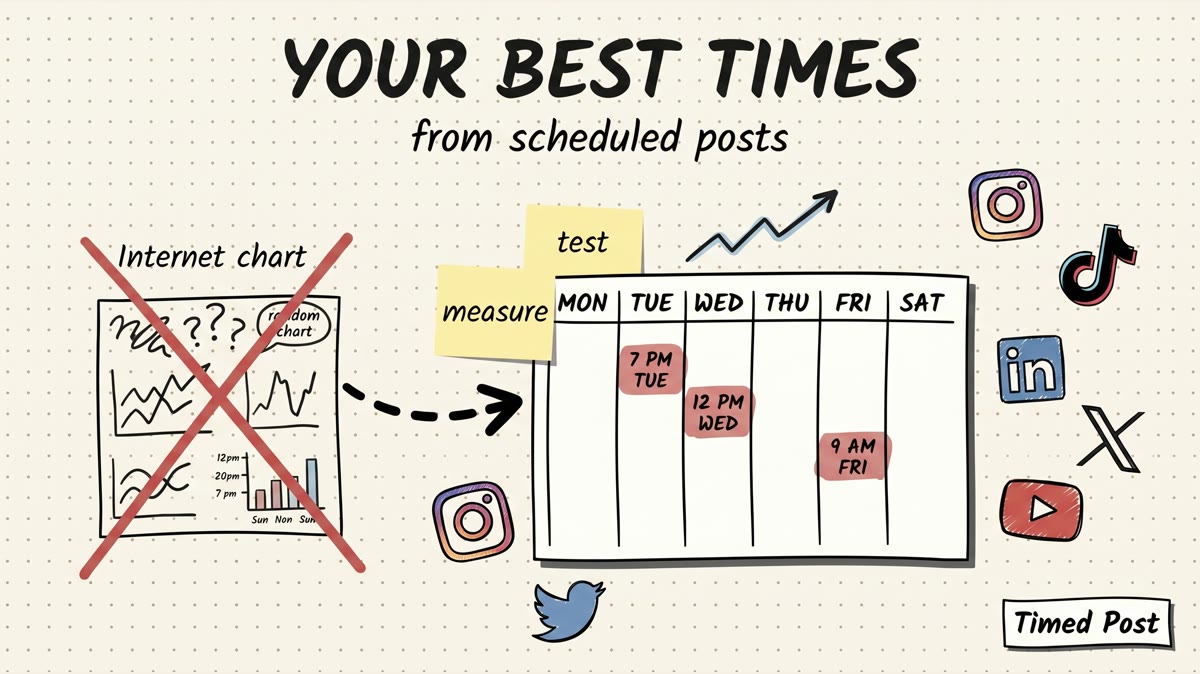
Data. Good schedulers show you which days and times drive the most engagement, so you stop guessing and start optimizing.
The 8 Best Instagram Schedulers in 2026
1. Timed Post - Best for Multi-Platform Scheduling
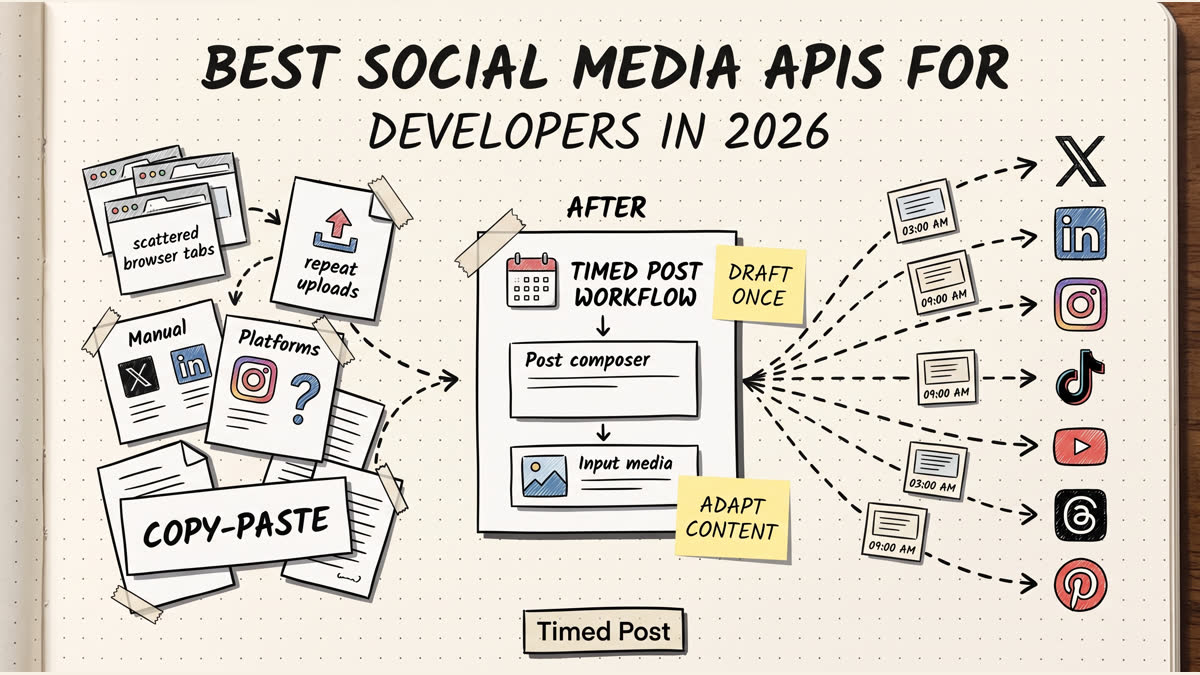
Timed Post is built for creators and teams who need more than an Instagram-only tool. While most schedulers are Instagram-first with other platforms bolted on, Timed Post is genuinely multi-platform from the ground up.
What it does well:
You draft content once and publish it everywhere. Facebook, Threads, X (Twitter), Pinterest, TikTok, YouTube, and LinkedIn - all from one dashboard. No tab-switching, no copy-pasting captions across apps.
The Starter is $19/month for up to 5 social accounts, while Growth is $49/month for up to 15 social accounts. That's the best per-account value in this category, especially for freelancers managing multiple clients or agencies with a lean budget.
Instagram support: Instagram scheduling is live in Timed Post alongside X, Facebook, Threads, Pinterest, TikTok, YouTube, and LinkedIn.
Best for: Social media managers, freelancers, and small agencies who need multi-platform scheduling without paying enterprise prices.
Pricing:
- 7-day free trial
- Starter: $19/month (5 social accounts)
- Growth: $49/month (15 social accounts)
- Premium: $49/month early bird / $79/month normal (unlimited accounts)
Pros:
- True multi-platform support (not Instagram-only)
- One of the lowest per-account prices in the market
- Clean, fast dashboard
- Draft once, publish everywhere workflow
Cons:
- Fewer legacy enterprise/reporting features than Hootsuite or Sprout Social
- Newer product, smaller community than legacy tools
2. Buffer - Clean and Reliable, But Expensive for Teams
Buffer has been around since 2010 and is one of the most trusted names in social scheduling. The product is clean, the interface is simple, and it works reliably across Instagram, Facebook, LinkedIn, X, Pinterest, and TikTok.
What it does well:
Buffer's queue system is intuitive. You add posts, set a posting schedule, and Buffer fills the slots automatically. The analytics are solid on paid plans. The link-in-bio tool (Start Page) is a nice bonus for Instagram users.
Where it falls short:
Buffer gets expensive fast for teams. The Team plan jumps to $120/month for 10 channels. If you're managing multiple clients, you're looking at real money. The free plan is limited to 3 channels and 10 scheduled posts per channel.
Best for: Solo creators and small businesses who want a clean, proven tool and don't need more than 5-6 accounts.
Pricing:
- Free: 3 channels, 10 posts per channel
- Essentials: $6/month per channel
- Team: $12/month per channel
Pros:
- Clean, intuitive UI
- Strong analytics on paid plans
- Reliable posting
Cons:
- Pricing scales badly for teams and agencies
- No built-in design tools
- Advanced features locked behind higher tiers
3. Later - Best Visual Planner for Instagram
Later built its reputation on Instagram and shows. The visual content calendar lets you drag and drop photos to preview how your grid will look before anything goes live. For brands that care deeply about Instagram aesthetics, Later is hard to beat visually.
What it does well:
The grid preview is genuinely useful. You can map out 9-12 posts and see exactly how they'll appear on your profile. Later also has Linkin.bio, a clickable landing page for Instagram links, and decent hashtag suggestion features.
Where it falls short:
Later is Instagram-focused. Support for other platforms exists (Facebook, Pinterest, TikTok, LinkedIn, X) but feels secondary. If you need true multi-platform publishing at scale, Later will frustrate you.
Best for: Instagram-first brands and creators who prioritize visual planning and grid aesthetics.
Pricing:
- Starter: $16.67/month (1 user, 1 set of social profiles)
- Growth: $30/month
- Advanced: $53.33/month
Pros:
- Best visual grid planner in the category
- Strong Instagram-specific features
- Linkin.bio included
- Decent hashtag tools
Cons:
- Other platforms feel like afterthoughts
- Can get expensive for multiple users
- Analytics are basic on lower plans
4. Hootsuite - Enterprise Power, Enterprise Price
Hootsuite is the granddaddy of social media management. It supports over 35 social networks, has deep analytics, team collaboration tools, content libraries, and integrations with everything. If you're running social for a Fortune 500 company, Hootsuite probably makes sense.
For everyone else, the price is hard to justify.
What it does well:
Hootsuite's feature set is comprehensive. The OwlyWriter AI helps generate caption ideas. The inbox consolidates messages from all platforms. The analytics are detailed. For large teams with complex workflows, it handles the complexity.
Where it falls short:
The Professional plan starts at $99/month for one user and 10 social accounts. The Team plan is $249/month. Most small businesses and freelancers simply don't need what Hootsuite offers at those prices - and there are better options at a fraction of the cost.
Best for: Enterprise marketing teams and large agencies with big budgets and complex workflow needs.
Pricing:
- Professional: $99/month (1 user, 10 accounts)
- Team: $249/month (3 users, 20 accounts)
- Enterprise: Custom pricing
Pros:
- Most comprehensive feature set in the market
- Strong team collaboration tools
- Deep analytics and reporting
- 35+ platform integrations
Cons:
- Significantly overpriced for small teams
- Interface feels cluttered and dated
- Overkill for most use cases
5. Planoly - Instagram and Pinterest, Nothing More
Planoly is a visual planner purpose-built for Instagram and Pinterest. If those are your only two platforms, it's a solid option. The visual grid planner is clean, the auto-publishing works reliably, and the design templates are helpful for non-designers.
What it does well:
Planoly's drag-and-drop grid planner is intuitive, and the Pinterest integration is genuinely strong - stronger than most tools in this list. For product-based businesses that live on Instagram and Pinterest, Planoly handles the core workflow well.
Where it falls short:
It's Instagram and Pinterest only. No X, no LinkedIn, no TikTok, no Facebook (or very limited). If you're running any other channels, you need a second tool. That friction adds up.
Best for: E-commerce brands and creators who post primarily to Instagram and Pinterest.
Pricing:
- Starter: Free (1 user, 2 social profiles)
- Solo: $13/month
- Duo: $23/month
Pros:
- Clean visual planner
- Strong Pinterest integration
- Good for e-commerce brands
- Affordable solo plans
Cons:
- Extremely limited platform support
- No LinkedIn, X, or TikTok
- Analytics are basic
6. Sprout Social - Best for Data-Driven Enterprise Teams
Sprout Social sits at the premium end of the market and earns it with reporting. The analytics are some of the best available - competitive analysis, audience demographics, post performance trends, and custom report building. For agencies that need to show ROI to clients, Sprout's reports are presentation-ready.
What it does well:
The Smart Inbox consolidates all messages, comments, and mentions from every platform into one stream. The publishing calendar is solid. The competitor analysis tools give you real intelligence. Customer support is responsive and helpful.
Where it falls short:
Sprout Social starts at $249/month per seat. That's a significant investment for a small team. Features like competitor reports and advanced analytics are locked behind higher tiers. For most creators and small agencies, there are tools that provide 80% of the value at 20% of the price.
Best for: Mid-market and enterprise marketing teams that need deep analytics and client reporting.
Pricing:
- Standard: $249/month per seat
- Professional: $399/month per seat
- Advanced: $499/month per seat
Pros:
- Industry-leading analytics and reporting
- Strong inbox management
- Excellent customer support
- Competitor analysis tools
Cons:
- Very expensive for small teams
- Per-seat pricing adds up fast
- Many features locked behind top tiers
7. SocialBee - Best Content Categorization
SocialBee takes a category-based approach to scheduling. Instead of just queuing posts, you create content categories (promotional, educational, engagement, seasonal) and assign posting frequencies to each. The result is a more balanced, intentional content mix automatically.
What it does well:
The category system is genuinely clever. You set rules like "post 3 educational pieces per week, 1 promotional per week, and 2 engagement posts," and SocialBee handles the rotation. Post recycling is built in - evergreen content gets reshared automatically.
Best for: Content strategists and creators who think in systems and want to automate content variety.
Pricing:
- Bootstrap: $29/month (5 accounts)
- Accelerate: $49/month (10 accounts)
- Pro: $99/month (25 accounts)
Pros:
- Smart content categorization
- Post recycling for evergreen content
- Good value for 10+ accounts
- Supports Instagram, Facebook, X, LinkedIn, Pinterest, TikTok
Cons:
- Learning curve for the category system
- UI is less polished than Buffer or Later
- Analytics are limited
8. Metricool - Best Free Instagram Scheduler
Metricool punches above its weight on the free plan. You get analytics, scheduling, and multi-platform support (including Instagram, Facebook, X, LinkedIn, TikTok, Pinterest, YouTube, and Google Business) on the free tier with real data - not just demo numbers.
What it does well:
The analytics dashboard is excellent, even on free. You get follower growth, post performance, best posting times, and competitor analysis. The scheduling interface is clean. For creators who want a free Instagram scheduler with genuine data insights, Metricool is the best option in this category.
Best for: Creators and small businesses looking for the best free Instagram scheduler with real analytics.
Pricing:
- Free: 1 brand, limited posts
- Starter: $22/month
- Advanced: $59/month
Pros:
- Best free plan in the category
- Strong analytics on all tiers
- Wide platform support
- Competitor analysis included
Cons:
- Free plan has post limits
- Team features require higher tiers
- Interface can feel busy
Comparison Table: Instagram Schedulers at a Glance
| Tool | Starting Price | Multi-Platform | Best For | |
|---|---|---|---|---|
| Timed Post | Free / $19/mo Pro | Yes | Yes (8 platforms) | Multi-platform creators and agencies |
| Buffer | Free / $6/mo/channel | Yes | Yes (6 platforms) | Solo creators, small teams |
| Later | $16.67/mo | Yes | Limited | Instagram-first brands |
| Hootsuite | $99/mo | Yes | Yes (35+ platforms) | Enterprise teams |
| Planoly | Free / $13/mo | Yes | Instagram + Pinterest only | E-commerce, Instagram/Pinterest |
| Sprout Social | $249/mo/seat | Yes | Yes | Enterprise, agencies with reporting needs |
| SocialBee | $29/mo | Yes | Yes (6 platforms) | Content strategists |
| Metricool | Free / $22/mo | Yes | Yes (8 platforms) | Budget-conscious creators |
How to Choose the Right Instagram Scheduler
Not every tool fits every situation. Here's a decision framework based on your actual use case.
If you're a solo creator
Your priorities are simplicity, low cost, and Instagram-first features. You probably don't need team collaboration or enterprise reporting.
Best options: Later (visual planning), Metricool (best free tier), Buffer (clean and reliable).
Skip: Hootsuite and Sprout Social - you'd be paying for features you'll never touch.
If you're a freelancer managing multiple clients
You need to handle multiple accounts efficiently without the per-seat pricing that kills margins.
Best options: Timed Post (Starter at $19/month for 5 accounts; Growth at $49/month for 15 accounts), SocialBee (category system helps differentiate clients), Metricool (strong analytics to report to clients).
Skip: Sprout Social (per-seat pricing is brutal for freelancers), Buffer (per-channel pricing adds up fast).
If you're a small-to-mid agency
You need multi-platform support, team collaboration, client reporting, and the ability to scale without doubling your software bill.
Best options: Timed Post (best value for multi-platform), SocialBee (good for 10-25 accounts), Metricool (strong analytics + reasonable pricing).
Skip: Hootsuite (overpriced for what most agencies need), Sprout Social (good tool, but the price-to-value ratio is hard to defend for teams under 10).
If you're an enterprise marketing team
Budget is less of a constraint. You need depth - approval workflows, custom reporting, competitive intelligence, and deep integrations.
Best options: Sprout Social (best analytics and reporting), Hootsuite (most comprehensive feature set).
Skip: Planoly, Later, Metricool free - these aren't built for enterprise workflows.
If Instagram and Pinterest are your only platforms
You want a specialist tool that does those two platforms really well.
Best option: Planoly.
If you want to publish across 5+ platforms from one place
This is where the "Instagram-only" tools break down. You need something genuinely multi-platform.
Best options: Timed Post (Facebook, Threads, X, Pinterest, TikTok, YouTube, LinkedIn in one dashboard), Hootsuite (if budget allows), Metricool.
Schedule your posts across every platform
Draft once, publish everywhere — automatically.
No credit card · Cancel anytime
The Multi-Platform Problem Most Schedulers Ignore
Here's something the big Instagram-focused tools won't tell you: most creators and businesses are not just on Instagram.
They're on Instagram, X, LinkedIn, TikTok, Pinterest, and YouTube - sometimes all at once. And every time they want to post the same piece of content to multiple platforms, they're either paying extra per channel or doing it manually.
Buffer charges per channel. Later is Instagram-first with other platforms as add-ons. Planoly doesn't support most platforms at all.
Timed Post takes the opposite approach. The whole product is built around the "draft once, publish everywhere" workflow. One piece of content. One dashboard. Eight platforms. Instagram, Facebook, Threads, X, Pinterest, TikTok, YouTube, and LinkedIn are supported from one dashboard.
Starter is $19/month for up to 5 accounts, and Growth is $49/month for up to 15 accounts across Timed Post’s 8 supported platforms.
If you're tired of paying $6-12 per channel or switching between three different tools to manage your presence, start a 7-day Timed Post trial and test Instagram scheduling in your workflow.
Frequently Asked Questions
What is an Instagram scheduler?
An Instagram scheduler is a tool that lets you plan and queue Instagram posts in advance, so they publish automatically at your chosen time without you being at your phone or computer. You write the caption, upload the image or video, pick a time, and the scheduler handles the rest. Most modern Instagram schedulers also support Stories, Reels, and carousels - not just static feed posts. The best tools extend beyond Instagram to cover multiple platforms from one dashboard.
What is the best tool to schedule Instagram posts in 2026?
The best tool depends on your situation. For Instagram-first creators who want a visual grid planner, Later is the strongest option. For solo creators wanting the best free Instagram scheduler, Metricool is hard to beat. For freelancers and agencies managing multiple clients across multiple platforms, Timed Post starts at $19/month for 5 accounts, with Growth at $49/month for 15 accounts across 8 platforms. For enterprises with big budgets and complex reporting needs, Sprout Social or Hootsuite are the go-to choices.
Is there a free Instagram scheduler worth using?
Yes. Metricool has the strongest free plan in the category - you get real analytics, multi-platform scheduling, and competitor data without paying anything. Buffer also has a free tier (3 channels, 10 posts per channel) that works for very light usage. Planoly's free plan covers 1 Instagram and 1 Pinterest account. For most creators getting started, Metricool's free plan is the best starting point before upgrading to a paid tool as your needs grow.
How far in advance can you schedule Instagram posts?
Most Instagram schedulers let you schedule posts as far in advance as you want - weeks or months out. There's no technical limit enforced by Instagram's API. In practice, most social media managers batch content 1-2 weeks ahead to stay flexible. Scheduling too far in advance risks the content feeling stale or off-trend by the time it publishes, especially for news-adjacent or trending content.
What's the difference between Later and Buffer for Instagram?
Later is built specifically for Instagram with a strong visual grid planner that shows exactly how your profile will look before you publish. It's better for brands that prioritize grid aesthetics. Buffer is platform-agnostic with a cleaner queue-based interface - it works well for Instagram but doesn't have Instagram-specific features like the grid preview. Buffer gets more expensive than Later for teams because of per-channel pricing. Later is the stronger choice if Instagram is your primary platform. Buffer is better if you want a consistent experience across several platforms without Instagram-specific features.
Can I schedule Instagram Reels with a scheduler?
Yes. Most major Instagram schedulers support Reels scheduling through the Instagram Content Publishing API. Tools like Later, Buffer, Metricool, Hootsuite, and Sprout Social all support Reels. You upload the video, write the caption, add hashtags, and schedule the publish time. Some tools also let you set a cover thumbnail. Note that not all schedulers support all Reels features - things like remixes, collaboration posts, and paid partnership labels may need to be added manually after publishing.
Why is my Instagram scheduler not posting?
The most common reasons an Instagram scheduler fails to post are: (1) your Instagram account was reconnected to a personal account instead of a Creator or Business account - Instagram's API only works with Creator and Business profiles; (2) your access token expired and needs to be re-authorized in the scheduler settings; (3) the post violated Instagram's content policies (even if it appears fine to you); (4) there was a temporary issue with Instagram's API, which happens periodically. Check your scheduler's error logs first - most tools show a specific failure reason. Re-authorizing your Instagram connection fixes the majority of issues.
How many times should I post on Instagram in 2026?
The Instagram algorithm in 2026 favors accounts that post consistently over accounts that post high volume. For most creators and businesses, 4-5 feed posts per week combined with 3-5 Stories per day is the sweet spot. Reels should be at least 3 per week if video is part of your strategy, as Instagram continues to heavily promote Reels in discovery feeds. Consistency matters more than volume - an account that posts 4 times every week outperforms one that posts 15 times one week and goes silent for two weeks. A scheduler makes that consistency automatic.
What's the difference between an Instagram scheduler and a social media management tool?
An Instagram scheduler focuses primarily on planning and queuing content - the publishing workflow. A social media management tool is broader: it typically includes scheduling plus inbox management (comments, DMs, mentions), analytics and reporting, team collaboration features, content libraries, and sometimes competitor analysis. Tools like Hootsuite and Sprout Social are full social media management platforms. Tools like Later and Planoly are primarily schedulers with some analytics. Timed Post, Buffer, and Metricool sit in the middle - solid scheduling with meaningful analytics, without the enterprise complexity (or price tag) of full management suites.
Is Timed Post a good Instagram scheduler?
Timed Post is a multi-platform scheduler that currently supports Facebook, Threads, X, Pinterest, TikTok, YouTube, and LinkedIn. Instagram scheduling is now available in Timed Post. For creators and teams who need to manage multiple platforms efficiently, Timed Post's Starter plan at $19/month for 5 accounts is one of the best deals in social media scheduling. That makes it one of the stronger all-in-one options in the market. Start a 7-day trial at timedpost.com to test it.
The Bottom Line
The best Instagram scheduler in 2026 is the one that fits your workflow, your budget, and the platforms you actually need to cover.
For most creators starting out: Metricool (free tier is genuinely good) or Later (best visual planning for Instagram).
For freelancers managing multiple clients: Timed Post (best value at $19/month for 5 accounts across 8 platforms).
For Instagram-and-Pinterest-only brands: Planoly.
For agencies needing client reporting: Metricool or SocialBee.
For enterprise teams with budget: Sprout Social or Hootsuite.
If you're managing more than just Instagram and you're tired of paying per channel or using separate tools for each platform, Timed Post is built exactly for that problem. Draft once. Publish everywhere.
Start a 7-day Timed Post trial and test Instagram scheduling in your workflow.
{
  "@context": "https://schema.org",
  "@type": "FAQPage",
  "mainEntity": [
    {
      "@type": "Question",
      "name": "What is an Instagram scheduler?",
      "acceptedAnswer": {
        "@type": "Answer",
        "text": "An Instagram scheduler is a tool that lets you plan and queue Instagram posts in advance, so they publish automatically at your chosen time without you being at your phone or computer. You write the caption, upload the image or video, pick a time, and the scheduler handles the rest. Most modern Instagram schedulers also support Stories, Reels, and carousels - not just static feed posts."
      }
    },
    {
      "@type": "Question",
      "name": "What is the best tool to schedule Instagram posts in 2026?",
      "acceptedAnswer": {
        "@type": "Answer",
        "text": "The best tool depends on your situation. For Instagram-first creators who want a visual grid planner, Later is the strongest option. For solo creators wanting the best free Instagram scheduler, Metricool is hard to beat. For freelancers and agencies managing multiple clients across multiple platforms, Timed Post starts at $19/month for 5 accounts, with Growth at $49/month for 15 accounts across 8 platforms."
      }
    },
    {
      "@type": "Question",
      "name": "Is there a free Instagram scheduler worth using?",
      "acceptedAnswer": {
        "@type": "Answer",
        "text": "Yes. Metricool has the strongest free plan in the category - you get real analytics, multi-platform scheduling, and competitor data without paying anything. Buffer also has a free tier (3 channels, 10 posts per channel) that works for very light usage. Planoly's free plan covers 1 Instagram and 1 Pinterest account."
      }
    },
    {
      "@type": "Question",
      "name": "How far in advance can you schedule Instagram posts?",
      "acceptedAnswer": {
        "@type": "Answer",
        "text": "Most Instagram schedulers let you schedule posts as far in advance as you want - weeks or months out. There is no technical limit enforced by Instagram's API. In practice, most social media managers batch content 1-2 weeks ahead to stay flexible."
      }
    },
    {
      "@type": "Question",
      "name": "Can I schedule Instagram Reels with a scheduler?",
      "acceptedAnswer": {
        "@type": "Answer",
        "text": "Yes. Most major Instagram schedulers support Reels scheduling through the Instagram Content Publishing API. Tools like Later, Buffer, Metricool, Hootsuite, and Sprout Social all support Reels. You upload the video, write the caption, add hashtags, and schedule the publish time."
      }
    },
    {
      "@type": "Question",
      "name": "Why is my Instagram scheduler not posting?",
      "acceptedAnswer": {
        "@type": "Answer",
        "text": "The most common reasons are: your Instagram account was connected as a personal account instead of Creator or Business (required for API access); your access token expired and needs re-authorization; the post violated Instagram content policies; or there was a temporary API issue. Re-authorizing your Instagram connection fixes most cases."
      }
    },
    {
      "@type": "Question",
      "name": "How many times should I post on Instagram in 2026?",
      "acceptedAnswer": {
        "@type": "Answer",
        "text": "For most creators and businesses, 4-5 feed posts per week combined with 3-5 Stories per day is the sweet spot. Reels should be at least 3 per week. Consistency matters more than volume - a scheduler makes that consistency automatic."
      }
    },
    {
      "@type": "Question",
      "name": "What's the difference between an Instagram scheduler and a social media management tool?",
      "acceptedAnswer": {
        "@type": "Answer",
        "text": "An Instagram scheduler focuses primarily on planning and queuing content. A social media management tool is broader: it includes scheduling plus inbox management, analytics and reporting, team collaboration features, content libraries, and sometimes competitor analysis. Tools like Hootsuite and Sprout Social are full management platforms. Tools like Later and Planoly are primarily schedulers."
      }
    },
    {
      "@type": "Question",
      "name": "Is Timed Post a good Instagram scheduler?",
      "acceptedAnswer": {
        "@type": "Answer",
        "text": "Timed Post is a multi-platform scheduler that currently supports Facebook, Threads, X, Pinterest, TikTok, YouTube, and LinkedIn. Instagram direct publishing is currently in API approval and launching soon. The Starter plan at $19/month for 5 accounts is one of the best deals in social media scheduling."
      }
    }
  ]
}