The best TikTok scheduler is not always the tool with the longest feature list. It is the one that fits the way you actually publish.
If TikTok is your only channel, TikTok Studio may be enough. It is free, native, and removes most third-party risk. But if every TikTok also needs to become an Instagram Reel, YouTube Short, Facebook Reel, Threads post, Pinterest Idea-style post, or LinkedIn clip, the native workflow breaks fast.
That is the real scheduling problem in 2026:
- you finish the video
- you write the TikTok caption
- you upload it to TikTok
- you upload it again to Instagram
- you crop or rewrite for YouTube Shorts
- you adjust the caption for LinkedIn or X
- you forget which post went to which account
A TikTok scheduler should reduce that mess, not add another dashboard to babysit.
This guide compares the strongest TikTok scheduling tools by auto-publish support, pricing, team workflow, analytics, and how well each tool handles multi-platform posting. Prices and feature claims were checked against public vendor pages on June 10, 2026, and can change.
quick answer
For most creators, founders, and small teams posting TikTok content across several platforms, Timed Post is the best overall TikTok scheduling tool because it combines TikTok scheduling with cross-platform posting, a calendar, workspaces, bulk scheduling, AI captions, and approval workflows without forcing you into enterprise pricing.
Use this short version if you are choosing quickly:
| Need | Best pick | Why |
|---|---|---|
| Best overall TikTok + multi-platform workflow | Timed Post | Schedule TikTok alongside Instagram, YouTube, X, LinkedIn, Facebook, Threads, and Pinterest from one calendar. |
| Best free TikTok-only scheduler | TikTok Studio | Native, free, and best when you only care about TikTok. |
| Best simple low-cost scheduler | Buffer | Free plan and paid plans from $5/channel/month when billed yearly. |
| Best visual planner | Later | Strong calendar/media workflow, with TikTok auto-publish for business accounts and notification publishing when needed. |
| Best analytics-heavy budget option | Metricool | Free plan includes 20 scheduled posts/month; paid plans add more brands and reporting. |
| Best enterprise suite | Sprout Social or Hootsuite | Better for larger teams that need deep reporting, inbox workflows, and enterprise controls. |
If you need a TikTok-only how-to, start with the Timed Post guide on how to schedule TikTok videos. If you are building a repeatable content system across channels, pair this article with the multi-platform posting strategy guide.
If you are already turning every TikTok into 3+ posts, try Timed Post and build the whole week in one calendar instead of opening TikTok, Instagram, YouTube, LinkedIn, X, Facebook, Threads, and Pinterest one by one.
what matters before choosing a TikTok scheduler
A lot of TikTok scheduler roundups compare tools like they are the same product with different logos. They are not.
The difference shows up when you try to run a real weekly workflow.
auto-publish is not the same as a reminder
A true auto-publish tool posts to TikTok at the scheduled time. A reminder-based workflow sends you a notification, opens TikTok, and still expects you to finish manually.
Reminder publishing is not useless. It can help when a post needs a native-only feature like a trending sound, a sticker, or a last-minute edit inside the TikTok app. But if your goal is to batch content on Monday and stay off the apps for the rest of the week, reminders do not solve the problem.
TikTok's own Content Posting API documentation shows the direct-post flow for videos and photos. The same docs expose the messy part most comparison articles skip: uploads can be async, privacy options must match the creator account, and API errors can happen when a daily publishing cap or active-user quota is reached.
So the useful question is not "does this tool schedule TikToks?" The useful question is:
Can it publish the content type I use, on the account type I have, without making me open TikTok at the scheduled time?
TikTok format support still has limits
TikTok is not just one post format anymore. A scheduler may support normal videos but struggle with photo carousels, large video files, sounds, account-specific privacy settings, or business-account requirements.
The public TikTok media transfer docs list practical constraints for API-based posting: video uploads can go up to 10 minutes through the initialize upload flow, videos can be up to 4GB, and image uploads support WebP/JPEG with a 20MB limit per image. Those numbers are helpful, but they are not a promise that every scheduler exposes every TikTok option cleanly.
If you publish mostly short videos, most mature schedulers will work. If you publish TikTok photo carousels, content that depends on trending sounds, or heavy client approval batches, read the tool details before paying.
the real cost is usually account count
TikTok scheduling pricing gets confusing because tools bill differently:
- per social channel
- per user
- per workspace
- per brand
- by post count
- by approval/reporting features
A $5/channel tool looks cheap until you connect TikTok, Instagram, YouTube, LinkedIn, X, Facebook, and Pinterest for two brands. A $49/month plan can be cheaper if it includes more accounts, workspaces, and unlimited scheduling.
If you manage more than one brand, read this alongside Timed Post's guide on managing multiple social media accounts. The tool that wins for one creator can become expensive for a small agency.
the workflow should survive a busy week
A decent TikTok scheduler should handle the ugly Monday batch:
raw clips
  -> edit 7 TikToks
  -> write TikTok captions
  -> tweak captions for Reels, Shorts, LinkedIn, and X
  -> schedule everything in one calendar
  -> send client posts for approval
  -> confirm what actually published
That is where native TikTok scheduling and lightweight tools start to feel small. They can post the video, but they do not always solve the content calendar, approvals, account separation, and cross-platform rewrite work around the video.
If your current setup is 5 tabs and a notes app, the goal is not "more features." The goal is fewer chances to post the wrong clip to the wrong account.
comparison table: 10 TikTok scheduling tools
| Tool | Starting price checked June 2026 | TikTok auto-publish | Best for | Watch out for |
|---|---|---|---|---|
| Timed Post | $19/month monthly or $16/month annual Starter | Yes | Creators, founders, and agencies posting TikTok plus other platforms | Newer platform; analytics are not as deep as enterprise suites. |
| TikTok Studio | Free | Yes, native | TikTok-only creators | Not a multi-platform calendar or client approval tool. |
| Later | $18.75/month annual Starter | Yes for TikTok business accounts; notification publishing available | Visual planning and creator workflows | Post counts and social sets matter if you manage several brands. |
| Buffer | Free plan; Essentials from $5/channel/month annual | Yes for TikTok business profiles; reminders also supported | Simple scheduling on a budget | Per-channel pricing scales with every profile you connect. |
| Metricool | Free plan; Starter from €16/month | Yes | Analytics-first creators and small teams | Free plan has 20 scheduled posts/month. |
| SocialPilot | $20/month monthly or $17/month annual Essentials | Yes | Agencies that need bulk scheduling and many accounts | The best collaboration features sit above the entry plan. |
| SocialBee | Normal plans from $29/month; promo pricing may be lower | Yes | Evergreen content queues and categorized posting | Great queue logic, but the interface can feel heavy if you only need TikTok. |
| Planable | Free 50 total posts; Basic shown at $33/workspace/month | Yes | Approval-heavy content teams | Workspace/post limits matter more than the headline price. |
| Hootsuite | 30-day trial; Standard/Advanced pricing varies by region/page state | Yes | Larger teams needing inbox, listening, and reporting | Expensive if you only need TikTok scheduling. |
| Sprout Social | Standard from $199/seat/month annual | Yes | Enterprise reporting, engagement, and governance | Overkill for most solo creators and early teams. |
1. Timed Post: best overall for TikTok plus every other channel
Timed Post is built for the workflow most TikTok scheduling articles barely talk about: the TikTok is only one version of the post.
A founder might turn the same product update into a TikTok, Instagram Reel, YouTube Short, X post, LinkedIn post, and Facebook post. A freelancer might do that for 5 clients. An agency might need approvals before anything goes live.
Timed Post fits that world better than a TikTok-only tool.
why it works for TikTok scheduling
Timed Post lets you plan TikTok content inside the same calendar as Instagram, YouTube, X, LinkedIn, Facebook, Threads, and Pinterest. You can draft once, adjust captions by platform, schedule posts, and keep client or brand workspaces separate.
The Timed Post pricing page currently lists:
- 8-platform linking and scheduling
- content calendar and drag-and-drop rescheduling
- smart previews
- media library
- AI captions and hashtags
- bulk scheduling
- workspaces for brands or clients
- approval workflows on Premium
That matters when TikTok is part of a bigger short-form video workflow. You do not want to schedule TikTok in one place, Reels in another, Shorts in YouTube Studio, and LinkedIn manually from a doc.
For a broader platform comparison, see Timed Post's guide to the best multi-platform social media schedulers.
pricing
Timed Post currently lists:
| Plan | Monthly price | Useful limit |
|---|---|---|
| Starter | $19/month or $16/month billed annually | 5 social accounts, 1 workspace, 200 posts/month |
| Growth | $49/month or $41/month billed annually | 15 social accounts, 5 workspaces, unlimited scheduled posts |
| Premium | $79/month normal, early-bird $49/month shown on the pricing page | unlimited social accounts, unlimited workspaces, approvals |
Starter is enough for one creator or founder. Growth is the cleaner fit if TikTok is part of a serious weekly batch. Premium is for agencies or teams that need approvals and account separation.
best fit
Choose Timed Post if you want TikTok scheduling as part of a full content system, not as a separate app.
It is especially strong if your week looks like this:
- record or edit short-form videos in batches
- turn each TikTok into a Reel, Short, and sometimes a LinkedIn/X post
- schedule everything without opening 6 apps
- manage several brands or client accounts
- need approvals before publishing
If you are trying to cut the manual part of that workflow, the guide on social media workflows that cut workload in half pairs well with this article.
limitations
Timed Post is newer than Buffer, Later, Hootsuite, and Sprout. If you need enterprise listening, mature inbox routing, or advanced TikTok competitive analytics, tools like Sprout or Hootsuite go deeper.
But if your main pain is scheduling TikTok content alongside other platforms without living inside every app, Timed Post is the practical pick.
Schedule your posts across every platform
Draft once, publish everywhere — automatically.
No credit card · Cancel anytime
2. TikTok Studio: best free native TikTok scheduler
TikTok Studio is the obvious free option because it is TikTok's own tool.
You do not need another subscription. You do not need to worry about whether a third-party scheduler supports your exact TikTok account type. You work directly inside TikTok's ecosystem.
why it works
TikTok Studio is best when:
- you only publish to TikTok
- you want the native environment
- you do not need client approvals
- you do not need cross-platform publishing
- you want to avoid third-party tool costs
For a creator posting one or two TikToks a week, that may be enough.
where it breaks
TikTok Studio is not a content operating system. It will not manage your Instagram Reels, YouTube Shorts, X posts, LinkedIn updates, or Pinterest content from the same calendar.
It also does not solve the agency problem: separate client workspaces, approvals, multi-brand calendars, and a clean record of what was posted where.
The simplest way to think about it:
TikTok-only creator:
TikTok Studio -> scheduled TikTok

multi-platform creator or agency:
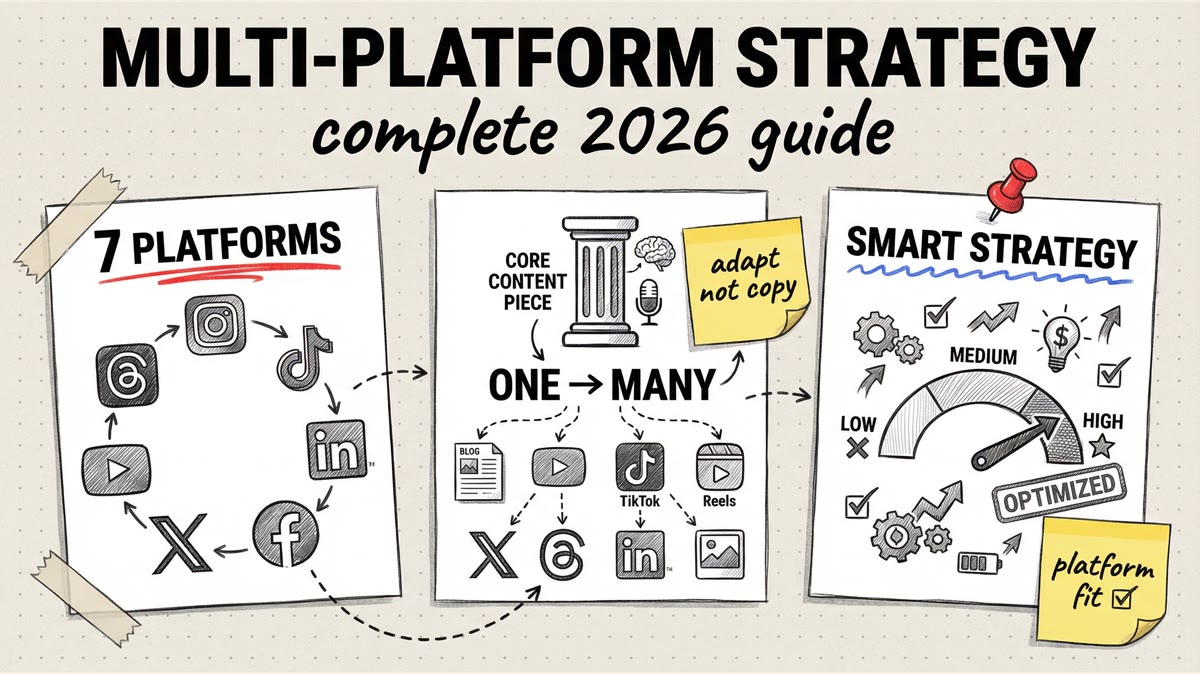
one video -> TikTok + Reels + Shorts + LinkedIn + X + Facebook -> scheduler calendar
Use TikTok Studio if you are TikTok-first and simple. Move to a scheduler when TikTok becomes part of a larger publishing system.
3. Later: best for visual TikTok and Instagram planning
Later is strong when your content workflow is visual. It is especially useful for creators and social media managers who plan Instagram and TikTok together.
Later's public pricing page says Auto Publish works for TikTok business accounts, and it also offers notification publishing for Instagram and TikTok when you need a manual step. That distinction is useful. Some posts can be fully scheduled; others may still need a native publish action because of music, stickers, or other app-specific choices.
pricing and limits
Later's Starter plan was listed at $18.75/month when billed yearly, with one social set, 8 profiles total, one user, and up to 30 posts per profile. It also lists a 14-day free trial.
Later is not the cheapest if you manage several brands, but it gives you a polished media library and planning workflow.
best fit
Choose Later if you:
- care heavily about visual planning
- post TikTok and Instagram together
- want a clean calendar and media library
- are okay with social set and post-count limits
If your main problem is Instagram scheduling, Timed Post also has a full guide to choosing the best Instagram scheduler.
watch out for
Later can work well for TikTok, but the plan structure matters. Social sets, users, post counts, and profiles can change the real price. Check the pricing page before committing if you manage multiple clients.
4. Buffer: best simple TikTok scheduler on a budget
Buffer is one of the easiest tools to recommend for simple scheduling. It is clean, familiar, and not bloated.
Buffer's pricing page lists a free plan and an Essentials plan from $5/channel/month when billed yearly. The feature table lists TikTok business profiles with automatic publishing and notification publishing.
best fit
Buffer is a good TikTok scheduler if you:
- manage a small number of channels
- want a low-cost way to schedule posts
- do not need heavy approvals
- do not need deep TikTok analytics
- like simple queues and a clean interface
watch out for
Per-channel pricing is the catch. One TikTok profile is cheap. TikTok plus Instagram plus YouTube plus LinkedIn plus X plus Facebook across several brands becomes a different bill.
Buffer is also not the strongest choice if your team needs approval workflows or separate client workspaces. For that, compare it with Timed Post in the Buffer vs Later vs Timed Post guide.
5. Metricool: best analytics-heavy budget option
Metricool is a strong pick if you care about reporting and performance tracking as much as scheduling.
Metricool's pricing page lists a free plan with one brand and up to 20 scheduled posts per month. Starter begins at €16/month and adds up to 10 brands, unlimited content publishing, more competitor analysis, and reporting tools.
why it works
Metricool is useful when TikTok is one channel in a performance dashboard. It is not just a post queue. You can plan, publish, and review results across networks.
best fit
Choose Metricool if you:
- want scheduling plus analytics
- need a real free plan to start
- manage one or a few brands
- care about reports and competitor tracking
watch out for
The free plan is useful but limited by scheduled post count. If you post daily TikToks plus content on other platforms, you will hit 20 posts/month quickly.
Metricool is also more reporting-heavy than some creators need. If you mostly want to batch TikToks and repurpose them across platforms, Timed Post or Buffer may feel faster.
6. SocialPilot: best for agencies that need bulk scheduling
SocialPilot is built around scheduling volume. Its pricing page listed Essentials at $20/month monthly or $17/month annually, with 5 social media accounts, one user, and 500 AI credits. Higher plans add more accounts, users, analytics history, content libraries, and bulk workflows.
best fit
Choose SocialPilot if you:
- manage lots of posts
- want agency-friendly scheduling
- need bulk upload and calendar views
- want a lower-cost alternative to Hootsuite or Sprout
watch out for
Entry-level pricing looks good, but agency workflows usually need more than one user and more than 5 accounts. Price the plan that matches your real account count.
SocialPilot is a good agency tool, but if your workflow is specifically "one video becomes posts on 6 platforms," compare it directly with a multi-platform scheduler like Timed Post before deciding.
7. SocialBee: best for evergreen TikTok content queues
SocialBee is strongest when your content strategy uses categories and recurring queues.
If you post recurring educational clips, founder updates, tips, repurposed podcast snippets, or evergreen content, SocialBee's category system can help you keep a balanced calendar.
SocialBee's pricing page showed a 14-day free trial and normal paid plans starting from $29/month, with temporary promotional pricing at the time of checking.
best fit
Choose SocialBee if you:
- plan content by category
- reuse evergreen ideas
- want AI help with social captions
- publish across several networks but still want a queue-based system
watch out for
SocialBee can feel like more tool than you need if your TikTok calendar is simple. It shines when you care about recurring categories and content recycling, not just scheduling the next 10 videos.
8. Planable: best for approvals and content review
Planable is built around collaboration. If your TikTok bottleneck is not publishing but getting posts reviewed, commented on, and approved, Planable is worth a look.
Planable's pricing page listed a free plan with 50 total posts and a Basic plan shown at $33 per workspace/month, including 60 posts per workspace/month, unlimited users, 4 social accounts per workspace, and approval options.
best fit
Choose Planable if you:
- work with clients
- need content approvals
- want comments and feedback in one place
- plan content as a team
watch out for
Planable pricing is workspace-based, so the number of brands or clients matters. A freelancer with 2 clients may be fine. An agency with 12 clients should calculate the workspace cost before moving everything over.
If approvals are only part of your workflow and you also need publishing across many platforms, compare it with Timed Post's Premium plan.
9. Hootsuite: best for large teams that need a full suite
Hootsuite is not just a TikTok scheduler. It is a full social media management platform with scheduling, inbox, reporting, listening, team features, and enterprise controls.
Hootsuite's plans page currently shows Standard and Advanced plans with a 30-day free trial, up to 10 social accounts on Standard, unlimited post scheduling, best-time recommendations, AI assistant features, and bulk scheduling on Advanced. Pricing can vary by region or page state, so check the live Hootsuite page before using it in a budget.
best fit
Choose Hootsuite if you:
- have a larger social team
- need inbox and listening features
- need reporting for stakeholders
- manage brand and competitor monitoring
- have budget for a mature suite
watch out for
Hootsuite is overkill if your main problem is scheduling TikToks. It makes sense when TikTok is one channel inside a larger social operation.
10. Sprout Social: best for enterprise reporting and governance
Sprout Social is the premium end of this list.
Sprout Social's pricing page listed Standard at $199 per seat/month with 5 social profiles, and Professional at $299 per seat/month with unlimited social profiles. It also offers a 30-day free trial.
That price is hard to justify for a solo creator. For a brand team, though, Sprout gives you stronger reporting, governance, engagement workflows, and stakeholder-ready analytics.
best fit
Choose Sprout Social if you:
- need deep reporting
- have multiple team members
- need engagement and customer care workflows
- care about governance and permissions
- already have budget for enterprise social software
watch out for
Sprout is not a lightweight TikTok scheduler. It is a full social management suite. If you only want to batch TikToks and publish them across platforms, it will probably feel too expensive.
how to choose the right TikTok scheduling tool
Use this decision path before paying for anything.
| If this is your situation | Pick |
|---|---|
| You only post to TikTok and want free scheduling | TikTok Studio |
| You post TikToks plus Reels, Shorts, LinkedIn, X, Facebook, Threads, or Pinterest | Timed Post |
| You need the cheapest simple scheduler for a few channels | Buffer |
| Instagram and TikTok visual planning is the main workflow | Later |
| Analytics and reports matter more than approvals | Metricool |
| You manage many client posts and bulk upload matters | SocialPilot |
| You organize evergreen content by category | SocialBee |
| Client approvals are the bottleneck | Planable |
| Enterprise inbox, listening, governance, and reporting matter | Hootsuite or Sprout Social |
A good rule:
- TikTok-only: use TikTok Studio first.
- TikTok plus 3+ platforms: use a cross-platform scheduler.
- TikTok plus clients: prioritize workspaces, approvals, and account separation.
- TikTok plus reporting: prioritize analytics depth and export options.
If you post to Pinterest, TikTok, and Threads together, the Timed Post workflow guide on posting to Pinterest, TikTok, and Threads without the chaos is a useful next read.
common TikTok scheduling mistakes
choosing a tool before mapping your real account count
Do not compare only entry prices. Write down the exact accounts you need:
Brand A: TikTok, Instagram, YouTube, X, LinkedIn
Brand B: TikTok, Instagram, Facebook, Pinterest
Brand C: TikTok, Instagram, Threads
Now price the tool. That is your real monthly cost.
assuming every TikTok format auto-publishes
Video scheduling is widely supported. Photo carousels, sounds, stickers, and app-native features can be different.
If a post depends on TikTok-native editing, use notification publishing or finish it inside TikTok. If the post is a standard video or image set, a scheduler can usually handle it more cleanly.
scheduling without checking the final preview
The classic mistake is a caption that works on TikTok but looks weird on LinkedIn, or a clip that crops badly on another platform.
Use previews before scheduling. Timed Post's guide to scheduling posts across multiple social platforms covers this exact copy-paste problem.
ignoring posting times completely
A scheduler will not fix weak timing by itself. It just makes testing easier.
Start with broad timing research, then test your own audience. Timed Post has guides for best times to post on social media, best time to post on Instagram, and best times to post on Twitter/X if you need baseline windows before building your calendar.
final recommendation
If you only post to TikTok, start with TikTok Studio. It is free and native.
If TikTok is one part of a bigger content system, use Timed Post. The annoying part is not pressing publish once. It is taking the same video and moving it through TikTok, Instagram, YouTube, LinkedIn, X, Facebook, Threads, Pinterest, client approvals, captions, previews, and weekly calendars without making mistakes.
That is where a TikTok scheduler actually earns its keep.
If your current workflow is 5 tabs, the same caption copied 5 times, and a calendar you update by hand, draft the post once in Timed Post and schedule the whole batch before you open the apps.
Updated on June 10, 2026.