
Quick answer
Bulk scheduling is for the days when creating posts one by one is the bottleneck.
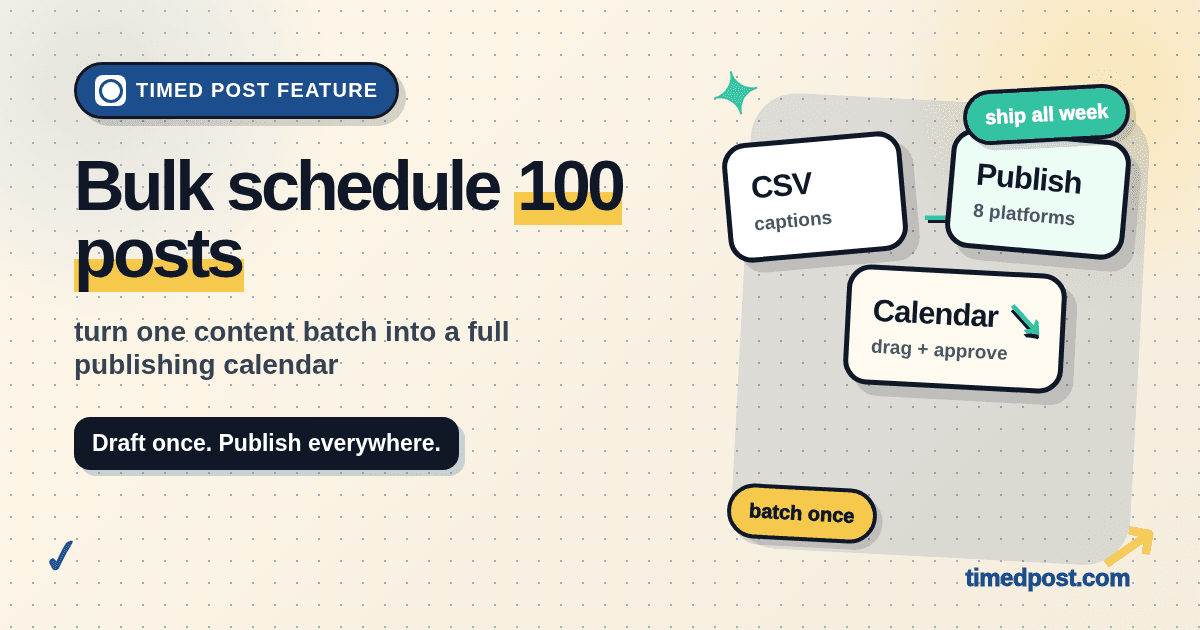
Instead of opening X, LinkedIn, Instagram, Facebook, TikTok, YouTube, Threads, and Pinterest separately, you prepare a batch once, import it into Timed Post, review the calendar, fix platform-specific details, and schedule everything from one place.
Use it when you already have the content and need to ship the calendar without losing half a day to copy-paste work.
What you can bulk schedule
Timed Post is built for repeatable social calendars, not one-off posting chaos.
Good bulk scheduling use cases:
- 30 days of founder posts
- a launch week across multiple platforms
- agency client calendars
- repurposed blog posts into X, LinkedIn, Threads, and Facebook
- short-form video campaigns across TikTok, Instagram, YouTube Shorts, and Pinterest
- evergreen posts that need a steady weekly cadence
- product updates, feature announcements, and content snippets
The goal is simple: keep the creative work in one focused session, then let the scheduler handle the calendar.
How bulk scheduling works in Timed Post
- Prepare your batch in a spreadsheet, doc, or content queue.
- Import or paste the posts into Timed Post.
- Choose the platforms and accounts for each post.
- Add media, links, hashtags, and platform-specific caption tweaks.
- Review the calendar before anything goes live.
- Schedule the batch.
That review step matters.
Bulk scheduling should not mean blindly uploading 100 posts and hoping nothing breaks. It should help you catch the boring mistakes before they become public: wrong account, missing image, repeated caption, bad date, broken link, or a post that works on LinkedIn but feels weird on X.
Example batch workflow
Here is a practical founder workflow:
| Day | Source idea | X | Instagram/Threads | |
|---|---|---|---|---|
| Monday | customer pain | short raw post | longer lesson | carousel caption |
| Tuesday | product update | build log | feature context | screenshot post |
| Wednesday | useful tip | checklist | mini-guide | short caption |
| Thursday | founder story | honest note | reflective post | behind-the-scenes |
| Friday | CTA | direct ask | softer ask | recap post |
The content idea stays the same, but the post should not be identical everywhere.
Bulk scheduling works best when you batch the core idea first, then adjust the caption for each platform before scheduling.
Schedule your posts across every platform
Draft once, publish everywhere — automatically.
No credit card · Cancel anytime
CSV-style fields to prepare
If you are coming from a spreadsheet, keep your columns simple:
| Field | Example |
|---|---|
| date | 2026-06-10 |
| time | 10:30 |
| platform | x, linkedin, instagram |
| account | founder, brand, client-a |
| caption | the post text |
| media_url | image or video link |
| link | optional URL |
| status | draft / ready |
Do not overbuild the sheet.
The best bulk workflow is the one your team will actually maintain. A clean content queue beats a beautiful spreadsheet nobody updates.
Where bulk scheduling saves the most time
Multi-platform posting
The biggest time leak is not writing the post. It is turning one post into five slightly different versions.
X needs tighter copy. LinkedIn can hold more context. Instagram may need a different crop. TikTok and YouTube Shorts need video metadata. Pinterest may need a title and destination link.
If you publish across multiple channels, start from Timed Post's multi-platform posting guide and use bulk scheduling to turn the workflow into a repeatable calendar.
Agency and client calendars
Agencies lose time in the handoff:
- client approves the idea in one place
- captions live in another place
- assets sit in Drive
- final scheduling happens inside each platform
- someone forgets which account is connected
Bulk scheduling gives you a cleaner path: prepare the batch, review the account/platform mapping, schedule, then keep the calendar visible.
For a fuller agency workflow, pair this page with how to manage 10 client accounts in 5 hours a week.
Launch weeks
Launch content usually has a lot of small posts:
- teaser
- feature breakdown
- customer pain
- demo clip
- reminder
- founder note
- final CTA
Doing those manually during launch week is asking for mistakes. Batch them before launch week starts, then leave room for real-time replies.
Common bulk scheduling mistakes
Uploading before the content is clean
Bulk import does not fix weak content. If the captions are vague, repetitive, or written like AI slop, scheduling them faster just makes the problem louder.
Do one edit pass first. Remove duplicate openings. Add concrete examples. Make sure every post has a reason to exist.
Reusing the same caption everywhere
Copying the exact same caption to 8 platforms is easy. It is also usually lazy.
Keep the core message, but adapt the format:
- X: tighter, more direct
- LinkedIn: more context and story
- Instagram: visual-first caption
- Threads: casual and conversational
- TikTok/YouTube Shorts: video title and hook matter more
- Pinterest: title, image, and destination link matter more
Skipping the calendar review
A batch can look fine in a spreadsheet and still be wrong on the calendar.
Before scheduling, check spacing. You do not want 12 posts hitting the same account in one afternoon unless that is intentional.
Forgetting approval status
If you work with clients, do not mix approved posts and rough drafts in the same import.
Keep a clear status field and schedule only what is actually ready.
Bulk scheduling checklist
Before you schedule a batch, check this:
- each post has the right account
- each post has the right platform
- images and videos open correctly
- links work
- timezone is correct
- captions fit the platform
- client posts are approved
- similar posts are spaced apart
- launch posts match the launch timeline
- nothing still says
missing link,image goes here,caption TBD, or other placeholders
That last one is not small. Placeholders are how sloppy content makes it to production.
When bulk scheduling is not the right tool
Do not bulk schedule everything.
Use manual publishing or a smaller draft queue when:
- the post depends on breaking news
- the caption needs live context
- replies and quote posts matter more than timing
- the campaign is still changing daily
- the content has not been approved
Bulk scheduling is best for planned content. Keep reactive posts reactive.
Why use Timed Post for bulk scheduling
Timed Post is built for people who post on more than one platform and hate the admin work around it.
You can draft once, organize the batch, schedule across 8 platforms, and keep the calendar in one place instead of bouncing between tabs.
Useful next reads:
- Best multi-platform social media scheduler
- Social media workflows that cut your workload in half
- Manage multiple social media accounts without losing track
If your current system is a spreadsheet plus 8 open tabs, bulk scheduling is the upgrade.
Start a free trial and schedule your next batch before you open the apps.