Social media management feels like a full-time job because most people treat it like one. They wake up, check what needs posting today, scramble to create something, publish it manually, then repeat tomorrow.
That's not a workflow. That's chaos with a calendar.
The difference between burning 20 hours per week on social media and breezing through it in 8-10 hours isn't talent or speed. It's having actual systems that eliminate decision fatigue, reduce repetitive work, and turn scattered tasks into repeatable processes.
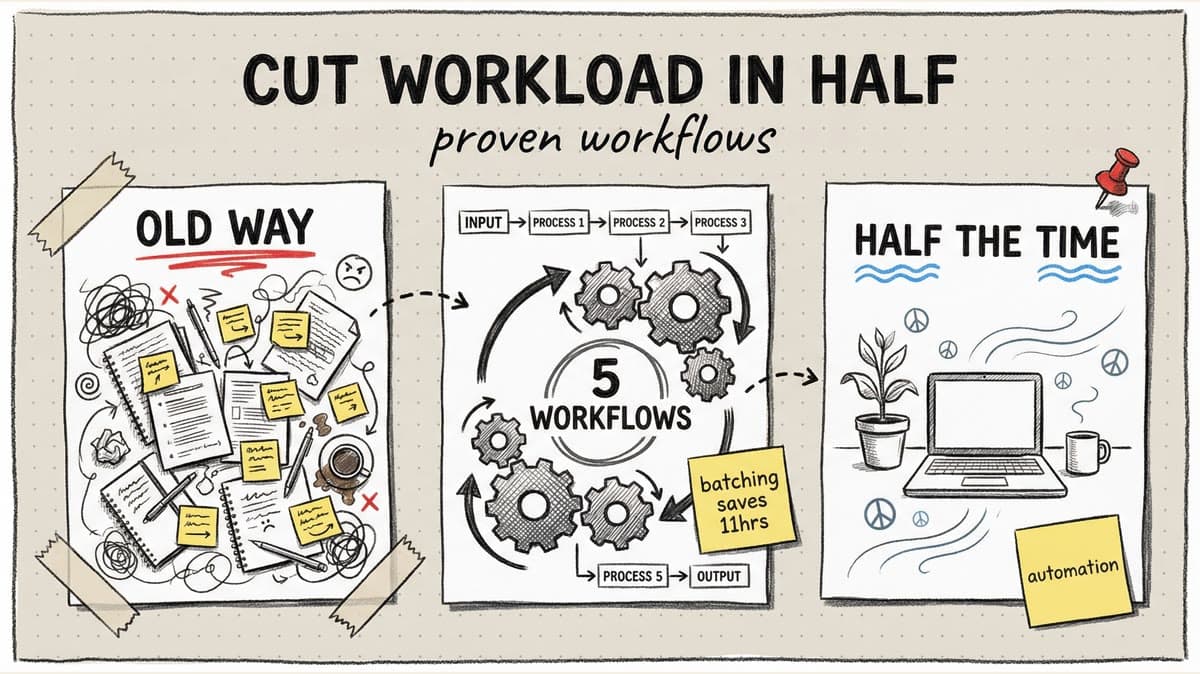
This guide breaks down 5 workflows used by agencies managing 50+ accounts without overtime. These aren't vague "be more organized" tips. They're step-by-step systems you can copy today.
What you'll learn:
- The Monday batching workflow that covers an entire week in 90 minutes (Workflow 1)
- How to turn one blog post into 12 platform-native posts in under an hour (Workflow 2)
- The content calendar system that eliminates "what should I post?" forever (Workflow 3)
- A QA checklist that prevents 90% of social media mistakes (Workflow 4)
- The analytics review process that takes 15 minutes instead of 2 hours (Workflow 5)
The Hidden Cost of No Workflow
Before we dive in, let's measure the damage. Here's what social media management looks like without systems:
Monday: Spend 45 minutes figuring out what to post this week
Tuesday: Realize you forgot to post Monday's content, scramble to create something in 30 minutes
Wednesday: Write a LinkedIn post from scratch (20 minutes), realize it works for Instagram too, spend another 15 minutes adapting it
Thursday: Client asks for a content calendar. You don't have one. Spend an hour recreating what you posted last month from memory.
Friday: Pull analytics manually from 4 platforms (90 minutes), realize you can't remember which posts were experiments vs core content
Total weekly time: 15-20 hours of reactive firefighting
Now compare that to the workflow approach:
Monday: 90-minute batching session creates the entire week
Tuesday-Thursday: Content auto-publishes, you spend 15 min/day on engagement
Friday: 15-minute analytics review pulls insights automatically
Total weekly time: 3-4 hours of strategic work
The difference? Systems. Let's build them.
Workflow 1: The Monday Batching System
Most social media managers create content daily, which means they context-switch between "creation mode" and "everything else" constantly. This kills productivity.
The batching alternative: One focused session per week where you create everything in one sitting.
Why batching is 3x faster:
- No warm-up time (you stay in creative flow)
- Templates are already open (no re-downloading fonts or finding brand colors)
- Decisions are pre-made (your content calendar tells you what to create)
The 90-Minute Monday Batching Workflow:
Prep (5 min):
- Open your content calendar (more on this in Workflow 3)
- Confirm what needs to be created this week (typically 15-25 posts across all accounts)
- Pull any assets (product photos, blog links, data to visualize)
Caption Block (25 min):
- Write all captions at once using AI assistance
- For 20 posts, that's ~75 seconds per caption
- Don't design anything yet, just get the words down
Design Block (40 min):
- Open Canva or your design tool
- Use saved templates (carousels, quote graphics, tip posts)
- Batch-create all graphics by duplicating templates and swapping text
- Export everything at once
Upload & Schedule Block (15 min):
- Upload all 20 posts to your scheduler
- Drag them onto your calendar at optimal times
- Assign to correct accounts
- Add hashtags from saved sets
Review Block (5 min):
- Scan the week visually
- Check for gaps or imbalances (too much promotional content, not enough engagement posts)
- Adjust timing if needed
Total time: 90 minutes for 20 posts across multiple accounts
Compare this to daily creation:
- Daily: 30 min/day × 5 days = 2.5 hours for just 5 posts
- Batching: 90 min for 20 posts
You just saved 11+ hours per week.
Pro tip: Do this Monday morning before email/Slack. Your creative energy is highest, and you'll feel accomplished before lunch.
Workflow 2: The Content Repurposing Assembly Line
Here's where most teams waste time: treating every social post as a blank canvas. They start from zero, create something platform-specific, publish, then repeat for the next platform.
The repurposing workflow: Create one substantial piece of "pillar content," then systematically break it into 10-12 platform-native posts.
Example: One blog post becomes 12 posts
Let's say you wrote a blog post: "7 Ways to Increase Instagram Engagement."
Step 1: Extract core elements (10 min)
- Pull out 3 key stats
- Identify the main framework (7 strategies)
- Note 2-3 controversial or surprising points
- List actionable tips
Step 2: Map to platform formats (5 min)
| Platform | Format | What to Adapt |
|---|---|---|
| Carousel (7 slides) | One strategy per slide | |
| Long-form post | Expand on strategy #1 with data | |
| TikTok | 60-sec video | Quick summary of all 7 |
| X | Thread (8 tweets) | Break down the framework |
| Link share | Excerpt + link to full post | |
| Reel | Talking head explaining strategy #3 | |
| Carousel | Same as IG carousel, reformatted | |
| Infographic | Visualize the 7 strategies | |
| X | Single tweet | Stat #1 as a quote graphic |
| Story (3 frames) | Quick tip from strategy #5 | |
| Threads | Conversation starter | Controversial point #2 |
| YouTube | Short | Clip from TikTok video |
Step 3: Batch-create all formats (40 min)
- Carousels: 15 min (duplicate template, swap text)
- Video: 20 min (record once, trim into 3 versions)
- Graphics: 5 min (pull stats into quote template)
Total time: ~55 minutes for 12 posts
If you created 12 original posts from scratch: 4-6 hours minimum
Time saved per pillar piece: 3-5 hours
The repurposing checklist (run this for every blog post, podcast, or video you create):
- Pull 2-3 key stats → quote graphics
- Extract step-by-step framework → carousel or thread
- Record 60-second summary → Reel/TikTok/Short
- Write a hot take on the topic → LinkedIn text post
- Visualize the data or framework → Pinterest infographic
- Create a conversation starter → Threads/X
- Clip best 15 seconds → Instagram Story
Pro tip: Most repurposed content performs better than one-off posts because it's rooted in well-researched source material.
Workflow 3: The Calendar Template System
Decision fatigue kills productivity. When you wake up Monday and ask "What should I post today?" you've already lost 20 minutes to analysis paralysis.
The fix: A content calendar built on repeating pillars and templates.
Step 1: Define 4-5 content pillars
Content pillars are themes you rotate through. They ensure variety and prevent creative burnout.
Example for a SaaS company:
- Educational (tips, tutorials, how-tos) - 40% of posts
- Social proof (testimonials, case studies, results) - 25%
- Product updates (features, releases, demos) - 15%
- Industry insights (trends, data, commentary) - 10%
- Engagement (polls, questions, UGC) - 10%
Step 2: Map pillars to a weekly rhythm
| Day | Pillar | Format | Example |
|---|---|---|---|
| Monday | Educational | Carousel | "5 Ways to..." |
| Tuesday | Social proof | Screenshot | Customer win |
| Wednesday | Industry insight | Text post | Trend commentary |
| Thursday | Educational | Quick tips | List post |
| Friday | Engagement | Poll/Question | "What's your biggest challenge?" |
| Saturday | Behind-the-scenes | Photo/Video | Team or process |
| Sunday | Evergreen repost | Top-performer from last month | Best engagement |
Step 3: Create templates for each format
Build reusable Canva templates:
- Carousel template (your brand colors, fonts, layout locked in)
- Quote graphic template
- Tip post template
- Poll/question template
Now creating Monday's carousel means: open template, swap text, export. No design decisions.
Step 4: Pre-plan monthly themes
Each month has a theme that influences your content:
- January: New Year goals, fresh starts
- February: Relationship-building, partnerships
- March: Spring cleaning, optimization
- April: Growth, experimentation
- (etc.)
Why this system eliminates decision fatigue:
You never face "what should I post today?" again. It's Monday, so it's an educational carousel. Open template, fill in this week's tip, done.
Time saved: 1-2 hours/week from eliminating daily ideation and design-from-scratch.
Schedule your posts across every platform
Draft once, publish everywhere — automatically.
No credit card · Cancel anytime
Workflow 4: The Pre-Publish QA Checklist
Nothing burns time like mistakes. Post to the wrong account? That's 15 minutes of damage control. Typo in your caption? Another 10 minutes to delete, fix, repost, and deal with comments asking why you deleted.
Research from Sprout Social shows social media teams spend an average of 4 hours per month fixing avoidable errors.
The fix: A pre-publish checklist that catches 90% of mistakes
Before you hit "Schedule," run this 60-second check:
Visual Check:
- Image is high-quality (not pixelated or blurry)
- Text is readable on mobile (not too small)
- Brand colors are correct
- Logo or watermark is present (if required)
Caption Check:
- No typos (run through Grammarly or built-in spell check)
- CTA is clear ("Link in bio," "Comment below," etc.)
- @mentions are correct and tagged
- Emojis render properly (check on both iOS and Android if possible)
Account Check:
- Posting to the correct account (this is the #1 error)
- Workspace is correct (Client A content isn't in Client B's workspace)
- Scheduled time is correct (AM vs PM, timezone check)
Platform-Specific Check:
- Instagram: First comment scheduled with link (if needed)
- LinkedIn: Tone is professional (not too casual)
- TikTok: Video is vertical format (9:16 ratio)
- X: Thread is in correct order
- Hashtags are appropriate for platform (LinkedIn uses fewer than Instagram)
Compliance Check (if applicable):
- Disclosures are present (#ad, #sponsored)
- Client approval is documented
- No sensitive or confidential info in the post
Most teams save this checklist as a Notion doc or print it as a laminated sheet next to their desk.
Time saved: 3-4 hours/month from preventing errors and the cleanup time they require.
Bonus: Team accountability
For agencies, add a "Reviewed by:" field. Whoever schedules the post initials the checklist. If something goes wrong, you know who to coach.
Workflow 5: The 15-Minute Weekly Analytics Review
Most people either obsess over analytics daily (wasting time on noise) or ignore them entirely (missing critical insights).
The balanced approach: A structured 15-minute weekly review
The 15-Minute Analytics Workflow:
Monday Morning (15 min total):
Minutes 1-3: High-level scan
- Open your analytics dashboard
- Check follower growth vs last week (up, down, or flat?)
- Note top 3 performing posts by engagement
Minutes 4-7: Performance deep dive
- Click into your top post: What made it work?
- Was it the format? (carousel vs single image)
- The topic? (educational vs promotional)
- The timing? (posted at 6pm vs 9am)
- Click into your worst post: Why did it flop?
- Wrong platform? (LinkedIn content posted to TikTok)
- Bad timing? (posted during low-engagement hours)
- Audience mismatch? (topic wasn't relevant)
Minutes 8-11: Pattern recognition
- Are carousels consistently outperforming single images?
- Do questions in captions drive more comments?
- Which hashtags are driving the most reach?
Minutes 12-15: Action items for next week
- If carousels are winning: schedule 2 more this week
- If questions drive engagement: add questions to 50% of captions
- If certain hashtags perform well: use them more frequently
Document your insights in a simple spreadsheet:
| Week | Top Post | Why It Worked | Worst Post | Why It Flopped | Action for Next Week |
|---|---|---|---|---|---|
| Mar 3 | Carousel: "5 Tips" | Educational, carousel format | Promotional post | Too sales-y | More educational content |
Why this beats daily analytics checking:
Daily metrics fluctuate wildly. One post bombs Monday, another crushes Tuesday. You can't derive patterns from daily noise.
Weekly reviews show trends: "Carousels have outperformed single images for 3 weeks straight. Let's double down."
Monthly reviews (30 min, first Monday of the month):
Once a month, zoom out:
- Compare this month to last month (growth trends)
- Identify your top 5 posts of the month
- Archive low-performers into a "what not to do" file
- Adjust content pillars if certain topics consistently flop
Time saved: 2-3 hours/week from eliminating daily analytics anxiety and focusing on actionable insights.
How These 5 Workflows Stack
Each workflow addresses a specific productivity killer. Combined, they transform how you work:
| Workflow | Weekly Time Saved | What It Eliminates |
|---|---|---|
| Monday batching | 11+ hours | Daily content scrambling |
| Repurposing assembly line | 3-5 hours | Creating from scratch |
| Calendar template system | 1-2 hours | Decision fatigue |
| Pre-publish QA | 1 hour | Error cleanup |
| 15-min analytics review | 2-3 hours | Daily metrics obsession |
| Total | 18-22 hours | Chaos, guesswork, firefighting |
Realistic estimate with overlap: 12-16 hours saved per week
That's not "work faster" productivity advice. That's systematically removing friction from your process so the same output takes half the time.
Implementation Plan: Start Small, Build Up
Don't overhaul everything at once. Roll out workflows one at a time:
Week 1: Implement Workflow 3 (Calendar Templates)
- Define your content pillars
- Map them to a weekly rhythm
- Create 3-4 Canva templates
Week 2: Add Workflow 1 (Monday Batching)
- Block 90 minutes Monday morning
- Use your new calendar to guide what you create
- Batch-create the week's content
Week 3: Layer in Workflow 4 (QA Checklist)
- Create a checklist (copy the one above)
- Run every post through it before scheduling
Week 4: Integrate Workflow 2 (Repurposing)
- Identify one pillar piece (blog, video, podcast)
- Break it into 10-12 platform-native posts
Week 5: Lock in Workflow 5 (Analytics Review)
- Schedule 15 minutes every Monday
- Document insights in a spreadsheet
- Adjust content based on patterns
By Week 5, you've cut your workload in half without sacrificing quality.
The Bottom Line
Social media management doesn't have to consume your life. The teams managing 50+ accounts in 10 hours per week aren't superhuman. They just have systems.
Workflows eliminate decision fatigue, reduce repetitive work, and turn chaotic firefighting into calm, strategic execution.
Start with one workflow this week. By next month, you'll wonder how you ever worked without them.
Start a 7-day Timed Post trial at timedpost.com to manage workflows, batching, and scheduling across Instagram, TikTok, LinkedIn, Facebook, X, YouTube, Threads, and Pinterest from one dashboard.