Scrolling through Instagram at 2am, manually posting that perfectly crafted carousel you spent three hours designing. Sound familiar? If you're still doing this in 2026, you're burning time you could spend actually growing your business.
An Instagram scheduler isn't a luxury anymore. It's the difference between showing up consistently and disappearing into the algorithm void. But with dozens of tools claiming to be "the best," how do you actually choose one that works for YOUR business?
This guide cuts through the noise. No fluff. Just what matters when you're deciding where to trust your content calendar.
Why You Actually Need an Instagram Scheduler (Beyond the Obvious)
Yeah, everyone knows schedulers save time. But that's like saying cars get you places. True, but incomplete.
Here's what actually happens when you don't use a scheduler:
You post when you're available, not when your audience is active. Instagram's algorithm rewards immediate engagement. If you're posting at 9am because that's when you wake up, but your audience is most active at 7pm, you're starting every post in a hole.
Your content quality drops. Rushing to post "something, anything" because you haven't posted in three days? That's how mediocre content happens. Schedulers let you batch create when you're in creative mode, then distribute strategically.
You can't scale. Managing one account manually is annoying. Managing three (personal, business, client) is chaos. Five is impossible. Schedulers don't just save time, they unlock capacity.
Collaboration becomes a nightmare. If you work with a team or clients, passing phones around or sharing login credentials is both inefficient and risky. Proper tools have workflows built in.
You have zero visibility into what's working. Manual posting means manual tracking. Good luck remembering which posts got traction two weeks ago when you're planning next month's content.
The real value isn't automation. It's consistency at scale without losing quality. That's what separates accounts that grow from accounts that plateau.
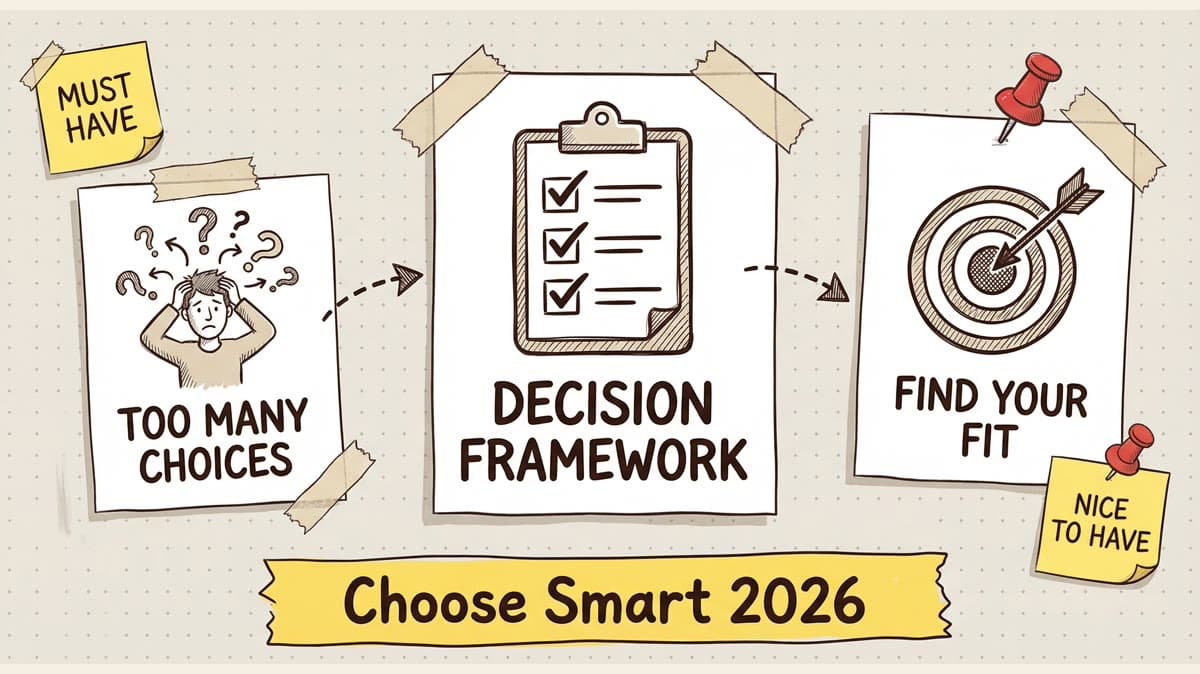
Key Features to Look For: Must-Haves vs Nice-to-Haves
Not all schedulers are built equal. Some are feature-bloated messes. Others are so stripped down they're barely useful. Here's how to tell the difference:
Must-Haves (Non-Negotiable)
1. Native Instagram API Integration
This is the big one. Some schedulers use workarounds (like notifications that remind you to post). That defeats the entire purpose. You want true auto-publishing that posts while you're asleep.
Check: Does it say "auto-publish" or does it say "notification-based"? Only the first one counts.
2. Multi-Format Support
Instagram isn't just feed posts anymore. If your scheduler can't handle Reels, carousels, and Stories, it's stuck in 2019. In 2026, Reels are still king for reach. Your tool needs to support them natively.
3. Visual Calendar Interface
If you can't see your content roadmap at a glance, you're flying blind. A good visual calendar shows:
- What's scheduled when
- Content gaps you need to fill
- How your feed will look aesthetically
Drag-and-drop is a bonus but honestly should be standard by now.
4. First Comment Scheduling
The algorithm reads comments. Posting your hashtags or key call-to-action in the first comment (instead of caption) keeps your captions clean AND boosts engagement signals. Schedulers that make you do this manually are wasting your time.
5. Mobile App (Actually Good)
You'll have ideas on the go. Capturing them shouldn't require a laptop. But here's the catch: most scheduler mobile apps are afterthoughts. Test it before committing. Can you draft, schedule, and edit posts easily on your phone? Or is it a clunky web wrapper that makes you want to throw your device?
Nice-to-Haves (Value-Adds)
AI Caption Writing – Helpful for beating writer's block, but don't rely on it completely. AI captions in 2026 are good, not great. Use them as starting points.
Hashtag Research Tools – Convenient but not critical. Most creators have their hashtag sets figured out.
Analytics Dashboard – Useful for tracking performance without switching to Instagram Insights. More valuable for agencies managing multiple clients.
Canva Integration – Nice if you design in Canva. Saves one export step. Not a dealbreaker either way.
Bulk Upload – Game-changer if you batch create 20+ posts at once. Overkill if you're posting 3x/week.
Approval Workflows – Essential for agencies. Pointless for solopreneurs.
See the pattern? Must-haves unlock core functionality. Nice-to-haves improve workflow efficiency. Know which category you're in before you pay extra for features you'll never use.
Common Mistakes When Choosing Instagram Schedulers
Smart people make dumb decisions when shopping for schedulers. Here are the traps:
Mistake #1: Choosing Based on Price Alone
The cheapest option is rarely the best value. Here's why:
A $5/month tool that only supports feed posts will cost you hours in manual work when you need to post Reels. A $19/month tool that handles everything plus provides analytics might save you 5+ hours/week.
Do the math: If your time is worth $50/hour (conservative for most business owners), saving 5 hours = $250 in value. You're paying $14 extra/month for $250 in time savings. That's a 17x ROI.
The flip side: Don't pay for enterprise features you'll never use. If you're a solo creator, you don't need approval workflows and team seats.
Mistake #2: Not Testing Multi-Account Capabilities Early
You might start with one account. But what happens when you:
- Launch a second brand
- Take on a client project
- Add a personal account
Some tools charge PER account. Others give you 5-10 accounts at one price. This can 3x your costs overnight if you pick wrong.
Check the pricing structure BEFORE you build your workflow around a tool.
Mistake #3: Ignoring Platform Limitations
Instagram's API has rules. Some features (like Story mentions or product tags) might not work through third-party schedulers due to Meta's restrictions, not the tool's fault.
Read the fine print: What exactly can and can't be automated? The best schedulers are transparent about limitations upfront.
Mistake #4: Skipping the Mobile App Test
You signed up on desktop. The web interface looks great. Then you try the mobile app and it's hot garbage.
Most content creation happens on phones. If the mobile experience sucks, you'll end up manually posting anyway. Test mobile DURING your trial, not after you've committed.
Mistake #5: Not Checking Export Options
What happens if you want to switch tools later? Can you export your scheduled posts, or are they locked in? Good platforms let you export your calendar as CSV or JSON. Sketchy ones trap you.
Always have an exit strategy.
How to Evaluate Free Trials Effectively
Every scheduler offers a free trial. Most people waste them. Here's how to actually learn what you need to know in 7-14 days:
Day 1-2: Setup & First Impressions
- Connect your Instagram account
- Test the UI: Is it intuitive or confusing?
- Schedule 3 posts (feed, carousel, Reel)
- How many clicks did each take?
Red flags: Clunky onboarding, broken integrations, unclear navigation.
Day 3-4: Batch Creation
- Upload 10-15 posts in one sitting
- Use the visual calendar to space them out
- Test drag-and-drop rescheduling
- Schedule first comments with hashtags
This simulates real workflow. If it's tedious with 15 posts, imagine 50.
Day 5-6: Mobile Testing
- Download the mobile app
- Try creating a post from your phone
- Edit an existing scheduled post
- Check notifications
If you're frustrated after 10 minutes, that's your answer.
Day 7: Analytics Check
- Review what metrics are tracked
- Compare to Instagram's native insights
- Are discrepancies acceptable?
Some tools show estimated reach, others pull real data. Know what you're getting.
Day 8-14: Stress Test
- Try every advanced feature you might use
- Test edge cases (long captions, max hashtags, large files)
- Reach out to support with a question (how fast do they respond?)
If something breaks during trial, it'll break after you pay. Murphy's Law.
The Big Question
At the end of the trial, ask yourself: Did this tool make posting Instagram content faster and less stressful, or did it add complexity?
If the answer isn't a clear "faster and less stressful," keep looking.
Schedule your posts across every platform
Draft once, publish everywhere — automatically.
No credit card · Cancel anytime
Pricing Considerations: Per-Account vs Flat-Rate Models
Scheduler pricing models are all over the place. Here's how to decode them:
Per-Account Pricing
Structure: $X per connected account (e.g., $10/month for 1 account, $20 for 2, etc.)
Good for:
- Solo creators with one brand
- People who won't scale beyond 1-2 accounts
Bad for:
- Agencies managing multiple clients
- Entrepreneurs with multiple brands
- Anyone planning to grow
Watch out for: Tools that start cheap ($5 for one account) but jump to $40+ for five accounts. That's a growth trap.
Flat-Rate Pricing (Account Bundles)
Structure: $X per month for Y accounts (e.g., $19/month for 5 accounts)
Good for:
- Anyone managing 3+ accounts
- Agencies and social media managers
- Entrepreneurs testing multiple content strategies
Bad for:
- Absolute beginners who might cancel after one month
Watch out for: "Unlimited accounts" claims. Often there are soft limits buried in terms of service.
Team Seat Pricing
Structure: Base price + $X per additional user
Good for:
- Agencies with multiple team members
- Brands with approval workflows
Bad for:
- Solo operators who'll never add team members
Watch out for: Tools that count view-only access as paid seats. Some platforms let clients review content for free, others charge per user regardless of role.
Feature-Tier Pricing
Structure: Basic ($), Pro ($$), Enterprise ($$$) with features unlocked by tier
Good for:
- Starting small and upgrading as needs grow
Bad for:
- People who need advanced features immediately (you'll pay twice)
Watch out for: Critical features locked behind top tiers. If analytics are only available at the $99/month level but you need them now, that's your real price point.
Do The Math
Example scenario: You manage 5 Instagram accounts (personal brand, main business, side project, two clients).
Per-Account Tool: $10/account = $50/month Flat-Rate Tool: $19/month for 5 accounts = $19/month
You just saved $31/month ($372/year) for the same functionality. Scale that over 3 years and you've saved $1,116.
Now factor in time saved. If the flat-rate tool also has better bulk scheduling, you might save another 2 hours/month. At $50/hour, that's $100/month in time value.
Total value: $131/month for a $19 tool. That's a 690% ROI.
This is why cheap isn't always cheapest.
Integration Requirements: What Platforms Do You Actually Need?
Instagram schedulers market themselves as "social media schedulers" now. Most support multiple platforms. But do you need that?
The Instagram-Only Question
If Instagram is your ONLY platform (no TikTok, Twitter/X, LinkedIn, Facebook, Pinterest, YouTube), an Instagram-specific tool might be simpler and cheaper.
Benefits:
- Cleaner interface (no feature bloat)
- Usually cheaper
- Often better Instagram-specific features
Downside:
- Locked into one platform
- If you expand, you'll need another tool
The Multi-Platform Play
If you're cross-posting to TikTok, X, LinkedIn, etc., a unified scheduler makes sense.
Benefits:
- One tool for everything
- Consistent workflow across platforms
- Post once, distribute everywhere
Downside:
- Might lack deep Instagram-specific features
- More expensive
- Learning curve for all platforms
The Hybrid Approach
Some creators use:
- Best-in-class Instagram scheduler for Instagram
- Platform-native tools for others (TikTok's native scheduler, Twitter/X's built-in scheduling)
Benefits:
- Best tool for each platform
- Not locked into one ecosystem
Downside:
- Managing multiple tools
- Context-switching overhead
What Actually Matters
Ask yourself:
-
Do I post the same content across platforms? If yes, multi-platform scheduling is a huge time-saver. If no (different content for each), single-platform tools might be better.
-
Where does most of my engagement happen? If Instagram drives 80% of your business, optimize for the best Instagram tool. Don't compromise Instagram experience for mediocre multi-platform support.
-
Am I planning to grow into other platforms? If TikTok or LinkedIn are on your 6-month roadmap, factor that into your decision now. Switching tools later is annoying.
-
What integrations do I actually use? Some schedulers integrate with Canva, Unsplash, Google Drive, Dropbox, etc. Sounds cool. But do you actually need to schedule directly from Google Drive? Or is that feature bloat you'll pay for and never use?
Pro tip: Look at your last 30 posts. How many were created in Canva? How many pulled from a stock photo site? How many needed team collaboration? That's your real integration requirement, not the hypothetical "what if I need X someday."
Decision Framework: Solo Creator vs Agency vs Team
Your role determines your priorities. Here's how to think about this by business type:
Solo Creator (Personal Brand, One Business)
Your priorities:
- Speed (batch create, schedule, forget)
- Mobile workflow (content ideas happen on the go)
- Simple pricing (flat rate for 1-3 accounts)
- Visual calendar (see content roadmap at a glance)
You don't need:
- Approval workflows
- Team seats
- Advanced analytics (Instagram Insights is enough)
- Enterprise features
Red flags:
- Tools that require team plans for basic features
- Complicated onboarding
- Pricing that scales per-account aggressively
Best fit: Mid-tier schedulers with strong mobile apps and visual calendars. Think $15-25/month range for 3-5 accounts.
Recommended evaluation: Can you schedule a week's worth of content in under 30 minutes? That's your benchmark.
Agency (Managing Multiple Client Accounts)
Your priorities:
- Account volume (10+ clients = 10+ accounts)
- Approval workflows (clients need to review before posting)
- Team collaboration (multiple users, role-based access)
- White-label reporting (client-facing analytics)
- Bulk scheduling (managing 50+ posts/month per client)
You don't need:
- The cheapest option (your time costs more than tool costs)
- Instagram-only tools (clients are multi-platform)
Red flags:
- Per-account pricing (kills margins fast)
- No approval workflow
- Weak analytics/reporting
- Missing team permissions
Best fit: Agency-tier schedulers with approval queues, team seats, and account bundles. Expect $50-150/month depending on client volume.
Recommended evaluation: Can a client review and approve content without you being in the middle? If you're the bottleneck, the tool failed.
Small Team (Brand with 2-5 Team Members)
Your priorities:
- Collaboration (designer, copywriter, manager working together)
- Approval workflow (optional, depends on structure)
- Multi-account support (brand channels, founder channels, campaign-specific)
- Decent analytics (track what's working)
You don't need:
- Full agency features (overkill)
- Unlimited users (3-5 seats is plenty)
- White-label reporting (internal team only)
Red flags:
- Solo-creator tools that charge per team member
- Enterprise pricing when you need mid-tier features
Best fit: Team plans from mid-tier schedulers. Usually $30-60/month for 5-10 accounts and 3-5 users.
Recommended evaluation: Can your team collaborate without Slack/email back-and-forth? If every post needs 3 tools to coordinate, you're overpaying.
E-commerce Brand (Product-Focused Instagram)
Your priorities:
- Shopping tag support (direct product links)
- Carousel scheduling (multi-product showcases)
- Story templates (highlight products with swipe-ups)
- Analytics on product tag performance
You don't need:
- Advanced content features (your posts are product-focused)
- Massive account volume (usually 1-2 accounts)
Red flags:
- Tools that don't support shopping tags
- No e-commerce-specific analytics
Best fit: Schedulers with strong Instagram Shopping integration. Often overlap with mid-tier multi-platform tools.
Recommended evaluation: Can you schedule a product drop campaign (feed posts + Stories + Reels) in one sitting? E-commerce moves fast, your tool should too.
The Natural Next Step: Which Scheduler Actually Does All This?
You've got the framework. You know what matters for YOUR business type. Now what?
Here's the reality: most schedulers check SOME of these boxes. Very few check ALL of them. The ones that do tend to be either crazy expensive or clunky.
But there's a middle ground that most creators and businesses find works best: a scheduler that handles Instagram natively, supports multi-platform expansion, offers team collaboration without enterprise bloat, and doesn't charge per-account like it's 2018.
If you're looking for a tool that fits that description, our breakdown of the best Instagram schedulers for 2026 covers the top options with real testing across these exact criteria.
We tested 15+ schedulers over 90 days (yes, really), managing multiple accounts across different business types, to figure out which ones actually deliver on their promises. No affiliate fluff. Just what works.
Some of the tools we tested were solid. Some were overhyped garbage. Some were great for agencies but terrible for solo creators (and vice versa). The guide breaks it all down by use case so you don't waste time testing tools that won't fit your workflow.
Wrapping Up: Decision Time
Choosing an Instagram scheduler isn't about finding the "best" tool. It's about finding the best tool for you.
- Solo creator? Prioritize speed, mobile experience, and simple pricing.
- Agency? You need account volume, approvals, and team collaboration.
- Small team? Balance between collaboration and cost.
- E-commerce? Shopping tags and product-focused features are non-negotiable.
Whatever you pick, test it hard during the free trial. Schedule 15+ posts. Use the mobile app. Stress test edge cases. Reach out to support. If it doesn't make your life easier in the first week, it won't magically get better after you pay.
And remember: the goal isn't to find a perfect tool. It's to stop spending 2am manually posting content when you could be sleeping (or working on something that actually grows your business).
Now go pick your tool, batch create a month of content, and get back to building.
Frequently Asked Questions
What is the best Instagram scheduler for beginners?
For beginners, the best Instagram scheduler is one with a simple interface, visual calendar, and native auto-publishing (not notification-based). Look for tools that offer 3-5 account support in the $15-25/month range with strong mobile apps. The key is finding something that doesn't overwhelm you with features you won't use while still handling the basics: feed posts, carousels, Reels, and Stories scheduling.
Can Instagram schedulers auto-publish Reels and Stories?
Yes, most modern Instagram schedulers in 2026 support auto-publishing for Reels and Stories through Instagram's official API. However, some older or cheaper tools only offer notification-based scheduling (they remind you to post manually). Always verify "auto-publish" capability for Reels and Stories during your free trial—if it says "notification-based," that's not true automation.
How much does a good Instagram scheduler cost?
A good Instagram scheduler typically costs $15-40/month depending on your needs. Solo creators can expect to pay $15-25/month for 3-5 accounts. Agencies managing 10+ client accounts should budget $50-150/month for team collaboration, approval workflows, and white-label reporting. Avoid per-account pricing models—they scale expensively. Flat-rate plans with account bundles offer better value as you grow.
Do I need a multi-platform scheduler or Instagram-only?
If Instagram is your only platform and you're not planning to expand, an Instagram-specific scheduler offers a simpler, cleaner experience at a lower price. However, if you're also posting to TikTok, X (Twitter), LinkedIn, or Pinterest, a multi-platform scheduler saves time by letting you create once and distribute everywhere. The decision comes down to whether you post the same content across platforms (multi-platform wins) or create unique content for each (Instagram-only might be better).
What's the difference between notification-based and auto-publish schedulers?
Notification-based schedulers send you a reminder when it's time to post, then you manually open Instagram and post yourself—this defeats the entire purpose of scheduling. Auto-publish schedulers use Instagram's official API to post content automatically while you're asleep or working on other things. Always choose auto-publish. It's the difference between a tool that saves you time and one that just nags you.
Can I schedule Instagram Shopping posts with product tags?
Most Instagram schedulers support product tagging for Shopping posts, but there are limitations based on Instagram's API restrictions. Feed posts with product tags are widely supported. However, some advanced Shopping features (like multi-product tags in Stories or live shopping) may still require manual posting. Check your scheduler's documentation for specific Shopping feature support and test during your free trial if e-commerce is critical to your business.
How many Instagram accounts can I manage with one scheduler?
This depends entirely on the pricing model. Per-account schedulers charge $5-15 per account, which gets expensive fast. Flat-rate schedulers typically offer 5-10 accounts at one price (around $19-39/month), making them ideal for agencies, entrepreneurs with multiple brands, or anyone planning to scale. Some enterprise tools offer unlimited accounts but at premium prices ($100+/month). Choose based on your current needs plus 6-12 months of growth runway.