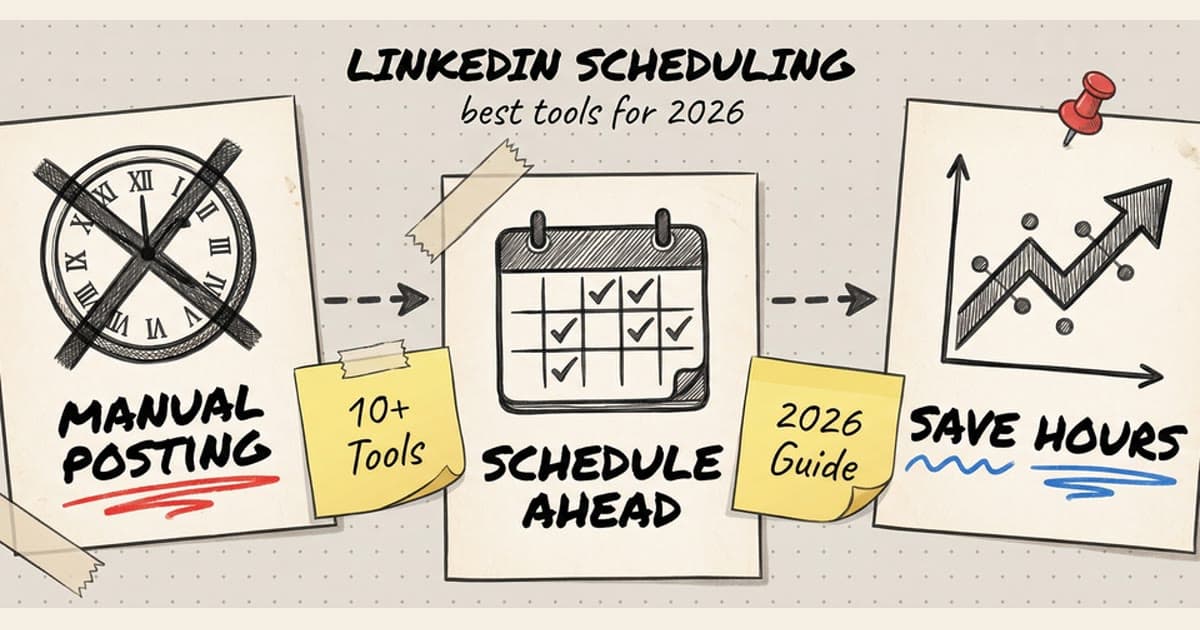
If you're manually posting to LinkedIn every day, you're burning hours you'll never get back. The platform rewards consistency, but let's be real—who has time to log in at optimal posting times every single day?
That's where LinkedIn scheduling tools come in. They let you batch your content creation, maintain a consistent posting schedule, and actually get some sleep while your LinkedIn presence keeps growing.
This guide breaks down the 10 best LinkedIn scheduling tools for 2026, with real pricing, honest pros and cons, and a clear feature comparison so you can pick the right one.
Why Scheduling LinkedIn Posts Matters in 2026
LinkedIn's algorithm prioritizes consistent posters. If you disappear for weeks then spam 5 posts in one day, you're tanking your reach. The algorithm wants to see regular activity—ideally 3-5 posts per week.
But here's the problem: the best times to post on LinkedIn are typically 8-10 AM and 12-2 PM on weekdays. If you're in meetings, focused on deep work, or simply living your life, you're missing prime engagement windows.
A good LinkedIn scheduler solves three problems:
- Consistency: Schedule weeks or months in advance, never miss a posting day
- Timing: Hit optimal engagement windows automatically, even at 2 AM your time
- Efficiency: Batch-create content in one sitting instead of context-switching daily
The ROI is straightforward. If LinkedIn drives leads, partnerships, or career opportunities for you, every hour you save on manual posting is an hour you can spend on higher-value work.
Top 10 LinkedIn Scheduling Tools (2026)
1. Timed Post
Pricing: Starter $19/month (5 social accounts), Growth $49/month (15 social accounts), Premium $49/month early bird / $79/month normal (unlimited accounts)
Timed Post is built for people who post across multiple platforms and want one clean interface for everything. It supports LinkedIn, X, Instagram, TikTok, YouTube, Threads, Pinterest, and Facebook—so you can draft once and publish everywhere.
Key features:
- Multi-platform scheduling (LinkedIn + 7 other platforms)
- Drag-and-drop visual calendar
- Workspaces for managing multiple brands or clients
- AI Studio for content generation and optimization
- Bulk scheduling for weeks or months at once
- Analytics dashboard (reach, engagement, growth)
Pros:
- Affordable compared to legacy tools (half the price of Hootsuite/Sprout)
- Clean, modern UI that doesn't feel like enterprise software
- Great for agencies or freelancers managing multiple clients
- AI tools actually help with content creation (not just buzzword features)
Cons:
- Newer platform (less established than Buffer or Hootsuite)
- Analytics aren't as deep as Sprout Social's reporting suite
- No dedicated mobile app yet (web-based only)
Best for: Freelancers, agency marketers, and solo creators who post across multiple platforms and need a simple, affordable solution.
2. Buffer
Pricing: Free (3 channels, 10 posts), Essentials $6/month/channel, Team $12/month/channel
Buffer has been around since 2010 and remains one of the cleanest scheduling tools on the market. Their LinkedIn integration is solid, and they've recently added AI-powered content suggestions.
Key features:
- Simple queue-based scheduling
- LinkedIn native video support
- Analytics with engagement metrics
- Browser extension for quick sharing
- AI Assistant for post generation
Pros:
- Generous free tier (great for testing)
- Extremely easy to use—minimal learning curve
- Reliable posting (rarely fails)
- Strong mobile app
Cons:
- Pricing adds up fast for multiple accounts (per-channel billing)
- Limited team collaboration features on lower tiers
- Analytics are basic compared to competitors
Best for: Solo creators and small businesses managing 1-3 LinkedIn accounts who value simplicity over advanced features.
3. Hootsuite
Pricing: Professional $99/month (1 user, 10 accounts), Team $249/month (3 users, 20 accounts)
Hootsuite is the OG social media management platform. It's enterprise-grade, feature-packed, and honestly overkill for most solo users—but if you're managing a team or large brand, it's a workhorse.
Key features:
- Unified inbox for LinkedIn messages
- Advanced analytics and custom reports
- Team collaboration with approval workflows
- Social listening and monitoring
- Content library for asset management
Pros:
- Mature platform with every feature you could want
- Strong team collaboration tools
- Deep analytics and reporting
- Supports 20+ social networks
Cons:
- Expensive (not viable for freelancers or small businesses)
- UI feels dated and cluttered
- Steep learning curve for new users
- Overkill if you just need basic scheduling
Best for: Marketing teams at mid-to-large companies who need enterprise features and budget isn't a constraint.
4. Later
Pricing: Starter $25/month (1 user, 1 set of social profiles), Growth $45/month (3 users, 3 sets)
Later started as an Instagram scheduler but has expanded to LinkedIn and other platforms. Their visual content calendar is one of the best in the industry.
Key features:
- Visual content calendar with drag-and-drop
- Media library for organizing assets
- LinkedIn carousel post support
- Link in bio tool (originally for Instagram)
- Best time to post recommendations
Pros:
- Beautiful, intuitive visual calendar
- Great for planning content themes visually
- Strong Instagram integration (if you use both)
- User-friendly mobile app
Cons:
- Limited LinkedIn-specific features compared to dedicated tools
- Analytics are surface-level
- Fewer team collaboration features than competitors
Best for: Visual content creators who post on both LinkedIn and Instagram and want a beautiful planning interface.
5. Sprout Social
Pricing: Standard $249/month (1 user, 5 profiles), Professional $399/month (unlimited users, 10 profiles)
Sprout Social is enterprise-grade and built for serious social media teams. Their analytics are the best in the business, and their LinkedIn integration is rock-solid.
Key features:
- Deep LinkedIn analytics (follower demographics, engagement trends, competitor benchmarking)
- Unified social inbox with CRM features
- Advanced team collaboration and approval workflows
- Social listening and sentiment analysis
- Custom reports and data exports
Pros:
- Best-in-class analytics and reporting
- Excellent team collaboration features
- Strong customer support
- CRM integration for tracking leads from social
Cons:
- Very expensive (only viable for established businesses)
- Feature overload for small teams
- Long onboarding process
Best for: Marketing teams at established companies who need deep analytics, CRM integration, and enterprise-level collaboration.
6. CoSchedule
Pricing: Social Calendar $29/month (1 user, 10 profiles), Marketing Suite starts at $500/month
CoSchedule is more than a social scheduler—it's a full marketing calendar that integrates social posts with blog content, email campaigns, and project management.
Key features:
- Marketing calendar with social, blog, and email integration
- ReQueue (auto-fills gaps in your schedule with top-performing content)
- LinkedIn post analytics
- Team collaboration and task assignments
- Asset library for content reuse
Pros:
- Great if you need a unified marketing calendar (not just social)
- ReQueue feature is smart for filling content gaps
- Strong project management features
- Good for content-heavy teams
Cons:
- More expensive than pure social schedulers
- Overkill if you only need LinkedIn scheduling
- Steeper learning curve due to feature breadth
Best for: Content marketing teams managing blogs, email, and social who want one unified calendar for everything.
7. SocialBee
Pricing: Bootstrap $29/month (1 workspace, 5 profiles), Accelerate $49/month (1 workspace, 10 profiles)
SocialBee focuses on content categorization and recycling. You organize posts into categories (like "tips," "case studies," "thought leadership"), and it automatically fills your schedule based on those categories.
Key features:
- Content categorization for organized posting
- Evergreen content recycling
- LinkedIn post variations (create multiple versions of one post)
- Best time to post analytics
- Canva integration for image creation
Pros:
- Great for repurposing evergreen content
- Affordable mid-tier pricing
- Good for solo creators with limited time
- Content categories keep your feed balanced
Cons:
- UI isn't as polished as Buffer or Later
- Analytics are basic
- Limited team collaboration features
Best for: Solo creators and small teams who want to maximize content reuse and maintain a balanced posting schedule.
8. Sendible
Pricing: Creator $29/month (1 user, 6 profiles), Traction $89/month (4 users, 24 profiles)
Sendible is built specifically for agencies managing multiple client accounts. It has white-label options, client approval workflows, and robust reporting.
Key features:
- White-label dashboard for agencies
- Client approval workflows
- Bulk scheduling with CSV import
- Custom branded reports
- Priority inbox for LinkedIn messages
Pros:
- Designed for agencies (white-label, client management)
- Strong reporting and analytics
- Bulk scheduling is powerful
- Good value for agencies managing many clients
Cons:
- UI feels outdated
- Not as user-friendly as Buffer or Later
- Limited AI features compared to newer tools
Best for: Social media agencies managing multiple client LinkedIn accounts who need white-label branding and approval workflows.
9. Agorapulse
Pricing: Standard $69/month (1 user, 10 profiles), Professional $99/month (2 users, 10 profiles)
Agorapulse combines scheduling with strong social listening and inbox management. If you actively engage with LinkedIn comments and DMs, this is a solid choice.
Key features:
- Unified social inbox for LinkedIn messages and comments
- Social listening and monitoring
- Competitor analysis
- Team collaboration with approval workflows
- Detailed analytics and ROI reporting
Pros:
- Strong inbox management (great for engagement)
- Social listening helps you track brand mentions
- Competitor tracking is useful for benchmarking
- Good team collaboration features
Cons:
- Pricier than Buffer or SocialBee
- UI is functional but not beautiful
- Some features feel redundant if you only need scheduling
Best for: Brands that actively engage on LinkedIn and need strong inbox management and social listening.
10. Loomly
Pricing: Base $42/month (2 users, 10 profiles), Standard $80/month (6 users, 20 profiles)
Loomly is a content calendar with built-in post ideas and optimization tips. It's like having a social media strategist suggesting what to post next.
Key features:
- Post ideas based on trending topics and events
- Optimization tips (character count, hashtag suggestions)
- Preview posts before publishing
- Team collaboration and approval workflows
- Automated publishing to LinkedIn
Pros:
- Post ideas help fight creator's block
- Optimization tips improve engagement
- Clean, modern UI
- Good for teams (collaboration features)
Cons:
- Mid-tier pricing (not cheapest, not most feature-rich)
- Analytics are decent but not exceptional
- Some AI suggestions are generic
Best for: Small to medium teams who struggle with content ideation and want built-in suggestions to keep their calendar full.
Feature Comparison Table
| Tool | Starting Price | LinkedIn Auto-Publish | Team Collaboration | Analytics | Multi-Platform | AI Tools |
|---|---|---|---|---|---|---|
| Timed Post | $19/mo | ✅ | ✅ | Basic | ✅ (8 platforms) | ✅ |
| Buffer | $6/mo/channel | ✅ | Limited | Basic | ✅ | ✅ |
| Hootsuite | $99/mo | ✅ | ✅ | Advanced | ✅ | ❌ |
| Later | $25/mo | ✅ | Limited | Basic | ✅ | ❌ |
| Sprout Social | $249/mo | ✅ | ✅ | Advanced | ✅ | ❌ |
| CoSchedule | $29/mo | ✅ | ✅ | Basic | ✅ | Limited |
| SocialBee | $29/mo | ✅ | Limited | Basic | ✅ | Limited |
| Sendible | $29/mo | ✅ | ✅ | Advanced | ✅ | ❌ |
| Agorapulse | $69/mo | ✅ | ✅ | Advanced | ✅ | ❌ |
| Loomly | $42/mo | ✅ | ✅ | Basic | ✅ | ✅ |
How to Choose the Right LinkedIn Scheduler for Your Needs
Picking the right tool depends on your use case:
If you're a solo creator or freelancer:
Best picks: Timed Post, Buffer, SocialBee
- You need affordability, simplicity, and multi-platform support
- Team features don't matter—focus on clean UI and ease of use
- AI tools help you create content faster
If you manage multiple clients (agency):
Best picks: Sendible, Timed Post, Hootsuite
- You need workspaces or white-label branding
- Client approval workflows save back-and-forth
- Bulk scheduling and reporting are critical
If you're part of a marketing team at a larger company:
Best picks: Sprout Social, Hootsuite, Agorapulse
- You need deep analytics and custom reporting
- Team collaboration with approval workflows is essential
- Budget isn't the primary constraint
If you're bootstrapping and budget-conscious:
Best picks: Buffer (free tier), Timed Post, SocialBee
- Free or low-cost plans get you started
- Focus on core scheduling features without bloat
- You can upgrade later as you grow
If you actively engage with LinkedIn comments and DMs:
Best picks: Agorapulse, Hootsuite, Sprout Social
- Unified inbox helps you manage engagement in one place
- Social listening tracks brand mentions
- CRM features help you track leads from social
Schedule your posts across every platform
Draft once, publish everywhere — automatically.
No credit card · Cancel anytime
Best Practices for LinkedIn Scheduling
Having a tool is half the battle. Here's how to use it effectively:
1. Post at Optimal Times
LinkedIn engagement peaks on weekdays:
- 8-10 AM: Morning commute and coffee browsing
- 12-2 PM: Lunch break scrolling
- 5-6 PM: Post-work wind-down
Test these windows for your audience and schedule accordingly. Most tools show you when your followers are most active.
2. Maintain Consistency
The algorithm rewards regular posting. Aim for:
- Minimum: 2-3 posts per week
- Sweet spot: 3-5 posts per week
- Aggressive: Daily (but only if you can maintain quality)
Use your scheduler to batch-create content and maintain rhythm even during busy weeks.
If the blank page is what slows you down, keep a small bank of LinkedIn post templates next to your scheduler. Templates are not a replacement for a point of view, but they make weekly batching easier.
3. Mix Content Types
Don't just post one format. Rotate:
- Text posts: Thought leadership, hot takes, lessons learned
- Image posts: Infographics, behind-the-scenes, quotes
- Video posts: Tips, tutorials, personal stories
- Carousel posts: Step-by-step guides, listicles
- Link posts: Blog articles, case studies, resources
Your scheduler should support all these formats. If it doesn't, reconsider.
4. Use the First Hook Wisely
LinkedIn shows the first 2-3 lines before the "see more" cutoff. Make them count:
- Start with a strong statement or question
- Tease the value ("Here's what I learned...")
- Use line breaks to improve readability
5. Track What Works
Most schedulers show basic analytics:
- Impressions, reach, engagement rate
- Best-performing post types
- Optimal posting times for your audience
Double down on what works. If carousel posts crush it, make more. If long-form text flops, cut back.
6. Batch Your Content Creation
Instead of writing posts daily (context-switching nightmare), block 2-3 hours per month:
- Brainstorm 10-15 post ideas
- Draft them all in one sitting
- Schedule them across the month
- Monitor performance and adjust
This is where schedulers shine. You do the creative work once, then let automation handle the rest.
FAQ: LinkedIn Scheduling Tools
Can LinkedIn schedulers auto-publish, or do I need to approve posts manually?
Most modern LinkedIn schedulers support auto-publishing via LinkedIn's official API. This means posts go live automatically at your scheduled time—no manual approval needed.
However, some platforms (especially free tiers) may require you to approve each post manually through the LinkedIn mobile app. Check whether your chosen tool has "native auto-publish" or requires manual approval before committing.
Do LinkedIn scheduling tools hurt engagement or reach?
No. LinkedIn's API is the same one official tools use. As long as your scheduler uses LinkedIn's approved API (which all major tools do), your posts are treated identically to manual posts.
The algorithm doesn't penalize scheduled content. In fact, scheduling helps engagement by ensuring you post at optimal times, which can improve reach.
Can I schedule LinkedIn carousels and videos?
Yes, but not all tools support every format. Check before you buy:
- Carousel posts: Supported by most tools (Buffer, Later, Timed Post, Sprout Social)
- Native video: Supported by most tools
- Document posts (PDFs): Limited support (Hootsuite, Sprout Social)
- Polls: Very limited (few tools support LinkedIn polls)
If you rely heavily on carousels or video, confirm your tool handles them before signing up.
How far in advance can I schedule LinkedIn posts?
Most tools allow scheduling months in advance. Common limits:
- Buffer, SocialBee, Timed Post: Up to 6-12 months
- Hootsuite, Sprout Social: No hard limit (enterprise tools)
- Later, Loomly: Up to 1 year
If you batch-create quarterly content, any major tool will support it.
Can I manage multiple LinkedIn accounts with one scheduler?
Yes. All the tools listed support multiple LinkedIn accounts (personal profiles and company pages). Pricing varies:
- Per-account pricing: Buffer charges per channel
- Flat-rate tiers: Timed Post, SocialBee, Loomly include multiple accounts at each tier
- Enterprise plans: Hootsuite and Sprout Social bundle accounts into user seats
If you manage clients or multiple brands, check how many accounts are included at your pricing tier.
Do I need a paid LinkedIn account to use scheduling tools?
No. LinkedIn schedulers work with free LinkedIn accounts (both personal profiles and company pages). You don't need LinkedIn Premium or Sales Navigator—just a standard LinkedIn account.
However, if you have LinkedIn Premium, some schedulers (like Hootsuite and Sprout Social) can pull additional analytics data.
What's the difference between personal profile and company page scheduling?
Personal profiles:
- Better reach (LinkedIn prioritizes personal posts over brand pages)
- More engagement (people connect with people, not logos)
- Some tools charge the same for both; others charge less for personal
Company pages:
- Required for official brand presence
- Multiple team members can post under one brand
- Analytics are more robust (LinkedIn provides company page insights)
Most schedulers support both. If you're building personal brand + company presence, look for tools that bundle both without doubling the price.
Can I schedule LinkedIn posts from my phone?
Most tools have mobile apps, but functionality varies:
- Full mobile scheduling: Buffer, Later, Agorapulse, Loomly
- Mobile approval only: Some tools let you approve scheduled posts but not create them
- Web-only: Timed Post (currently web-based, mobile app in development)
If you create content on mobile frequently, prioritize tools with strong mobile apps.
How do LinkedIn schedulers handle time zones?
All major tools let you set time zones per account. If you manage a U.S. brand from Europe, you can schedule posts in EST while working in CET.
Some tools (like Timed Post and Buffer) also auto-detect optimal posting times based on your audience's location—so you don't have to do timezone math manually.
Are LinkedIn scheduling tools worth it if I only post once a week?
Depends on your time value. If you're posting once a week and it takes 5 minutes, manual posting is fine.
But if you:
- Post across multiple platforms (LinkedIn + X + Instagram)
- Want to batch-create content monthly
- Need analytics to track performance
- Manage multiple accounts or clients
Then yes—even at 1 post/week, a scheduler saves time and improves consistency.
For solo creators posting once a week, Buffer's free tier may be enough, while Timed Post Starter is better once you need multi-platform scheduling. But if you ever scale to 3+ posts/week or add platforms, you'll wish you'd started sooner.
Final Verdict: Which LinkedIn Scheduler Should You Choose?
Here's the short version:
- Best for freelancers and solo creators: Timed Post or Buffer
- Best for agencies: Sendible or Timed Post
- Best for enterprise teams: Sprout Social or Hootsuite
- Best for budget-conscious users: Buffer (free tier) or Timed Post
- Best for visual planners: Later
- Best for engagement-heavy brands: Agorapulse
- Best for content recycling: SocialBee
- Best for marketing teams with blogs: CoSchedule
If you're posting across multiple platforms (LinkedIn + X + Instagram + TikTok), Timed Post gives you strong value starting at $19/month. Starter covers 5 accounts, and Growth covers 15 accounts for $49/month without enterprise bloat.
If you're only focused on LinkedIn and want a free option to start, Buffer is solid—but you'll outgrow it fast if you add accounts or platforms.
If you're managing a marketing team at an established company and need deep analytics, Sprout Social is worth the investment—but it's overkill for freelancers and small businesses.
The best tool is the one you'll actually use. Pick based on your workflow, budget, and how much time you want to reclaim from manual posting. Then batch your content, schedule it, and get back to doing work that actually moves the needle.