
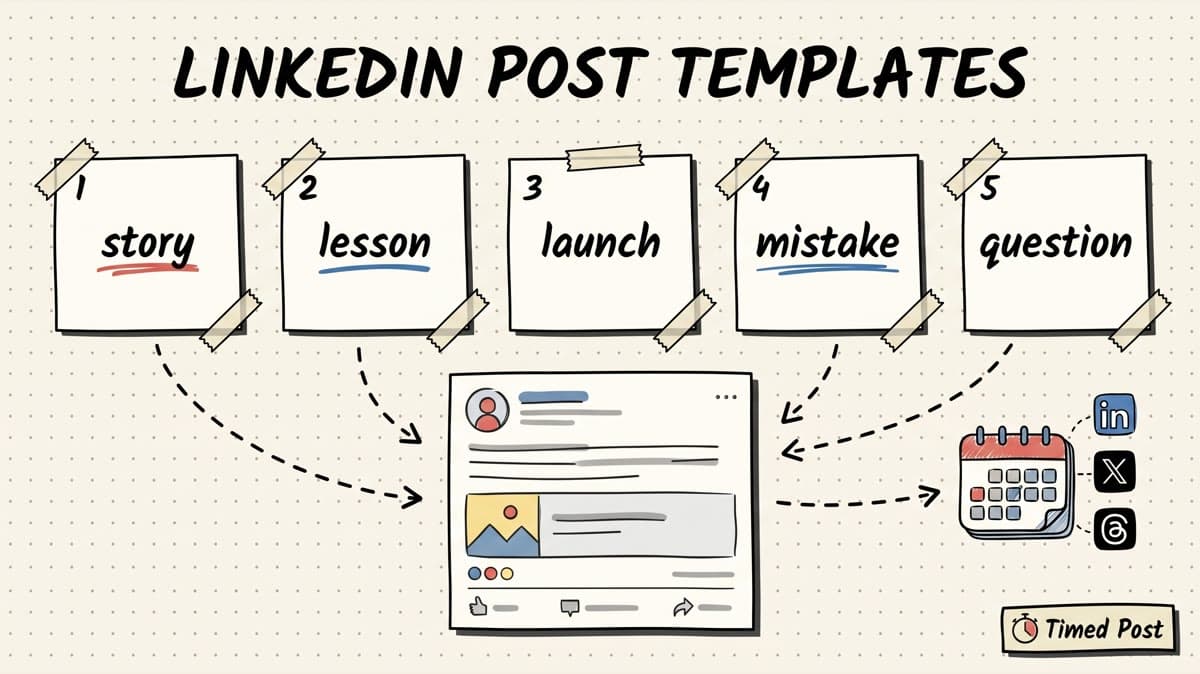
Most LinkedIn post templates are useless because they remove the only thing that makes LinkedIn work: a real point of view.
You get a polished hook, three generic bullets, a fake lesson, and a CTA that sounds like it was written by a growth course.
That is not the goal here.
The goal is to give you practical LinkedIn post templates that help you ship real founder and creator posts faster without turning your feed into template sludge.
Use these when you have the raw material but no structure:
- a customer call,
- a product update,
- a mistake,
- a small win,
- a useful workflow,
- a lesson from building,
- a question you keep hearing,
- a messy behind-the-scenes moment.
The workflow is simple: pick one template, fill it with specific facts, rewrite it in your normal voice, then schedule it while the idea is still fresh.
If you already have a rough idea but need a first draft, use the AI LinkedIn post generator.
If you want a faster tool-first path, use the LinkedIn post generator, then bring the draft back to these templates and make it sound like you. If the post looks ugly after copying it into LinkedIn, clean it up with the LinkedIn text formatter. And if you want to batch a full week instead of posting manually every day, compare tools in our guide to the best LinkedIn scheduling tools.
Quick answer: the best LinkedIn post template is specific, not clever
A good LinkedIn post template does three things:
- It gives your idea a clear shape.
- It forces you to include concrete details.
- It leaves room for your actual voice.
A bad template does the opposite. It makes every post sound like:
I used to think X.
Then I discovered Y.
Here are 7 lessons.
Agree?
That structure can work once. It gets tired fast.
For founders, creators, freelancers, agencies, and builders, the better approach is to start from a real moment:
| Raw material | Better post angle | Why it works |
|---|---|---|
| Customer call | “A user said something that changed how I think about the product” | Real voice, real insight |
| Product update | “We shipped a small feature because this workflow was annoying” | Shows progress without launch hype |
| Mistake | “I wasted time on the wrong thing” | Honest, useful, relatable |
| Workflow | “Here is the exact process I use now” | Saves the reader time |
| Small win | “This tiny metric moved and here is what caused it” | Concrete proof without fake guru energy |
| Question | “I am stuck between two choices” | Invites useful comments |
Templates should make those stories easier to write, not replace them.
How to use these templates without sounding fake
Before the templates, use this rule:
Never publish the template version. Publish the edited version.
That means you should replace every placeholder with details from your actual situation.
Bad:
I learned a lot from building my SaaS.
Better:
I spent 3 hours yesterday debugging an OAuth error that turned out to be one missing redirect URL.
Bad:
Consistency is important on LinkedIn.
Better:
Posting manually every morning worked for 4 days, then I missed a product call and the whole “daily content” plan died.
Bad:
Here are 5 tips to grow.
Better:
Here are the 5 things I check before scheduling a LinkedIn post so I do not publish something that sounds like AI wrote it.
The more specific the post, the less it feels like a template.
A simple editing pass:
- Add one number.
- Add one timestamp or moment.
- Add one uncomfortable detail.
- Remove one generic sentence.
- Read it out loud once.
- Format it for scanning.
- Schedule it before you overthink it.
If you batch posts across LinkedIn, X, Threads, and other platforms, use the same idea but not the same caption everywhere. The LinkedIn version can carry more context. The X version should be tighter. Threads can be looser and more conversational. For the full system, read our multi-platform posting strategy guide.
21 LinkedIn post templates you can copy
Use these as starting points. Replace anything in brackets with real details.
1. The founder build log
Use this when you shipped, fixed, tested, or learned something while building.
building [product/project] update:

this week i worked on [specific feature/workflow]

what looked simple:
[simple version of the task]

what was actually annoying:
[real blocker]

what changed:
[result, metric, or next step]

still not perfect, but it is better than [old workflow]
Make it real: include the tiny blocker. “OAuth redirect URL,” “video upload failed on Pinterest,” or “calendar drag state broke on mobile” is better than “technical issues.”
2. The customer call lesson
Use this after a demo, support call, onboarding call, or user interview.
a user told me something today that stuck:

"[short quote or paraphrase]"

at first i thought the problem was [your assumption]

but the real problem was [what they actually cared about]

that changes how i think about [product/workflow/category]

next i am fixing [specific next move]
Make it real: do not invent quotes. If you do not have permission or exact wording, write “paraphrasing.”
3. The painful before-and-after
Use this when your product, workflow, or habit removes an annoying manual step.
before:
[old workflow]

- [manual step 1]
- [manual step 2]
- [manual step 3]

now:
[new workflow]

- [new step 1]
- [new step 2]
- [new step 3]

small change, but it saves [time/energy/mistakes] every week
This is strong for social media workflows because the pain is obvious: copy, paste, re-upload, rewrite, check dimensions, forget the post, repeat.
If that is your exact problem, read the guide on how to schedule posts to multiple social media platforms at once.
4. The “I was wrong” post
Use this when you changed your mind.
i was wrong about [topic]

my old belief:
[what you used to think]

what changed my mind:
[real event, data, user comment, failed attempt]

the better version:
[new belief]

still testing it, but this already changed how i [build/market/write/sell]
Make it real: the post works only if the old belief is believable. Do not force a dramatic confession.
5. The tiny metric update
Use this when you have a small number worth sharing.
small update:

[metric] moved from [old number] to [new number]

not huge, but here is what changed:

1. [action 1]
2. [action 2]
3. [action 3]

what did not work:
[failed attempt]

next target: [next number]
This is better than pretending every update is a massive milestone. Small numbers are useful when the lesson is honest.
6. The launch without hype
Use this when shipping a feature, page, tool, or content asset.
shipped [thing] today

why i built it:
[pain/problem]

what it does:
[plain explanation]

who it is for:
[specific person]

what is still missing:
[honest limitation]

if you want to test it, here is the link:
[link]
Make it real: the “what is still missing” line makes the post more trustworthy. LinkedIn readers can smell fake perfection.
7. The useful checklist
Use this when you want saves, not just likes.
my checklist before [task]:

□ [step 1]
□ [step 2]
□ [step 3]
□ [step 4]
□ [step 5]

i added this because i kept messing up [specific mistake]

steal it if you are doing [same task]
For LinkedIn publishing, a useful checklist might include: hook, first two lines, one concrete example, no fake guru line, readable spacing, link placement, platform variant, and scheduled time. If timing is part of your workflow, use our guide to the best times to post on social media.
8. The mistake breakdown
Use this when something failed and the lesson is actually useful.
i made a mistake with [topic]

what i did:
[decision]

why it seemed smart:
[reason]

what happened:
[result]

what i would do differently:
[lesson]

posting this because [who it might help]
Make it real: do not turn the mistake into a humble brag. If it was painful, say why.
9. The “one thing I would repeat” post
Use this after a successful experiment.
if i had to repeat [project/launch/campaign], i would keep one thing:

[action]

not because it was fancy

because it made [specific outcome] easier

what i would change:
[change]

what i would avoid:
[avoid]
This works well for founders because it shares judgment instead of generic advice.
10. The unpopular but useful opinion
Use this when you have a real take, not engagement bait.
unpopular opinion:

[opinion]

not because [common misunderstanding]

because [actual reason]

example:
[concrete example]

where this does not apply:
[edge case]
The edge case matters. It stops the post from sounding like fake contrarian content.
11. The mini case study
Use this when you helped a client, improved a workflow, or changed a process.
mini case study:

problem:
[what was broken]

old process:
[old workflow]

change:
[what you changed]

result:
[number, saved time, fewer mistakes, clearer workflow]

lesson:
[what others can apply]
If you manage client content, combine this with a scheduling workflow. The bigger win is often not “one post performed well.” It is “the team stopped losing posts across five tools.” For agency-style execution, see how to manage 10+ client accounts in under 5 hours a week.
12. The product decision post
Use this when choosing what not to build.
product decision i made today:

we are not building [feature] yet

why people ask for it:
[valid reason]

why it is not first:
[constraint]

what we are building instead:
[priority]

hard part: saying no when the request is reasonable
This is excellent for founders because it shows strategy and constraints.
13. The “how I do X now” post
Use this when you have a repeatable workflow.
how i do [task] now:

1. [step]
2. [step]
3. [step]
4. [step]
5. [step]

what changed from the old way:
[old mistake]

this is not perfect, but it removes [annoying part]
For content operators, this can become a weekly series: how I write posts, how I repurpose posts, how I schedule posts, how I review analytics, how I turn calls into content.
14. The comparison post
Use this when comparing two workflows, tools, or decisions.
[option A] vs [option B]

A is better when:
- [case]
- [case]

B is better when:
- [case]
- [case]

the mistake is treating them like the same problem

my current choice:
[choice + reason]
This is stronger than “which one is best?” because it teaches people how to choose.
15. The question that is not lazy
Use this when you want comments but still add value first.
i am trying to decide [decision]

context:
[real situation]

option 1:
[option + upside]

option 2:
[option + upside]

constraint:
[time/money/team/user constraint]

what would you choose?
Lazy questions feel like engagement bait. Context makes the question worth answering.
16. The resource stack
Use this when sharing tools, docs, books, prompts, or workflows.
my current stack for [outcome]:

- [tool/resource] for [use]
- [tool/resource] for [use]
- [tool/resource] for [use]
- [tool/resource] for [use]

what i removed:
[thing you stopped using]

why:
[reason]
If this becomes a social content stack post, be honest about tradeoffs. Do not list tools you barely use just to sound smart.
17. The weekly recap
Use this every Friday or Sunday.
weekly build recap:

shipped:
- [thing]
- [thing]

learned:
- [lesson]

stuck on:
- [blocker]

next week:
- [focus]

best small win:
[one sentence]
This is one of the easiest founder posts to batch. Put a 20-minute recurring block on your calendar, write the recap, then schedule it.
18. The “what nobody tells you” post
Use this when you have an earned insight from doing the work.
what nobody tells you about [topic]:

[plain truth]

everyone talks about [popular thing]

but the annoying part is actually [specific hidden problem]

if you are doing this, watch out for [practical warning]
Only use this if you have actually experienced the hidden problem. Otherwise it becomes content theater.
19. The comment-to-post template
Use this when a reply, DM, or support question deserves a bigger answer.
someone asked me:

"[question]"

short answer:
[answer]

longer answer:
[explanation]

what i would do first:
[action]

what i would avoid:
[avoid]
This is a simple way to turn community conversations into content without inventing topics.
20. The milestone with caveats
Use this when something good happened.
hit [milestone] today

happy about it, but keeping it in context:

what helped:
- [thing]
- [thing]

what still needs work:
- [thing]

next goal:
[number or outcome]
This beats hype because it gives people the real story around the milestone.
21. The “steal my process” post
Use this when you want to teach a repeatable process.
steal my process for [task]:

step 1: [step]
step 2: [step]
step 3: [step]
step 4: [step]

why this works:
[reason]

where it breaks:
[limitation]
The “where it breaks” line makes this much more credible than a perfect-looking checklist.
How to turn one LinkedIn template into a multi-platform post
A good LinkedIn post should not stay trapped on LinkedIn.
If the idea is useful, it can usually become:
- a sharper X post,
- a looser Threads post,
- an Instagram carousel caption,
- a short-form video caption,
- a Facebook page update,
- a Pinterest description,
- a product account update,
- a newsletter paragraph.
But the mistake is copying the exact same caption everywhere.
Use this adaptation table instead:
| Platform | How to adapt the LinkedIn post |
|---|---|
| Add context, story, and clearer paragraphs. Make the lesson useful even if the reader never clicks. | |
| X / Twitter | Cut setup. Keep the strongest line, one detail, and one question or takeaway. |
| Threads | Make it more conversational. Less “lesson,” more “here is what happened.” |
| Turn the post into carousel slides, a caption for a visual, or a behind-the-scenes update. | |
| TikTok / YouTube Shorts | Pull one hook, one example, and one closing line for the video script/caption. |
| Make it slightly warmer and clearer for mixed audiences. | |
| Turn the idea into a searchable title and description if there is a visual asset. |
Timed Post is built for this exact workflow: draft once, adapt per platform, then schedule from one calendar. It supports X, Instagram, LinkedIn, Facebook, TikTok, YouTube, Threads, and Pinterest, so the LinkedIn post does not become another isolated draft.
The fastest weekly workflow:
- Pick 5 raw ideas from calls, notes, product updates, or mistakes.
- Turn each idea into a LinkedIn post using one template above.
- Rewrite the strongest 2–3 posts for X and Threads.
- Turn 1 post into a carousel or short-form caption.
- Add media where needed.
- Schedule everything in one batch.
- Review performance the next week and repeat the formats that got comments.
If you are batching more than a few posts at a time, bulk scheduling matters more than another clever hook. The time sink is not one post. It is moving 20 posts across accounts without publishing the wrong version in the wrong place.
Schedule your posts across every platform
Draft once, publish everywhere — automatically.
No credit card · Cancel anytime
The LinkedIn template quality checklist
Before you schedule a LinkedIn post, check this:
| Check | Good sign | Red flag |
|---|---|---|
| Hook | Clear first line with a real idea | “Here are 7 lessons...” with no context |
| Specificity | Includes a number, moment, quote, or concrete example | Could apply to any founder on the internet |
| Voice | Sounds like something you would say out loud | Sounds like a polished marketing intern |
| Structure | Easy to scan on mobile | One huge paragraph |
| Usefulness | Gives the reader an idea, checklist, warning, or story | Pure self-promotion |
| Honesty | Includes tradeoff, caveat, or limitation where needed | Pretends everything is perfect |
| CTA | Natural question or next step | Engagement bait at the end of every post |
| Repurposing | Has a clear X/Threads/short-form angle | Only works inside LinkedIn |
One useful habit: keep a “do not publish” list.
For founder and creator posts, mine looks like this:
- no fake “I went from 0 to 7 figures” framing,
- no exaggerated lessons from tiny events,
- no vague “value bombs,”
- no AI-sounding emotional arc if the post is not emotional,
- no “agree?” unless I actually want a conversation,
- no copying the same post to every platform unchanged.
That list protects your voice.
A simple 5-day LinkedIn posting plan using these templates
If you are starting from zero, do not try to post 30 times in one week.
Use five posts:
| Day | Template | Topic example |
|---|---|---|
| Monday | Founder build log | What you shipped or fixed this week |
| Tuesday | Customer call lesson | One thing a user/customer made you rethink |
| Wednesday | Useful checklist | Your process for doing a recurring task |
| Thursday | Mistake breakdown | Something you tried that did not work |
| Friday | Weekly recap | Shipped, learned, stuck, next |
That is enough to build a rhythm.
Then schedule them instead of relying on daily motivation. Manual posting works until your week gets busy. A calendar gives you a second brain.
For more workflow ideas, read 5 social media workflows that cut your workload in half. If you manage more than one brand, also read how to manage multiple social media accounts without losing your mind.
When not to use LinkedIn post templates
Templates are useful, but they are not always the right move.
Do not use a template when:
- the story is already clear and emotional,
- the post needs to be short and direct,
- you are responding to a timely conversation,
- the topic is sensitive and needs nuance,
- the template makes the post sound bigger than it is,
- you have nothing specific to say yet.
Sometimes the best LinkedIn post is just three honest paragraphs.
Templates should reduce blank-page friction. They should not make every thought feel packaged.
Also, before scheduling unusual formats, media, or account-specific features, check the current LinkedIn Help Center. Platform rules and posting surfaces change, and it is safer to verify the latest behavior before batching a lot of content.
FAQ
What are the best LinkedIn post templates for founders?
The best LinkedIn post templates for founders are build logs, customer call lessons, mistake breakdowns, tiny metric updates, product decision posts, and weekly recaps. These formats work because they start from real founder material instead of generic advice.
How many LinkedIn posts should I schedule per week?
Start with 3 to 5 strong posts per week. That is enough to build consistency without forcing low-quality content. If you can write more without lowering the quality, batch them and schedule ahead.
Should I use AI to write LinkedIn posts?
AI can help turn rough notes into a first draft, but you should edit heavily. Add real numbers, examples, constraints, and your actual phrasing. The final post should sound like you, not like a generic LinkedIn ghostwriter.
Can I reuse the same LinkedIn post on X and Threads?
Yes, but rewrite it for the platform. LinkedIn can handle more context. X usually needs a tighter version. Threads can be more casual. The idea can be the same; the caption should not be identical everywhere.
What makes a LinkedIn post sound fake?
A LinkedIn post sounds fake when it has no concrete details, exaggerates a small event into a huge lesson, uses a formula everyone recognizes, or ends with a forced engagement question. Specificity fixes most of that.
How do I batch LinkedIn content without overthinking?
Collect raw ideas during the week, pick 3 to 5 templates, write ugly first drafts, edit for specificity, format for readability, then schedule everything in one session. Do not open LinkedIn every day just to decide what to post.
Final take
LinkedIn post templates are not magic.
They are scaffolding.
Use them to turn real moments into clear posts faster: the customer call, the feature ship, the bug, the mistake, the tiny win, the weekly recap.
Then remove the parts that sound generic, add the details only you can add, and schedule the post before it dies in drafts.
That is the whole game: write from real work, keep the structure clean, publish consistently, and do not let the manual posting workflow eat the week.
If you want to turn these templates into a weekly multi-platform system, Timed Post lets you draft once, adapt for every channel, and schedule everything from one calendar.


