
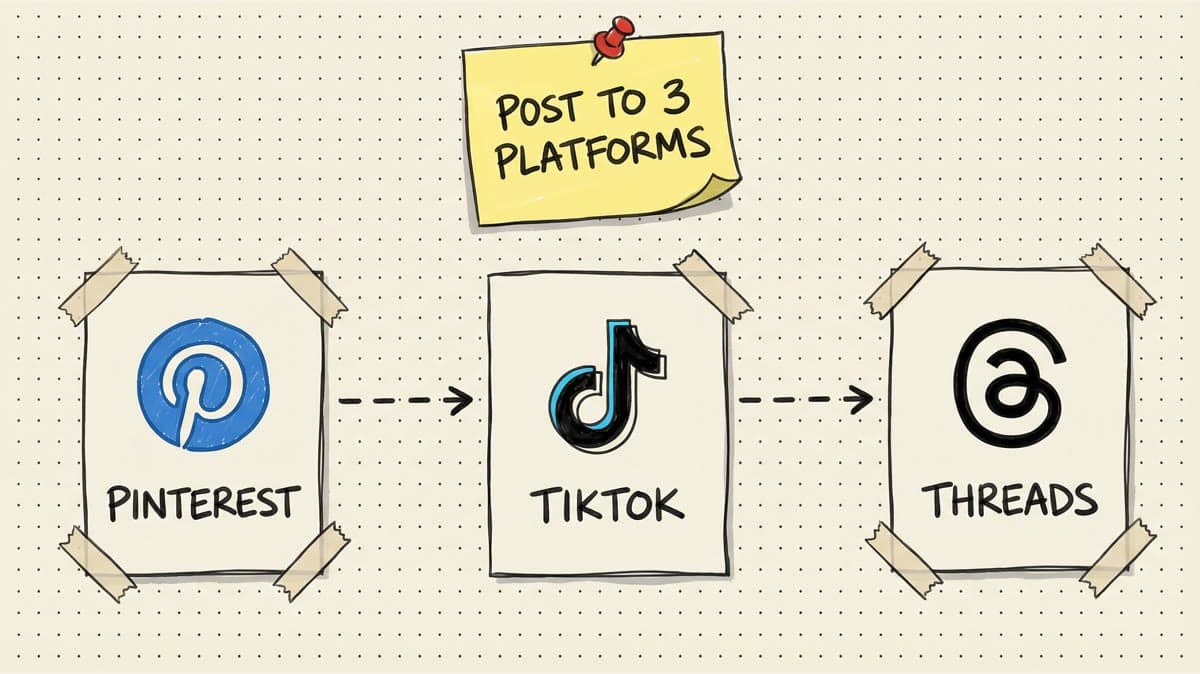
Meta Description: Post to Pinterest, TikTok, and Threads simultaneously. Learn content repurposing, format requirements, and how schedulers eliminate triple-uploading.
Why Pinterest, TikTok, and Threads Are the Underrated Trio for 2026
If you're only posting to Instagram, LinkedIn, and X, you're leaving traffic on the table.
Pinterest drives 3.8x more conversions than other platforms (per Shopify data). It's a search engine disguised as social media. Pins stay visible for months, not hours.
TikTok reaches 1.5 billion monthly users and has the highest engagement rate of any platform (9.38% vs Instagram's 1.22%). Short-form video is king.
Threads hit 150 million users in 2024 and is growing faster than X (Twitter). Meta is pushing it hard with algorithm boosts for early adopters.
The problem: All three platforms require different content formats. Pinterest wants vertical images with SEO-optimized descriptions. TikTok wants vertical video with hooks in the first 3 seconds. Threads wants text-first posts with casual, conversational vibes.
Posting to all three manually means uploading the same core idea three times, reformatting each time, and spending 30-45 minutes per post. If you post daily, that's 3.5-5.25 hours per week just uploading.
The solution: Repurpose one piece of content for all three platforms using a scheduler that handles format customization and multi-platform publishing.
Content Format Requirements by Platform
Here's what each platform wants:
Format: Vertical image (2:3 aspect ratio, ideally 1000x1500px) Caption: SEO-focused description (500 characters max, front-load keywords) Hashtags: Optional but helpful (5-10 niche hashtags) Links: Required (Pinterest is a discovery engine, users expect links to products/blog posts) Tone: Professional, helpful, keyword-rich Lifespan: Pins stay visible for 3-6 months (evergreen traffic)
Example Pin:
- Image: Product photo with text overlay: "10 Time-Saving Social Media Hacks"
- Description: "Discover 10 social media hacks that save 5+ hours per week. Perfect for busy entrepreneurs, marketers, and content creators. Click for the full guide."
- Link: Your blog post or product page
TikTok
Format: Vertical video (9:16 aspect ratio, 1080x1920px, 15-60 seconds) Caption: Hook-focused first sentence (2,200 character limit but most users skim the first line) Hashtags: 3-5 trending + niche hashtags Links: Bio link only (unless you have 1,000+ followers for link stickers) Tone: Fast-paced, entertaining, personal Lifespan: 24-48 hours (short-term virality)
Example TikTok:
- Video: 30-second walkthrough of "How I schedule 20 posts in 10 minutes"
- Caption: "The scheduler hack that saves me 5 hours/week 🚀 #socialmediamanager #timemanagement #productivityhacks"
- Audio: Trending sound or voiceover
Threads
Format: Text-first (500 character limit, images optional) Caption: Conversational, short, no hashtags Hashtags: Not used (Threads algorithm ignores them) Links: Allowed but de-prioritized by algorithm (use sparingly) Tone: Casual, relatable, punchy Lifespan: 12-24 hours (similar to X/Twitter)
Example Thread: "I used to spend 10 hours/week manually posting to 8 platforms. Now I spend 30 minutes. How? One scheduler, bulk upload, done. If you're still posting manually in 2026, you're doing it wrong."
Content Repurposing Strategy: One Asset, Three Platforms
Let's say you have one core piece of content: a blog post titled "10 Social Media Hacks That Save 5 Hours/Week."
Here's how to repurpose it for Pinterest, TikTok, and Threads:
Step 1: Create the Base Asset (Pinterest Pin)
Start with Pinterest because it requires the most polished asset: a vertical graphic (1000x1500px) with:
- Bold headline: "10 Social Media Hacks That Save 5 Hours/Week"
- Subhead or bullet points (optional)
- Your brand logo (bottom corner)
- Text overlay in readable font (no tiny text)
Tool: Canva, Figma, or Adobe Express (all have Pinterest templates)
Time: 10-15 minutes
Step 2: Adapt for TikTok (Video Slideshow or Talking Head)
TikTok doesn't want static images. Options:
The caption has to change too. A Pinterest description is searchable and polished; a Threads post is conversational; a TikTok caption should feel native and quick. Use these platform-native TikTok captions before copying the same line across all three.
Option A: Slideshow Video
- Export your Pinterest graphic + 9 additional slides (one per hack)
- Use TikTok's native photo slideshow feature or CapCut
- Add trending audio
- 3-5 seconds per slide
- Total video: 30-45 seconds
Option B: Talking Head Video
- Film yourself explaining 3-5 hacks in 30 seconds
- Hook: "I used to waste 10 hours/week on social media. Here's how I cut it to 2 hours."
- Overlay text with hack names as you talk
- End with CTA: "Full list in bio"
Time: 5-10 minutes (slideshow) or 15-20 minutes (talking head)
Step 3: Adapt for Threads (Text Snippet)
Threads is text-first. Pull the most shareable insight from your blog post and turn it into a short take:
Option A: Hook + Mini-List "5 social media hacks that actually work:
- Batch content on Sundays
- Use a scheduler (duh)
- Repurpose everywhere
- Post at peak times
- Track analytics weekly
Full guide: [link]"
Option B: Hot Take "Unpopular opinion: If you're manually posting to Instagram, TikTok, Pinterest, LinkedIn, and X every day, you're working 10x harder than necessary. Schedulers exist for a reason."
Time: 2-3 minutes
Total Time for All Three Platforms
- Pinterest Pin: 10-15 min
- TikTok Video: 5-20 min
- Threads Post: 2-3 min
Total: 17-38 minutes to create content for all three platforms (vs 45-60 minutes if you created platform-specific content from scratch for each).
Workflow: How to Post to All Three Using a Scheduler
Step 1: Upload to Scheduler
Drag your Pinterest graphic into Timed Post (or your scheduler of choice). Add your TikTok video and Threads text.
Step 2: Customize Per Platform
Pinterest:
- Caption: "Discover 10 social media hacks that save 5+ hours per week. Perfect for busy entrepreneurs, marketers, and content creators. Click for the full guide."
- Hashtags: #socialmediatips #productivityhacks #timemanagement #marketingtips #contentcreator
- Link: Your blog post URL
TikTok:
- Caption: "The scheduler hack that saves me 5 hours/week 🚀"
- Hashtags: #socialmediamanager #timemanagement #productivityhacks #contentcreator #schedulepost
- Video: Upload slideshow or talking head video
Threads:
- Caption: "I used to spend 10 hours/week manually posting to 8 platforms. Now I spend 30 minutes. How? One scheduler, bulk upload, done."
- No hashtags (Threads ignores them)
- No link (text-only performs better)
Step 3: Schedule or Publish
Option A: Publish immediately (if posting in real-time) Option B: Schedule for optimal times:
- Pinterest: Best times are 8-11 PM (users browse at night for planning/shopping)
- TikTok: Best times are 7-9 PM (peak engagement)
- Threads: Best times are 11 AM-1 PM (lunch break scrolling)
Timed Post publishes all three simultaneously or staggers them by platform.
Step 4: Track Performance
Check analytics after 48 hours:
- Pinterest: Track saves, clicks, and impressions (high saves = evergreen success)
- TikTok: Track views, shares, and watch time (high shares = virality potential)
- Threads: Track likes, replies, and reposts (high replies = conversation starter)
If one platform outperforms, double down there.
Schedule your posts across every platform
Draft once, publish everywhere — automatically.
No credit card · Cancel anytime
Platform-Specific Best Practices
Do:
- Front-load keywords in descriptions (Pinterest is a search engine)
- Link every pin (users expect to click through)
- Use vertical images (2:3 aspect ratio performs best)
- Post 5-10 new pins per day (frequency beats perfection)
Don't:
- Use horizontal images (cropped poorly on mobile)
- Stuff hashtags (5-10 max)
- Post without links (Pinterest prioritizes clickable pins)
Pro tip: Repurpose old blog posts as new pins. Pinterest lifespan is 3-6 months, so one blog post can generate 10+ pins over time.
TikTok
Do:
- Hook viewers in first 3 seconds (frontload value/curiosity)
- Use trending audio (TikTok algorithm boosts trending sounds)
- Post 1-3x/day (TikTok rewards consistency)
- Add text overlays (60% of users watch without sound)
Don't:
- Post horizontal video (awkward cropping on mobile)
- Use generic captions (first line is make-or-break)
- Ignore trending hashtags (they drive discovery)
Pro tip: Repurpose YouTube videos as TikTok clips. Extract 15-30 second highlights from long-form content.
Threads
Do:
- Write like you're texting a friend (casual, conversational)
- Post 2-5x/day (Threads rewards frequency)
- Engage with replies immediately (algorithm boosts active conversations)
- Use line breaks for readability (walls of text flop)
Don't:
- Use hashtags (Threads algorithm ignores them)
- Post links in every thread (algorithm de-prioritizes links)
- Copy-paste from X (Threads audience wants fresh takes)
Pro tip: Threads is great for hot takes, behind-the-scenes insights, and thought leadership. Save polished content for LinkedIn and Pinterest.
Scheduler Comparison: Pinterest + TikTok + Threads Support
| Feature | Timed Post Starter/Growth | Later Growth | Post-Bridge | Buffer Essentials |
|---|---|---|---|---|
| Price/Month | $19 Starter / $49 Growth | ~$30-40 | $9 | $50 (10 channels) |
| Pinterest Support | ✅ Yes | ✅ Yes | ✅ Yes | ✅ Yes |
| TikTok Support | ✅ Yes | ✅ Yes | ✅ Yes | ✅ Yes |
| Threads Support | ✅ Yes | ✅ Yes | ✅ Yes | ✅ Yes |
| Bulk Upload | ✅ Yes | ✅ Yes (Scale only) | ❌ No | ❌ No |
| Platform Customization | ✅ Yes | ✅ Yes | ✅ Yes | ✅ Yes |
| Post Limit | Unlimited | 180/profile/mo | Unlimited | Unlimited |
| AI Caption Generator | ✅ Unlimited | ⚠️ 50 credits/mo | ❌ No | ✅ Unlimited |
| Best For | Multi-platform bulk posting | Visual-first Instagram + Pinterest | Budget creators | Simple scheduling |
Winner for Pinterest + TikTok + Threads: Timed Post Growth ($49/month) gives creators 15 accounts, bulk scheduling, and AI caption tools in one workflow.
Runner-up: Later Growth ($30-40/month) is strong if you're Instagram-heavy and need visual grid planning, but post limits (180/profile/month) and AI credit rationing are friction points.
Real Example: Ecommerce Brand Using Pinterest + TikTok + Threads
Brand: [Anonymized ecommerce brand selling productivity planners] Goal: Drive traffic to product pages using Pinterest, TikTok, and Threads Timeline: 30 days (daily posting across all three platforms)
The Setup
- Content source: 10 blog posts about productivity, time management, goal-setting
- Repurposing strategy: Turn each blog post into 1 Pinterest pin, 1 TikTok slideshow, 1 Threads hot take
- Posting frequency:
- Pinterest: 5 pins/day (mix of new + repurposed)
- TikTok: 1 video/day
- Threads: 3 posts/day (mix of product-related + industry commentary)
The Tools
- Scheduler: Timed Post Growth ($49/month)
- Design: Canva (Pinterest pins)
- Video: CapCut (TikTok slideshows)
- Bulk upload: CSV import with 150 posts (30 days × 5 platforms)
The Results (30 Days)
-
Pinterest:
- 1,200 saves
- 450 clicks to product pages
- 3.2% conversion rate (14 sales)
- Revenue: $420
-
TikTok:
- 85,000 views (3 videos went semi-viral)
- 220 profile visits
- 12 sales from bio link
- Revenue: $360
-
Threads:
- 4,500 impressions
- 180 profile visits
- 8 sales
- Revenue: $240
Total revenue: $1,020 from 150 posts (30 days) Cost: $49 (scheduler) + $20 (Canva Pro) = $69 ROI: 14.8x
Key Learnings
- Pinterest drove highest conversion rate (3.2% vs TikTok's 5.5% and Threads' 4.4%) but TikTok drove most traffic (virality potential).
- TikTok required least time (slideshow videos took 5 minutes each vs Pinterest pins at 10 minutes).
- Threads performed better than expected (240 sales from text-only posts with zero ad spend).
- Repurposing worked (10 blog posts turned into 150 posts across 3 platforms with minimal extra work).
Common Mistakes to Avoid
1. Posting the Same Caption Everywhere
Pinterest needs SEO-optimized descriptions. TikTok needs hooks. Threads needs conversational text. Copy-pasting the same caption tanks engagement on at least two platforms.
Fix: Write one base idea, then customize for each platform's tone and format.
2. Ignoring Platform-Specific Timing
Pinterest peaks at 8-11 PM. TikTok peaks at 7-9 PM. Threads peaks at 11 AM-1 PM. Posting all three at 10 AM might miss 2 out of 3 audiences.
Fix: Stagger posts by platform using optimal times.
3. Using Horizontal Images on Pinterest
Horizontal images (16:9 or 1:1) get cropped on mobile Pinterest feeds. Vertical images (2:3) take up more screen real estate and drive higher engagement.
Fix: Always use vertical images for Pinterest (1000x1500px minimum).
4. Posting TikTok Videos Without Text Overlays
60% of TikTok users watch without sound. If your video relies on audio and has no text overlays, you lose most viewers.
Fix: Add text overlays summarizing key points.
5. Using Hashtags on Threads
Threads algorithm ignores hashtags. Using them makes your posts look spammy and out-of-touch.
Fix: No hashtags on Threads. Focus on conversational text instead.
FAQ
Can I post the same video to TikTok, Instagram Reels, and YouTube Shorts?
Yes. Most schedulers (including Timed Post) support cross-posting vertical video. Just customize captions per platform (TikTok wants trending hashtags, Instagram wants emojis, YouTube wants keyword-rich descriptions).
Does scheduling hurt my reach on TikTok or Threads?
No. TikTok and Threads confirm that scheduled posts are treated the same as manual posts. The algorithm cares about engagement (watch time, likes, shares), not how you published.
How many posts should I publish per day on each platform?
- Pinterest: 5-10 pins/day (frequency beats perfection)
- TikTok: 1-3 videos/day (consistency matters)
- Threads: 2-5 posts/day (Threads rewards frequency)
Can I schedule Pinterest pins for free?
Yes. Pinterest Business Hub has a native scheduler (free, no third-party tool needed). But if you're posting to Pinterest + TikTok + Threads, a multi-platform scheduler saves time.
Should I link Pinterest pins to my website or to affiliate products?
Both work. If you're driving blog traffic, link to your blog. If you're monetizing with affiliates, link to product pages. Pinterest users expect to click through, so always include a link.
The Bottom Line
Pinterest, TikTok, and Threads are the underrated trio for 2026:
- Pinterest drives evergreen traffic and high conversions
- TikTok offers virality potential and massive reach
- Threads is growing fast with algorithm boosts for early adopters
Posting to all three manually burns 30-45 minutes per post. Repurposing one piece of content (blog post, product photo, video) for all three platforms takes 17-38 minutes total.
The workflow:
- Create base asset (Pinterest pin)
- Adapt for TikTok (slideshow or talking head video)
- Adapt for Threads (text snippet or hot take)
- Upload to scheduler, customize per platform, schedule or publish
Best scheduler for Pinterest + TikTok + Threads: Timed Post Growth ($49/month) with 15 accounts, bulk scheduling, and AI caption tools.
Start a 7-day Timed Post trial →
Tags: Pinterest scheduler, TikTok scheduler, Threads posting, multi-platform content, repurposing strategy, Timed Post


