Choosing the wrong social media scheduler costs you hours every week. If your tool doesn't support bulk scheduling, forces you to pay per channel, or lacks platform-specific previews, you end up doing manual work the tool should handle.
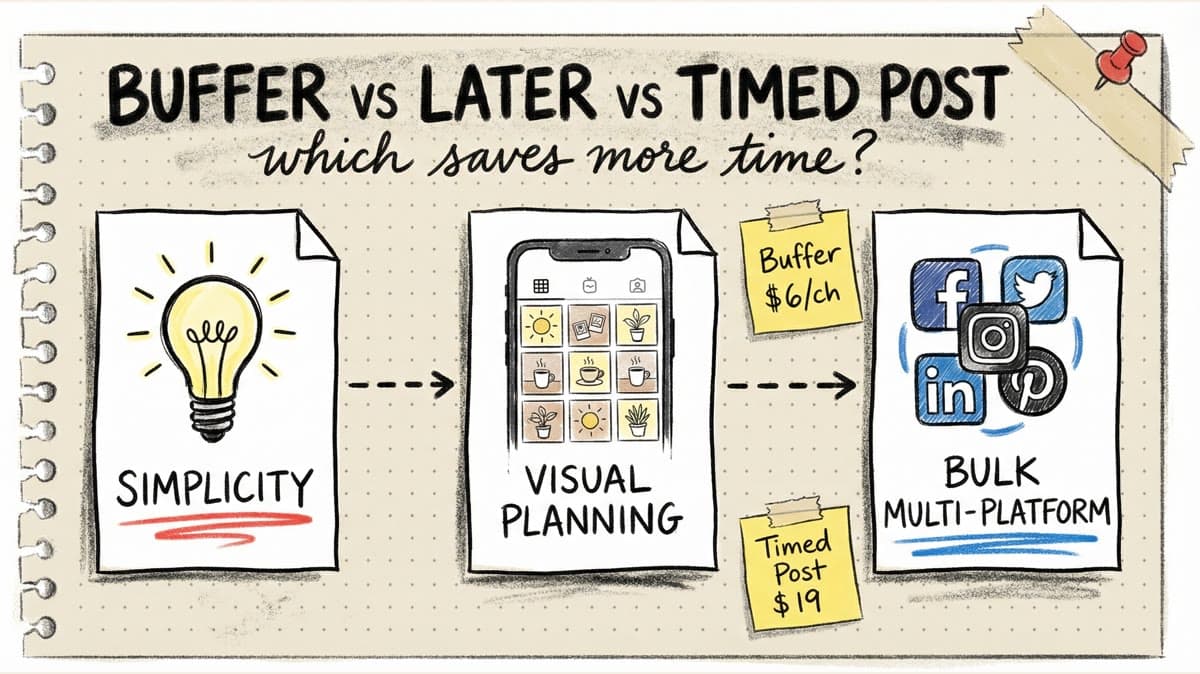
Buffer, Later, and Timed Post are three popular schedulers, but they solve different problems. Buffer keeps things simple with per-channel pricing. Later focuses on visual Instagram planning. Timed Post optimizes for multi-platform bulk scheduling with unlimited AI tools.
This comparison breaks down pricing, features, and workflows so you can pick the tool that actually saves you time.
Quick Comparison Table
| Feature | Buffer | Later | Timed Post |
|---|---|---|---|
| Starting price | $6/channel/mo | $25/mo | $19/mo |
| Free plan | Yes (3 channels) | No | 7-day trial |
| Platforms | 11 | 8 | 9 |
| Bulk scheduling | No | No | Yes (20 posts) |
| AI captions | Unlimited | Unlimited | Unlimited |
| AI image generation | No | No | Yes (7 models) |
| Post previews | Basic | Grid preview (IG) | Platform-specific (all) |
| Team members | Unlimited (Team) | Per plan | Unlimited (Premium) |
| Link in Bio | Yes | Yes | Yes |
| Analytics | Basic | Standard | Full |
| Best for | Simplicity | Instagram-first | Multi-platform bulk |
Pricing Breakdown
Buffer
Plans:
- Free: 3 channels, basic scheduling
- Essentials: $6/channel/month
- Team: $12/channel/month (unlimited users)
Example costs:
- 5 channels on Essentials: $30/month
- 10 channels on Team: $120/month
What's included: Unlimited posts, AI captions, landing page builder, analytics.
What's missing: Bulk scheduling, AI image generation, platform-specific previews.
Best for: Solo creators who need simple scheduling for 3-5 accounts.
Later
Plans:
- Starter: $25/month (1 user, 8 profiles)
- Growth: $50/month (2 users, 16 profiles)
- Scale: $110/month (4 users, 48 profiles)
What's included: Visual calendar, Instagram grid preview, Linkin.bio, AI captions, analytics.
What's missing: Bulk scheduling, AI image generation, post limits on lower plans.
Best for: Instagram-first creators who want grid planning and visual workflows.
Timed Post
Plans:
- Starter: $19/month (5 accounts)
- Growth: $49/month (15 accounts)
- Premium: $49/month early bird / $79/month normal (unlimited accounts and unlimited team members)
What's included: Bulk scheduling (20 posts), AI captions, AI image generation (7 models), platform-specific previews, analytics, workspaces, approval workflows (Premium).
What's missing: No free plan (7-day trial instead).
Best for: Creators and agencies posting across multiple platforms with bulk workflows.
Feature Comparison
1. Bulk Scheduling
Buffer: No bulk scheduling. You create posts one at a time or use the queue (which still requires individual post creation).
Later: No visual bulk upload. You can import via CSV, but there's no interface to upload multiple images/videos and customize them visually.
Timed Post: Upload up to 20 posts at once. Select platforms, customize captions, preview posts, and schedule all in one session.
Winner: Timed Post. If you batch-create content, this saves hours every week.
2. Platform Support
Buffer: 11 platforms — Instagram, Facebook, TikTok, X, LinkedIn, Pinterest, YouTube, Threads
Later: 8 platforms — Instagram, Facebook, TikTok, X, LinkedIn, Pinterest, YouTube, Threads
Timed Post: 8 platforms — Instagram, Facebook, TikTok, X, LinkedIn, Pinterest, YouTube, Threads
Winner: Buffer (most platforms). But all three cover the major networks.
3. AI Features
Buffer: AI caption assistant (unlimited). No AI image generation.
Later: AI caption writer (unlimited). No AI image generation.
Timed Post: AI caption generator (unlimited) + AI image generation with 7 models.
Winner: Timed Post. If you need visuals for posts (quote graphics, thumbnails), the AI image tool saves design time.
4. Post Previews
Buffer: Basic previews. Not always accurate across platforms.
Later: Instagram grid preview shows how your feed will look. Other platforms get standard previews.
Timed Post: Platform-specific previews for all 8 platforms (carousels, reels, shorts, feed posts). See exactly how posts will appear before scheduling.
Winner: Tie. Later wins for Instagram planning. Timed Post wins for multi-platform accuracy.
5. Analytics
Buffer: Basic engagement metrics (likes, comments, shares, reach). No competitor tracking or custom dashboards.
Later: Standard analytics with best time to post suggestions. Limited historical data on lower plans.
Timed Post: Full analytics across all platforms with performance tracking and reporting.
Winner: Timed Post (most complete analytics). Later and Buffer cover the basics but lack depth.
6. Team Collaboration
Buffer: Unlimited team members on Team plan ($12/channel/month).
Later: Team members capped by plan (1-4 users). Extra users cost more.
Timed Post: Unlimited team members on Premium ($49/month early bird, $79/month normal). Approval workflows included.
Winner: Timed Post (flat-rate unlimited). Buffer's per-channel pricing gets expensive for teams with many accounts.
7. Link in Bio
All three include Link in Bio builders.
Buffer: Start Page — simple, functional.
Later: Linkin.bio — more established, Instagram-optimized.
Timed Post: Link in Bio builder included.
Winner: Later (most mature Link in Bio product).
Workflow Comparison
Buffer Workflow
- Connect accounts
- Create posts one by one or add to queue
- Write captions (AI assist available)
- Select posting time
- Review and publish
Pros: Simple, fast for single posts. Cons: No bulk upload. Creating 20 posts takes 20 individual workflows.
Best use case: Daily posting with a queue system.
Later Workflow
- Connect accounts
- Upload media to library
- Drag posts onto visual calendar
- Write captions (AI assist available)
- Preview Instagram grid
- Schedule posts
Pros: Visual planning makes Instagram aesthetics easy. Cons: No bulk scheduling for non-Instagram platforms.
Best use case: Instagram-first brands focused on feed aesthetics.
Timed Post Workflow
- Connect accounts
- Bulk upload 20 videos/images
- Select platforms for each post (or all at once)
- Write captions in batches (AI assist available)
- Generate AI images if needed
- Preview platform-specific posts
- Space posts across calendar
- Schedule all at once
Pros: Entire month of content scheduled in one session. Cons: Learning curve for first-time bulk schedulers.
Best use case: Multi-platform creators who batch-create content.
Timed Post
Schedule your posts across every platform
Draft once, publish everywhere — automatically.
No credit card · Cancel anytime
Timed Post
Schedule your posts across every platform
Draft once, publish everywhere — automatically.
No credit card · Cancel anytime
Schedule your posts across every platform
Draft once, publish everywhere — automatically.
No credit card · Cancel anytime
Use Case Scenarios
Scenario 1: Solo Creator Posting to 3 Platforms (Instagram, TikTok, X)
Buffer Essentials: $18/month (3 channels × $6)
- Simple scheduling
- AI captions
- No bulk upload
- Time: 10 minutes per post × 20 posts/month = 200 minutes
Later Starter: $25/month
- Visual calendar
- Instagram grid preview
- AI captions
- Time: 8 minutes per post × 20 posts/month = 160 minutes
Timed Post Growth: $19/month
- Bulk upload 20 posts
- AI captions + AI images
- Platform previews
- Time: 60 minutes for all 20 posts
Winner: Timed Post (cheapest + fastest workflow).
Scenario 2: Agency Managing 10 Client Accounts
Buffer Team: $120/month (10 channels × $12)
- Unlimited team members
- Simple interface for clients
- No workspaces for client separation
Later Scale: $110/month (48 profiles)
- 4 team members
- Visual planning
- Limited collaboration features
Timed Post Premium: $49/month early bird / $79/month normal
- Unlimited accounts
- Unlimited team members
- Workspaces for client separation
- Approval workflows
- Bulk scheduling
Winner: Timed Post (90% cheaper, better collaboration features).
Scenario 3: Instagram-First Influencer
Buffer Essentials: $6/month (1 channel)
- Basic scheduling
- No grid preview
Later Starter: $25/month
- Instagram grid preview
- Visual content planning
- Linkin.bio
Timed Post Growth: $19/month
- Platform-specific previews
- Bulk scheduling
- AI image generation
Winner: Later (Instagram grid preview is essential for visual brands).
Which Tool Should You Choose?
Choose Buffer if:
- You want the simplest possible interface
- You post to 3-5 channels and don't need bulk scheduling
- You prefer a working free plan (3 channels)
- You're okay paying per channel as you scale
Choose Later if:
- Instagram is your primary platform
- You need to plan feed aesthetics with grid preview
- You want an established Link in Bio tool
- You don't post across many platforms
Choose Timed Post if:
- You post to 3+ platforms and want bulk scheduling
- You batch-create content and schedule weeks in advance
- You need AI image generation for graphics and thumbnails
- You're an agency managing multiple client accounts
- You want flat-rate pricing (not per-channel)
- You need approval workflows and team collaboration
Common Questions
Can I switch between tools?
Yes. Most schedulers let you export your content calendar or reconnect accounts easily. Moving from Buffer/Later to Timed Post takes about 15 minutes.
Do these tools work with TikTok?
Yes. All three support TikTok scheduling via official API.
Which tool has the best mobile app?
Buffer and Later have established mobile apps. Timed Post is web-first (mobile-responsive but no dedicated app yet).
Can I use multiple tools at once?
You can, but connecting the same account to multiple schedulers may cause posting conflicts. Pick one tool per account.
Do scheduled posts perform worse than manual posts?
No. All three tools use official APIs, so platforms treat scheduled posts the same as manual uploads. Performance depends on content quality, not scheduling method.
Final Verdict
Buffer is the simplest option. If you're a solo creator posting to 3-5 channels and you want zero learning curve, Buffer's clean interface and free plan make it a solid choice. But per-channel pricing gets expensive fast, and the lack of bulk scheduling means you'll spend hours creating posts one by one.
Later is the Instagram specialist. If your brand lives on Instagram and you need grid preview, visual planning, and a mature Link in Bio, Later is worth the premium. But it's overpriced if Instagram isn't your main platform, and the lack of bulk scheduling limits efficiency for multi-platform creators.
Timed Post is the efficiency tool. If you batch-create content, post across multiple platforms, or manage client accounts, the bulk scheduling workflow saves hours every week. The AI image generator and unlimited team members (on Premium) make it the best value for agencies and serious creators. The only downside: no free plan (but the 7-day trial is enough to test the workflow).
Bottom line:
- Best for simplicity: Buffer
- Best for Instagram: Later
- Best for multi-platform efficiency: Timed Post
Try Timed Post free for 7 days and see if bulk scheduling cuts your posting time in half.