
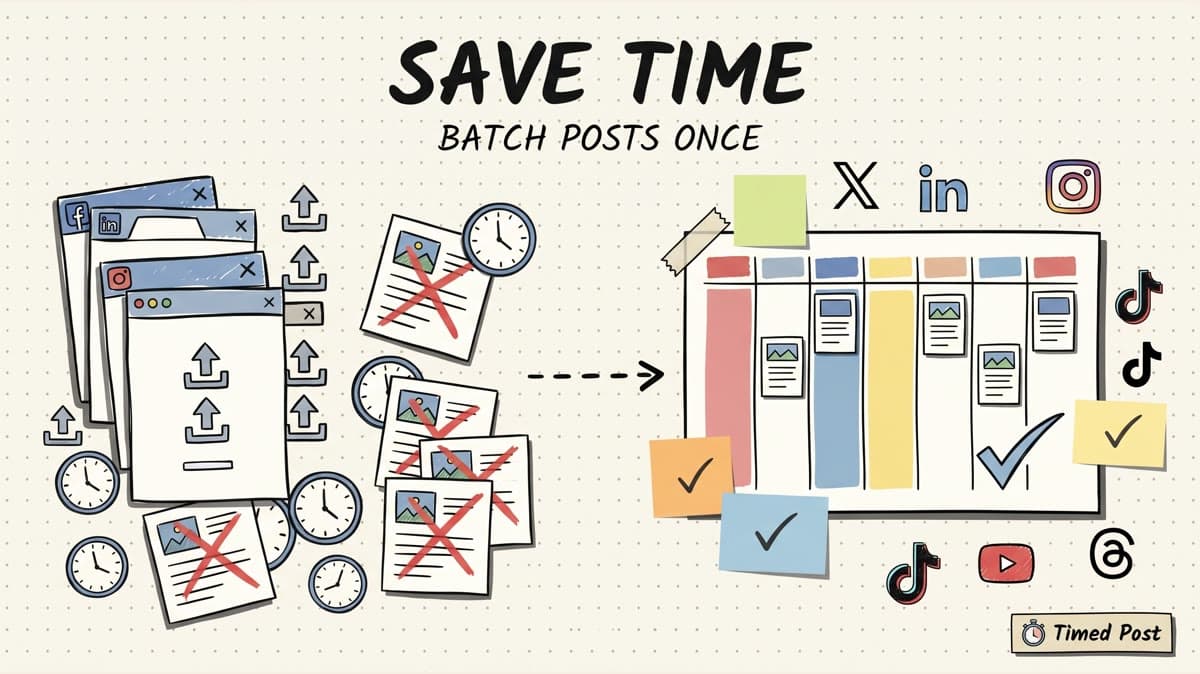
The honest answer: batching social media posts usually saves 45-60% of the publishing time when you post the same ideas across 3+ platforms.
That is not a magic industry average. It is workflow math.
If you write 5 ideas per week and post each one on X, LinkedIn, Instagram, and Threads, you are not doing 5 publishing tasks. You are doing 20 platform versions, each with its own caption, crop, account check, link behavior, preview, and timing choice.
Manual posting turns those 20 versions into 20 tiny interruptions.
Batching turns them into one planned session.
In the model below, a creator posting 5 ideas across 4 platforms goes from about 3 hours 40 minutes of manual publishing work to about 1 hour 50 minutes of batched scheduling. That is 1 hour 50 minutes saved in a normal week.
For a freelancer or small agency handling 10 ideas across 5 platforms, the saving is closer to 5 hours per week.
If you already know you need to batch content, start with Timed Post's bulk scheduling workflow. This guide explains the time math, where the savings come from, and how to avoid fake batching that still eats your day.
quick answer: the average depends on ideas x platforms
There is no clean universal average because the workload changes fast.
A founder posting text updates to X and LinkedIn has a different workflow from an agency scheduling Reels, Shorts, Pinterest pins, and Facebook posts for 4 clients.
So instead of pretending one number fits everyone, use this simple model:
weekly publishing time = ideas x platforms x manual minutes per version
Then compare it with a batched workflow:
batched time = source draft time + platform adaptation time + one scheduling/review session
Here is a practical starting point:
| Weekly setup | Versions created | Manual posting estimate | Batched scheduling estimate | Time saved |
|---|---|---|---|---|
| Solo founder: 3 ideas x 4 platforms | 12 | 2h 12m | 1h 10m | 1h 2m saved |
| Consistent creator: 5 ideas x 4 platforms | 20 | 3h 40m | 1h 50m | 1h 50m saved |
| Freelancer / small agency: 10 ideas x 5 platforms | 50 | 9h 10m | 4h 5m | 5h 5m saved |
| Client-heavy agency week: 20 ideas x 6 platforms | 120 | 22h | 9h 10m | 12h 50m saved |
These numbers use a conservative manual estimate: 11 minutes per platform version.
That includes opening the app or dashboard, selecting the right account, uploading media, pasting and fixing the caption, setting the time, checking the preview, and confirming the post is in the right place.
Some people will be faster. Some teams will be slower, especially when clients, approvals, video files, link tracking, or platform-specific edits are involved.
The point is not the exact minute count. The point is that platform multiplication is brutal.
5 ideas across 1 platform is 5 versions.
5 ideas across 5 platforms is 25 versions.
10 ideas across 5 platforms is 50 versions.
That is why a small content calendar can feel like a part-time admin job.
why batching saves time in the first place
Batching does not make the creative work disappear.
You still need the idea. You still need the hook. You still need the asset. You still need to decide whether the LinkedIn version should be more reflective, whether the X version should be shorter, and whether the Instagram caption needs a different CTA.
The savings come from removing repeated setup work.
Manual posting usually looks like this:
- Open X.
- Upload or paste the post.
- Fix the line breaks.
- Decide if the link belongs there.
- Pick a time.
- Open LinkedIn.
- Repeat the same decisions in a slightly different interface.
- Open Instagram.
- Upload again.
- Fix crop/caption/hashtags.
- Open TikTok or YouTube.
- Repeat again.
That is not strategy. It is tab management.
A batched workflow groups the thinking:
- Write the source idea once.
- Adapt the version for each platform.
- Attach the right media once inside the workflow.
- Pick times in one calendar.
- Review the whole batch before it goes live.
That is why a scheduler helps most when you post on 3+ platforms. At 1 platform, native scheduling might be enough. At 5 platforms, the problem is no longer scheduling one post. The problem is keeping the whole week straight.
Timed Post's guide on how to schedule posts to multiple social media platforms at once covers the broader workflow. This article focuses on the time cost.
the hidden manual tax: where the minutes go
Most people underestimate social media publishing because they count only the obvious task: posting.
But the real time goes into tiny handoffs.
| Manual task | Why it takes longer than expected | Example |
|---|---|---|
| Account switching | Every platform has a different account picker, permission model, or page/profile split | posting to a client Facebook page instead of your own profile |
| Media re-uploading | The same video/image may need a different crop, title, thumbnail, or file check | TikTok vs YouTube Shorts vs Instagram Reels |
| Caption repair | Line breaks, links, mentions, hashtags, and character limits behave differently | a LinkedIn paragraph feels weird when pasted into X |
| Time selection | You choose times separately unless the calendar is centralized | one post goes out at 9am, another accidentally at 9pm |
| Preview checking | You catch mistakes only after opening each platform's composer | wrong image order, broken link preview, cut-off copy |
| Verification | You still need confidence that the post actually went live | scheduled but stuck, published without media, wrong account |
This is the part that drains creators and social media managers.
Writing one good post might take 20 minutes.
Publishing that post across X, LinkedIn, Instagram, Facebook, TikTok, YouTube, Threads, and Pinterest can take another 45 minutes if you do it manually.
And if you manage clients, it gets worse. Every extra client adds workspaces, approvals, brand voice rules, media folders, and account risk. Timed Post's guide on managing 10+ client accounts in under 5 hours a week is basically about controlling that same manual tax.
native scheduling helps, but it does not solve cross-platform batching
Native scheduling is useful. It is just fragmented.
Meta has scheduling workflows for Facebook and Instagram through its own surfaces, including Meta Business Suite and Instagram's help flow for scheduling posts and reels. TikTok has its own video scheduler. YouTube has a separate workflow for scheduled video publish times.
That is good if you only care about one platform.
It is not enough when the same campaign needs to go out across 5 channels.
The creator still has to:
- upload the same asset into multiple tools
- remember which platforms are already scheduled
- rewrite the caption in separate interfaces
- choose times platform by platform
- keep client/account separation clean
- check whether every post is actually queued
This is where the platform count matters.
DataReportal reports that the typical social media user actively uses or visits 6.5 social platforms each month. Buffer's 2026 engagement report analyzed 52M+ posts across 10 platforms, which is a good reminder that "social media" is not one feed with one behavior.
Your audience is spread out.
Your workflow should not be spread out the same way.
If you need the strategic side of this, read Timed Post's multi-platform posting strategy guide. The short version: build one idea, adapt it per platform, then schedule it from one place.
Schedule your posts across every platform
Draft once, publish everywhere — automatically.
No credit card · Cancel anytime
the batching workflow that actually saves time
Bad batching is writing 10 posts in a Google Doc, then manually copying each one into 5 apps later.
That feels productive because the writing happened in one sitting. But the publishing work still remains.
Real batching finishes the loop.
Here is the workflow I would use for a 5-platform week.
1. pick one source idea per post
Do not start by writing 5 totally different platform posts.
Start with the source idea:
- a founder lesson from a customer call
- a product workflow clip
- a blog section turned into a short post
- a client result or behind-the-scenes note
- a checklist, mistake, or before/after workflow
Write the core point once.
Example source idea:
scheduling content is not the hard part. staying out of the apps after scheduling is the hard part.
That one idea can become:
| Platform | Native version |
|---|---|
| X | short founder note about scheduling without opening the apps |
| longer reflection on focus, consistency, and avoiding notification traps | |
| Threads | casual version with lighter wording |
| caption for a carousel or Reel about the no-scroll workflow | |
| page/group version with a direct question |
This is not copy-paste. It is controlled reuse.
2. adapt before you schedule
The fastest way to ruin batching is to paste the exact same caption everywhere.
Adapt the post while the idea is still fresh:
| Platform | Adaptation to check |
|---|---|
| X | shorten the hook, remove unnecessary context, stay within character limits |
| add the lesson, context, or story arc | |
| make the first line work with the visual, avoid relying on a clickable caption link | |
| TikTok | use a caption that supports the video search/context, not a corporate CTA |
| YouTube Shorts | write a title/description that makes sense without the feed context |
| Threads | make it lighter and more conversational |
| make the description evergreen and tied to the visual | |
| match page, group, or community expectations |
If you are doing this manually, each adaptation happens inside a different app. That is where the time goes.
Inside Timed Post, the cleaner workflow is to draft once, create platform versions, and review them before anything goes live.
For related workflow cleanup, Timed Post's guide on 5 social media workflows that cut your workload in half is worth reading after this.
3. schedule in one calendar
A calendar view is where batching becomes real.
Without a calendar, you are guessing:
- Did LinkedIn get 2 posts this week or 5?
- Did TikTok and Instagram both get the launch video?
- Did the client campaign go out before the announcement?
- Are all posts stacked at the same hour?
- Did you accidentally skip Pinterest again?
A scheduling calendar lets you spot the shape of the week.
For a small creator, that means seeing whether X, LinkedIn, Instagram, and Threads are balanced.
For an agency, it means seeing whether each workspace/client has the right content mix and approval state.
For AI video creators, it means making sure the same vertical asset is not dumped everywhere at the wrong time with the wrong caption.
If timing is the part you are fixing next, Timed Post has a separate guide to the best times to post on social media. Use timing advice after the batch is organized. Do not use timing charts as an excuse to keep posting manually.
4. review the batch once
Manual posting creates a weird review problem.
You review each post in isolation, usually while standing inside the app that wants your attention.
That is how you end up fixing one LinkedIn post, checking notifications, replying to two comments, opening analytics, then forgetting why you opened Instagram.
A batch review is different:
- scan every platform version
- check the account/workspace
- confirm the media is attached
- check the time/date
- look for duplicate captions
- look for missing platform-specific edits
- approve the batch
This review step is boring. That is the point.
It replaces the frantic "did I post this everywhere?" feeling with a normal checklist.
a simple time-saved calculator
Use this when deciding whether batching is worth it.
step 1: count your weekly versions
weekly versions = source ideas x platforms
Examples:
| Source ideas | Platforms | Weekly versions |
|---|---|---|
| 3 | 4 | 12 |
| 5 | 4 | 20 |
| 10 | 5 | 50 |
| 20 | 6 | 120 |
If the number is under 10, batching is nice but not urgent.
If the number is 20-50, batching probably saves hours.
If the number is 50+, manual posting is not a workflow. It is a liability.
step 2: estimate manual time per version
Use 8-12 minutes as a practical range.
A simple text post might be 5 minutes.
A video post with upload, thumbnail, title, caption, hashtags, account check, and preview might be 15+ minutes.
Use your real number if you know it.
manual time = weekly versions x minutes per version
step 3: estimate batching time
A batched workflow has three buckets:
- source draft time
- platform adaptation time
- scheduling and review time
For a simple weekly model, use:
batched time = ideas x 6 minutes + versions x 3.5 minutes + 10 minutes final review
That is not perfect. It is good enough to expose the cost.
step 4: compare the two
For 5 ideas across 4 platforms:
| Workflow | Time |
|---|---|
| Manual posting at 11 minutes per version | 3h 40m |
| Batched scheduling model | 1h 50m |
| Estimated weekly saving | 1h 50m |
For 10 ideas across 5 platforms:
| Workflow | Time |
|---|---|
| Manual posting at 11 minutes per version | 9h 10m |
| Batched scheduling model | 4h 5m |
| Estimated weekly saving | 5h 5m |
That second example is the one many freelancers and small agencies feel.
They do not need a motivational quote about consistency. They need to stop turning every client post into a separate login, upload, caption edit, and review cycle.
Timed Post's guide on managing multiple social media accounts goes deeper on the account/workspace side of this.
when batching does not save time
Batching is not automatically good.
It fails when the batch is fake.
you batch writing but not publishing
This is the most common mistake.
You write all posts in one sitting, but leave publishing for later.
Now you have a document full of drafts and the same 5-app upload problem tomorrow.
Better: write, adapt, schedule, review. Finish the loop.
you copy-paste the same post everywhere
This saves time in the short term and costs performance later.
The X version should not always be the LinkedIn version. The Instagram caption should not always be the YouTube description. The TikTok caption should not read like a SaaS email.
If you need help avoiding that trap, Timed Post's multi-platform posting guide walks through a cleaner way to reuse one idea without making every platform feel pasted-on.
you batch too much too far ahead
Batching a week is healthy.
Batching 2-4 weeks can work for evergreen posts, client approvals, and planned campaigns.
Batching 3 months of founder opinions can get stale fast.
Keep room for live feedback, product changes, community replies, and customer language.
you skip the review step
A bad batch can publish the same mistake everywhere.
Before scheduling, check:
- wrong account
- wrong platform version
- missing media
- broken link
- duplicated caption
- stale CTA
- bad crop
- wrong date/time
- post that should not be cross-posted at all
If you manage clients, approval workflows matter more than raw speed. Saving 5 hours is pointless if the wrong brand post goes live.
a weekly batching template for creators
Here is a realistic weekly workflow.
| Day | Task | Time |
|---|---|---|
| Monday | Pick 5 source ideas from product work, customer calls, blog sections, or creator notes | 20m |
| Monday | Draft the source versions | 30m |
| Tuesday | Adapt each idea for 3-5 platforms | 45-75m |
| Tuesday | Add media, links, and platform-specific notes | 30m |
| Tuesday | Schedule from one calendar | 20m |
| Wednesday-Friday | Check replies and performance, but do not rebuild the whole calendar | 10-15m/day |
The goal is not to automate taste.
The goal is to stop wasting taste on admin work.
A founder should spend more time figuring out what customers care about and less time fixing line breaks in 5 different composers.
A social media manager should spend more time improving hooks, creative, and campaign quality, not hunting for the right client account.
A creator should spend more time making the next good post, not remembering whether yesterday's post went to Threads.
where Timed Post fits
Timed Post is useful once the bottleneck is multi-platform execution.
If you post once a week on one platform, you can probably use the native scheduler.
If you post across X, Instagram, LinkedIn, Facebook, TikTok, YouTube, Threads, and Pinterest, the native approach becomes scattered fast.
The Timed Post workflow is simple:
- Draft the source post once.
- Create platform-specific versions.
- Attach the right media.
- Schedule the batch from one calendar.
- Use workspaces when the content belongs to different clients or brands.
- Check the batch before it goes live.
That is where the time savings become real.
Not because a scheduler writes better ideas for you.
Because it removes repeated upload, account switching, calendar guessing, and "did I already post this?" checks.
If your current workflow is 5 tabs and the same caption copied 5 times, draft it once in Timed Post, adapt each platform version, and schedule the batch before you open the apps.
FAQ
How much time does batching social media posts save?
For creators posting on 3+ platforms, batching often saves 45-60% of publishing time. In the model above, 5 ideas across 4 platforms drops from about 3h 40m manually to about 1h 50m batched. The exact number depends on media type, platform count, approvals, and how much adaptation each post needs.
Is batching the same as scheduling?
No. Scheduling means choosing a future publish time. Batching means grouping the whole workflow: writing, adapting, uploading media, scheduling, and reviewing multiple posts in one session. Scheduling is one part of batching.
Should I batch content for every platform?
Batch only the platforms where the same source idea can be adapted naturally. LinkedIn and X may share a founder idea. TikTok, Instagram Reels, and YouTube Shorts may share one vertical video. Do not force every idea onto every platform just to fill a calendar.
How far ahead should I batch social media posts?
One week is the safest starting point. Two to four weeks can work for evergreen posts, client approvals, and planned campaigns. Leave room for timely posts, customer feedback, product changes, and platform-specific trends.
Does Timed Post support batching across multiple platforms?
Yes. Timed Post is built for creators, founders, freelancers, and teams that need to draft once, adapt per platform, and schedule across X, Instagram, LinkedIn, Facebook, TikTok, YouTube, Threads, and Pinterest from one workflow.


