
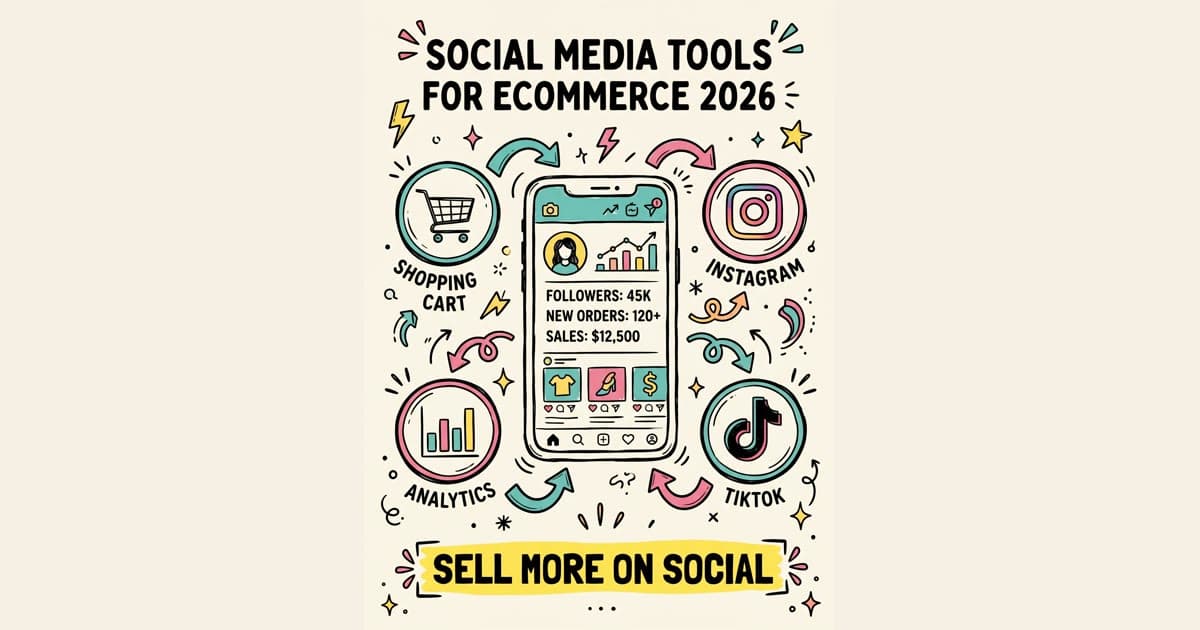
Social can sell product, but it can also eat the whole week.
One person is filming TikToks, making Instagram carousels, answering DMs, tagging products, checking Shopify, resizing images for Pinterest, and trying to prove which post drove the order. By Friday, the store has more tools than process.
The fix is not a giant stack. For most ecommerce brands, the best social media marketing setup has four jobs covered:
- create product content fast;
- schedule platform-specific posts without opening every app;
- connect social content to the product catalog;
- measure traffic, conversions, and comments in one repeatable review.
Use this guide to pick tools by workflow, not by feature count.
quick answer
The best ecommerce social media tool stack in 2026 depends on your stage:
- Solo store or founder-led brand: Canva or Adobe Express for visuals, CapCut for short video, Timed Post or Buffer for scheduling, Shopify's built-in social channels, and native analytics.
- Growing brand with 2-5 people: Canva Teams or Adobe Express, CapCut, Timed Post for multi-platform publishing, Later if Instagram planning is a core workflow, and Google Analytics/Shopify reports for sales tracking.
- Established ecommerce team: Sprout Social or Hootsuite for inbox and team controls, Aspire for creator programs, TINT or a UGC platform for rights-managed customer content, Rival IQ or Dash Hudson for competitive and visual analysis, plus a scheduler that keeps posts consistent.
If you only fix one thing this month, fix publishing. Most ecommerce teams lose time copying the same launch post into Instagram, TikTok, Facebook, Pinterest, LinkedIn, X, Threads, and YouTube. A multi-platform calendar gives you one place to plan the campaign, adapt the copy, and keep the store visible. If that is the workflow you are trying to clean up, start with this guide to scheduling posts across multiple social media platforms and the broader multi-platform posting guide.
One note before the list: pricing changes often and plan limits vary by channel, user, and feature. This guide avoids exact prices so you do not make a tool choice from stale plan details. Check the official product pages before you buy.
what ecommerce brands need from social tools
A good ecommerce tool does not just help you post more. It should reduce friction between discovery and purchase.
Look for these five jobs:
- Product-first creative: templates, resizing, background removal, captions, and short-form video edits that make a product clear on a phone screen.
- Platform-specific publishing: the same campaign needs different copy on TikTok, Instagram, Pinterest, LinkedIn, Facebook, X, Threads, and YouTube. Copy-paste posting makes the brand look lazy.
- Catalog and shopping support: product tagging, catalog sync, link-in-bio pages, Pinterest catalogs, Meta Shops, TikTok Shop, or Shopify sales channels.
- Comment and DM control: comments can become customer service, sales questions, returns, complaints, or UGC leads. They need a home.
- Revenue-aware reporting: likes are useful signals, but ecommerce teams also need clicks, assisted sales, conversion rate, average order value, and content that creates repeat purchases.
If your bigger problem is account sprawl, read how to manage multiple social media accounts before buying another platform. A clean process beats a bigger subscription list.
fast scorecard: which tool solves which problem?
| Tool | Best fit | Watch out for |
|---|---|---|
| Canva | Product graphics, sale posts, carousels, quick brand templates | Templates need customization or your posts can look generic |
| Adobe Express | Teams already using Adobe apps or product photo workflows | Can be more tool than a tiny store needs |
| CapCut | TikTok, Reels, Shorts, product demos, captions | Trend templates still need brand judgment |
| Timed Post | Scheduling batches across X, Instagram, LinkedIn, Facebook, TikTok, YouTube, Threads, and Pinterest | You still need to adapt each post before scheduling |
| Buffer | Simple scheduling for small teams | Less useful if you need deep inbox, listening, or approval workflows |
| Later | Instagram-first visual planning and link-in-bio workflows | Not every ecommerce brand needs a grid-first process |
| Hootsuite | Multi-channel management, inbox, teams, reporting | Can be heavy if you only need publishing |
| Sprout Social | Larger teams that need listening, reporting, and routing | Often too much for early-stage brands |
| Shopify social channels | Product catalog and store-connected selling | Works best if your store data and product setup are clean |
| Aspire | Creator and influencer program management | Too much if you only run occasional creator posts |
| TINT | Finding, curating, and reusing customer content | Rights and approvals still need a real process |
| Rival IQ / Dash Hudson | Competitive and content performance analysis | Analytics do not help if nobody owns the weekly review |
content creation and product design tools
Canva
Canva is the safe pick for ecommerce teams that need product posts, launch graphics, simple videos, Story frames, sale banners, and carousels without waiting on a designer.
Use it for:
- product drops and collection announcements;
- before/after visuals;
- customer quote cards;
- carousel education posts;
- discount and seasonal campaign graphics;
- fast resizing for different platforms.
The trap is using templates as finished posts. Your audience can spot generic Canva layouts. Build brand assets once, then customize heavily: real product photos, real customer language, your own colors, and clear calls to action.
If Instagram is a main sales channel, pair your creative workflow with how to write Instagram captions that convert so the visual and the copy push toward the same action.
Adobe Express
Adobe Express fits ecommerce teams already using Adobe tools for product photography, image cleanup, or brand assets. It is useful when you want quicker social outputs without moving every small edit into Photoshop or Premiere.
Use it when:
- the team already stores assets in Adobe workflows;
- product photos need light edits before posting;
- brand templates must stay controlled;
- you want simple video and image versions from the same assets.
For a solo store, Canva may be faster. For a brand with a designer, photographer, or agency partner, Adobe Express can fit the handoff better.
CapCut
CapCut is a practical short-form video tool for ecommerce because most product stories need speed more than cinema polish.
Good use cases:
- one-product demos;
- packing orders;
- try-ons and size comparisons;
- unboxings;
- founder explanations;
- UGC edits;
- TikTok, Instagram Reels, and YouTube Shorts versions of the same idea.
Do not let trend templates replace strategy. The video still needs a clear product promise, a first-second hook, and a reason to click. If TikTok is part of your calendar, this TikTok scheduling guide will help you plan around short-form posting instead of uploading whenever someone remembers.
Schedule your posts across every platform
Draft once, publish everywhere — automatically.
No credit card · Cancel anytime
scheduling and multi-platform publishing tools
Scheduling is the least glamorous part of social media, but it is often where ecommerce teams waste the most time.
A product launch might need:
- a TikTok teaser;
- an Instagram Reel;
- an Instagram carousel;
- a Pinterest pin;
- a Facebook post;
- an X post;
- a LinkedIn founder note;
- a YouTube Short;
- a Threads post;
- follow-up reminders after launch.
If each one is created inside a different app, the team starts rushing. Rushed publishing leads to wrong links, broken crops, repeated captions, missing product tags, and posts going live at odd times.
Timed Post
Timed Post fits the ecommerce team that wants one calendar for the campaign but still wants each platform to feel native.
Use Timed Post when the pain is:
- opening five or more apps just to publish a launch;
- pasting the same text into every channel;
- forgetting Pinterest or Threads because Instagram got all the attention;
- losing product posts in Slack, docs, or spreadsheets;
- needing one batch for X, Instagram, LinkedIn, Facebook, TikTok, YouTube, Threads, and Pinterest.
The sane workflow is simple: draft the batch once, adapt the caption and creative for each platform, schedule the full campaign, then review performance after it runs. If you need help choosing a scheduler by use case, compare options in best multi-platform social media scheduler.
Buffer
Buffer is a good fit when a small team wants a clean publishing queue without a heavy management platform. It is easy to understand, which matters when social is handled by the founder, a VA, or one part-time marketer.
Use Buffer if you need:
- a simple queue;
- basic scheduling;
- light analytics;
- fewer settings;
- less process overhead.
Skip it if your daily pain is comment routing, approvals, social listening, or deep stakeholder reports.
Later
Later is useful for ecommerce brands that plan visually, especially Instagram-heavy brands with product grids, drops, seasonal campaigns, and link-in-bio workflows.
Use Later if:
- Instagram drives a large share of social traffic;
- you care about feed order and visual planning;
- link-in-bio pages are part of your sales path;
- UGC and product imagery need a media library.
If Instagram is your first priority, use Later or another visual planner alongside Timed Post's broader calendar. For channel-specific setup, read how to schedule Instagram posts and the best Instagram schedulers guide.
Hootsuite and Sprout Social
Hootsuite and Sprout Social are better for teams that need more than scheduling: inbox management, permissions, listening, routing, reporting, and team workflows.
Choose this category when:
- comments and DMs are too important to handle casually;
- social is tied to customer service;
- multiple people need approval paths;
- leadership asks for recurring reports;
- paid, organic, influencer, and support work overlap.
Do not buy a heavy platform just because it looks serious. If you are still inconsistent with posting, fix the workflow first. This guide to social media workflows that cut workload in half is a better starting point than another dashboard.
social commerce and product catalog tools
This is where ecommerce social differs from regular brand social. A good post should make the product easy to find.
Start with the systems closest to the store:
- Shopify sales channels if you are already on Shopify.
- Meta Shops setup help for Facebook and Instagram shopping paths.
- TikTok Shop if TikTok is a serious sales channel for your category and market.
- Pinterest catalog setup guidance for product discovery and shopping pins.
Before adding more tools, clean up the basics:
- product titles that make sense outside your site;
- clean images in the right aspect ratios;
- accurate inventory;
- product descriptions that answer buyer objections;
- UTM links for posts that send people to the store;
- a clear naming system for campaigns.
Tool choice matters less if your catalog is messy. A synced catalog with bad photos, missing variants, or vague product names still creates friction.
influencer and UGC tools
Ecommerce brands often hit a point where the best content is not made by the brand. It comes from customers, creators, affiliates, stylists, reviewers, and people showing the product in real life.
Aspire
Aspire is built for creator and influencer program management. It makes the most sense when creator work is no longer occasional.
Use a platform like Aspire when you need to track:
- creator discovery;
- outreach;
- product seeding;
- briefs;
- deadlines;
- usage rights;
- live links;
- discount codes or affiliate performance;
- approvals and payments.
If you work with one creator per month, a spreadsheet may be enough. If you run ongoing seeding, affiliate, and creator campaigns, a real system prevents missed follow-ups and lost content.
TINT or another UGC rights platform
TINT and similar UGC platforms help brands find customer content, request usage rights, curate assets, and reuse that content across social, email, product pages, ads, and event displays.
The key word is rights. A happy customer tagging your brand does not automatically mean you can reuse the photo everywhere. Build a clear permission workflow before you scale UGC.
A simple UGC process:
- Monitor mentions, tags, reviews, and hashtags.
- Save useful content in one place.
- Ask for usage rights with clear language.
- Tag content by product, customer type, season, and format.
- Schedule approved content into the calendar.
- Track which UGC formats drive clicks and saves.
This is also where scheduling matters. If UGC sits in a folder until someone remembers it, it does not help the brand.
analytics and competitive research tools
A tool stack is not working until someone can answer: "What should we post more of next month?"
You do not need enterprise analytics on day one. You do need a weekly review.
Track these ecommerce social metrics:
- posts published by channel;
- reach and engagement by format;
- clicks to product pages;
- conversion rate from social traffic;
- revenue from tracked links where available;
- saves, comments, replies, and DMs;
- creator content used and reused;
- top products mentioned in comments;
- posts that produced support questions or objections.
Rival IQ
Rival IQ is useful when you need competitive benchmarking. It helps answer questions like: what are competitors posting, which formats get reactions, how often do they publish, and what launch patterns are visible from the outside?
Use competitor data for pattern spotting, not copying. If every competitor is posting the same sale graphic, that may be a sign to make a better product demo instead.
Dash Hudson
Dash Hudson fits visual brands that care deeply about creative performance across channels. It is more relevant for fashion, beauty, home, food, wellness, and other categories where the image or short video does a large part of the selling.
If your team is too early for paid analytics, use native platform analytics, Shopify reports, Google Analytics, and a simple weekly spreadsheet. The habit matters before the software.
Timing also belongs in the review. If the same format performs well only at certain times, use that signal. Start with best times to post on social media and, for Instagram-heavy brands, best time to post on Instagram.
AI tools for first drafts, not final brand voice
AI tools can help ecommerce teams move faster, especially when you have many SKUs and many platforms. They are useful for first drafts, caption variants, hook ideas, campaign angles, and repurposing a product description into social concepts.
The mistake is publishing AI copy as-is. It usually sounds too flat, too polished, or too broad. Ecommerce copy needs product truth: fit, texture, problem solved, use case, objection, shipping note, comparison, or customer language.
Predis.ai
Predis.ai focuses on generating social post ideas, captions, creatives, and campaign concepts. It can be useful for a small ecommerce team that has product information but needs more angles.
Good uses:
- caption variations for a product drop;
- hashtag and topic ideas;
- turning one campaign into several post concepts;
- filling a draft calendar before human editing.
Jasper
Jasper is a better fit if the brand already uses it for broader marketing copy and wants social posts to follow the same voice rules and campaign inputs.
Use AI like this:
- Give it the product, audience, objection, offer, and channel.
- Ask for several angles, not one final post.
- Remove generic claims.
- Add real details from reviews, support tickets, product pages, and founder notes.
- Rewrite the caption in your brand voice.
- Schedule the edited version, not the raw output.
If AI saves the draft time but creates bland posts, it did not solve the problem. Your best social content still needs a human editor close to the customer.
recommended stacks by stage
solo ecommerce founder
Goal: post consistently without losing the whole week.
Start with:
- Canva or Adobe Express for design;
- CapCut for short video;
- Timed Post for cross-platform scheduling;
- Shopify social channels or your ecommerce platform's native integrations;
- native platform analytics plus Shopify reports;
- a simple content calendar.
Do not start with enterprise listening, creator marketplaces, or advanced dashboards. Your first win is consistency.
growing brand with a small team
Goal: separate content creation, publishing, community, and reporting.
Use:
- Canva Teams or Adobe Express for brand-controlled creative;
- CapCut for fast video versions;
- Timed Post for launch calendars across platforms;
- Later if Instagram visual planning is central;
- a shared UGC and creator asset library;
- UTMs and weekly performance reporting;
- a lightweight approval process.
This is the stage where social breaks if the workflow lives only in one person's head. Use the guide on saving 15 hours managing multiple accounts to remove repeated manual work.
established ecommerce team
Goal: manage volume, permissions, creators, and sales reporting without losing quality.
Consider:
- Sprout Social or Hootsuite for inbox, listening, approvals, and team reporting;
- Timed Post or your chosen scheduler for campaign publishing;
- Aspire for creator campaigns;
- TINT or another UGC rights platform;
- Dash Hudson or Rival IQ for deeper creative and competitive analysis;
- Shopify, Meta, TikTok Shop, Pinterest, and analytics integrations tied to campaign naming rules.
At this stage, the main risk is not missing tools. It is messy handoffs: creative in one place, captions in another, creator approvals in email, and reporting in a dashboard nobody checks.
a 30-day rollout plan
Do not rebuild the full stack in one week. Use a clean 30-day rollout.
Week 1: audit the mess
List every social account, connected tool, owner, posting cadence, product link, and reporting source. Cancel or pause tools nobody owns.
Week 2: fix creation and scheduling
Pick one design tool, one video tool, and one scheduler. Build a two-week campaign calendar around real products, not vague brand awareness posts.
Week 3: connect commerce paths
Clean product tags, catalog sync, link-in-bio links, UTMs, and campaign naming. Make sure a shopper can get from post to product without hunting.
Week 4: review and tighten
Look at what posted, what drove clicks, what created questions, and what took too long. Keep the tools that saved time or improved sales clarity. Remove the ones that only added another dashboard.
final take
The best social media marketing tools for ecommerce brands are the ones that make the buying path shorter and the team's week calmer.
Start with the jobs that hurt most:
- messy creative;
- inconsistent posting;
- product tagging gaps;
- scattered comments and DMs;
- no revenue tracking;
- creator content sitting unused.
Then buy the smallest tool stack that solves those jobs.
If your biggest pain is opening every app for every product drop, Timed Post is the practical first fix: draft and schedule the campaign once across X, Instagram, LinkedIn, Facebook, TikTok, YouTube, Threads, and Pinterest, while still adapting each post for the channel. That gives your ecommerce brand a real publishing system instead of another frantic launch day.


