
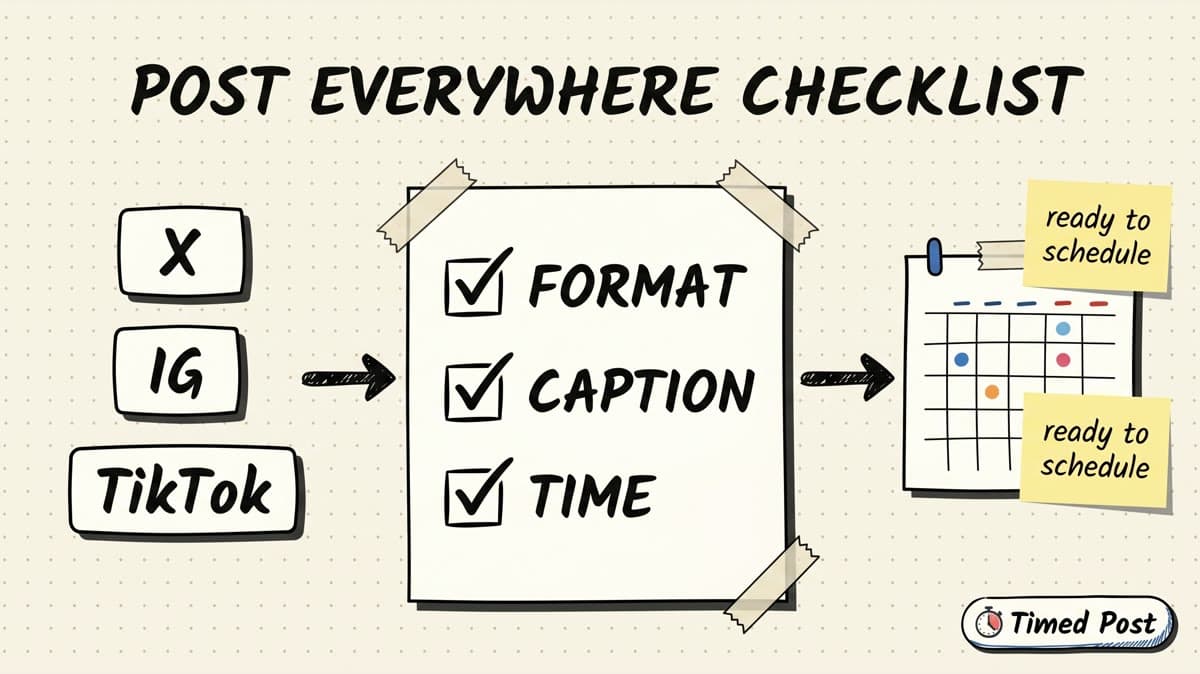
Posting everywhere sounds simple until the wrong version goes live.
The X post still has the full LinkedIn intro. The Instagram caption says “link below” even though the link is not clickable. The TikTok video is cropped weird. The client post went to your personal profile. The scheduled time was correct in your head but wrong in the calendar timezone.
That is the real cost of multi-platform posting. Not the writing. The tiny pre-publish mistakes.
This multi-platform posting checklist is for creators, founders, social media managers, and small agencies who batch content across X, Instagram, TikTok, LinkedIn, Facebook, YouTube, Threads, and Pinterest. Use it after the post is drafted but before you schedule it.
If you still need the full workflow, start with how to schedule posts to multiple social media platforms at once. If your problem is strategy, not QA, read the multi-platform posting strategy guide. This article is the final inspection pass.
Quick answer: the 15-point multi-platform posting checklist
Before scheduling a post across multiple platforms, check these 15 things:
| Check | What to verify | Common mistake it prevents |
|---|---|---|
| 1. Source idea | The post has one clear point | Turning one idea into a messy platform dump |
| 2. Platform goal | Each platform version has a job | Posting the same CTA everywhere |
| 3. Format fit | Image, video, text, link, or carousel fits the platform | Cropped media, weak link posts, wrong asset type |
| 4. Hook | First line or opening frame makes sense alone | Burying the reason to care |
| 5. Caption | Caption matches platform behavior | Copying LinkedIn text into X or TikTok |
| 6. Character length | Text fits comfortably | Cut-off posts or forced rewrites at publish time |
| 7. Links | Links work where links actually work | “link below” on Instagram or broken previews |
| 8. Media crop | Aspect ratio and safe zones are checked | Faces, subtitles, or product UI getting cut off |
| 9. Thumbnail/cover | Video or link preview is not ugly | Low-trust previews that kill clicks |
| 10. Hashtags/mentions | Tags are intentional and platform-specific | Spammy hashtag blocks or wrong handles |
| 11. Account/workspace | Correct brand, client, and profile are selected | Posting to the wrong account |
| 12. Timezone | Schedule time matches audience/timezone | Publishing at 9 AM in the wrong market |
| 13. Approval | Client/team approval is done if needed | Last-minute Slack panic |
| 14. Duplicate check | Same post is not already queued | Double posting the same content |
| 15. Publish proof | You know how success/failure will be confirmed | Opening every app manually to check |
The big idea: do not treat multi-platform posting as “copy, paste, schedule.” Treat it like shipping one small campaign. Every platform version needs a quick QA pass.
Why this checklist matters more when you post everywhere
A single-platform mistake is annoying. A multi-platform mistake multiplies.
If you post one imperfect LinkedIn update, you can edit or recover. If you push the same imperfect asset across eight platforms, you now have eight places to check, edit, delete, explain, or repost.
The mistake usually happens because the creator is moving fast:
- Write one caption.
- Copy it into seven tabs.
- Upload the same media again.
- Change a few words.
- Pick a time.
- Hope nothing breaks.
That old workflow creates what I call the manual tax. You are not doing creative work anymore. You are doing repetitive QA inside social apps.
A scheduler helps, but a scheduler does not remove judgment. You still need to decide whether the X version should be shorter, whether the LinkedIn version needs more context, whether the Instagram caption should avoid a fake link CTA, and whether the TikTok caption should use a search phrase.
Timed Post is built around the better workflow: draft once, adapt per platform, schedule from one calendar, and use bulk scheduling when you are batching a week or a client queue. The checklist below sits right before scheduling so the post feels native instead of copy-pasted.
The pre-writing checks: do this before touching the scheduler
A lot of scheduling mistakes start before scheduling.
You do not need a perfect content strategy, but you do need three decisions before you create platform versions.
1. Confirm the source idea
Write the post idea in one plain sentence:
“I am showing how I turn one short video into platform-native posts for the week.”
If you cannot say the idea in one sentence, the platform versions will drift. One will become a motivational post, one will become a product pitch, one will become a tutorial, and one will become a random caption.
A source idea keeps the campaign coherent.
Use this format:
I am posting about [specific topic] for [specific audience] so they can [specific outcome].
Examples:
- “I am posting about batching client content for freelance social media managers so they can stop working inside six apps.”
- “I am posting about our new analytics view for founders so they can see which platform is actually moving.”
- “I am posting about a YouTube Shorts workflow for AI creators so they can reuse the same idea without reposting the same caption everywhere.”
2. Decide the platform goal
Not every platform version needs the same job.
| Platform | Good goal | Weak goal |
|---|---|---|
| X | Start a conversation, share a sharp observation, ask a simple question | Paste a long LinkedIn essay |
| Explain the lesson, story, or workflow with context | Force a tweet-sized hot take | |
| Support the visual, carousel, Reel, or brand moment | Tell people to click a caption link | |
| TikTok | Make the video searchable and easy to respond to | Stuff hashtags into a generic caption |
| YouTube Shorts | Give the short a clear title/topic signal | Use a vague caption that does not explain the video |
| Threads | Make it conversational and easy to reply to | Copy a corporate LinkedIn post |
| Give the pin a clear topic and destination | Treat it like a casual status update | |
| Match page/group context and link-preview behavior | Dump a post without checking preview |
This is where most generic cross-posting advice fails. It says “post to all platforms.” It does not tell you what each platform version is supposed to do.
If you manage several profiles, also read how to manage multiple social media accounts without losing your mind. Account structure matters before the post reaches the calendar.
3. Choose the asset type
The same idea can become:
- a text post,
- a short video,
- a carousel,
- an image post,
- a link post,
- a thread,
- a pin,
- a YouTube Short.
Pick the primary asset before writing captions.
If the asset is a vertical video, Instagram, TikTok, YouTube Shorts, Threads, Facebook Reels, and Pinterest may all be relevant, but the details still differ. YouTube’s own help docs define Shorts around vertical short-form creation and upload behavior, which is why the title, video framing, and first seconds matter there. See YouTube Help on creating YouTube Shorts for the platform baseline.
If the asset is an Instagram video, check length and format before scheduling. Timed Post already has a practical breakdown of Instagram video length limits.
The content checks: make each version feel native
Once the idea and asset are clear, check the actual platform versions.
4. Check the hook
The first line has one job: make the right person keep reading.
Bad:
We are excited to share an update.
Better:
I kept making the same mistake when scheduling posts across 5 platforms.
Bad:
Social media consistency matters.
Better:
Posting daily is easy until you have to open 6 apps every morning.
For video, the hook is not only the caption. It is the first frame, subtitle, title, and opening line. TikTok’s creative guidance emphasizes platform-native creative, hooks, sound, and making content fit the environment. The same principle applies when you adapt the caption and first frame. See TikTok For Business on creative best practices.
5. Check the caption by platform
A caption that works on LinkedIn often feels heavy on TikTok. A caption that works on TikTok often feels thin on LinkedIn.
Use this simple adaptation table:
| Platform | Caption check |
|---|---|
| X | Is it short enough to read fast? Does it invite one clear reply? |
| Does it have enough context and clean line breaks? | |
| Does it support the visual without relying on a clickable caption link? | |
| TikTok | Does it use natural search language without sounding like keyword stuffing? |
| YouTube Shorts | Does the title/topic explain the video clearly? |
| Threads | Does it sound like a real human, not a polished announcement? |
| Does it describe the outcome and destination? | |
| Does it make sense for the page, group, or audience seeing it? |
If LinkedIn formatting is part of your workflow, use the LinkedIn text formatting guide before scheduling. It helps prevent the “wall of text” problem when a good post becomes hard to scan.
For TikTok-specific publishing, pair this checklist with how to schedule TikTok videos or compare the best TikTok scheduling tools if you are still choosing a workflow.
6. Check character length before the scheduler forces you to
Do not wait until publish time to discover a post is too long.
Practical rule:
- Keep X tight unless you are intentionally writing a thread.
- Keep LinkedIn readable, not just technically allowed.
- Keep TikTok captions direct and search-aware.
- Keep Instagram captions skimmable, especially for Reels.
- Keep YouTube Shorts titles clear instead of clever.
- Keep Pinterest titles/descriptions specific enough to tell people what they will get.
A post can be “allowed” and still be bad. The goal is not to fill the maximum character count. The goal is to make the post easy to understand on that platform.
7. Check links and CTAs
This is where cross-posting gets messy.
A CTA that says “click the link below” might work on LinkedIn or Facebook. It is awkward on Instagram captions. A link-heavy post might work on X for some topics but perform poorly as a TikTok caption. Pinterest wants the destination to make sense. YouTube Shorts often needs the content itself to carry the idea.
Use this CTA check:
| CTA type | Works best when | Avoid when |
|---|---|---|
| Comment CTA | You want conversation | The post is purely informational |
| Save CTA | The post is a checklist, template, or tutorial | The post is a news update |
| Link CTA | The platform handles links cleanly | The platform buries or de-emphasizes links |
| DM CTA | You can actually handle replies | You are posting broad top-of-funnel content |
| Follow CTA | The series will continue | The post is a one-off announcement |
If your CTA changes by platform, that is normal. The source idea stays the same. The action can change.
Schedule your posts across every platform
Draft once, publish everywhere — automatically.
No credit card · Cancel anytime
The media checks: avoid the obvious visual mistakes
Media mistakes are the easiest to catch and the most painful to fix after publishing.
8. Check crop and safe zones
Before scheduling, preview the asset at the size people will actually see.
Check:
- Is the face or product UI cut off?
- Are subtitles readable?
- Are important words hidden by app overlays?
- Does the image still work as a square, vertical, or landscape crop?
- Does the cover frame make sense without sound?
For short-form video, do not assume every platform crops the same way. If the video has captions burned in, keep them away from the bottom and edges. If the video shows a product screen, zoom enough that mobile viewers can understand it.
9. Check the thumbnail, cover, or first frame
A strong post can die because the preview looks random.
For video, choose a first frame or cover that explains the topic. For link posts, make sure the preview image is not broken or unrelated. For carousels, make sure slide one gives people a reason to swipe.
A good preview answers:
“What is this, and why should I care?”
If the preview does not answer that, fix it before scheduling.
10. Check hashtags, mentions, and handles
Hashtags are not a personality. Use them when they help discovery or context.
Before scheduling, check:
- Are platform handles correct?
- Are client or partner tags approved?
- Are hashtags relevant to the post, not pasted from last week?
- Are you using too many hashtags for the platform?
- Are you tagging someone who should not be tagged?
Wrong tags are worse than no tags. They make the post look rushed and can create awkward notifications.
The scheduling checks: where Timed Post should remove the chaos
This is the part most people skip because they are tired by the time the post is ready.
Do not skip it. This is where wrong-account and wrong-time mistakes happen.
11. Check the account, workspace, and client
If you manage one brand, this is easy. If you manage clients, sub-brands, founder accounts, agency pages, or test accounts, this is critical.
Before scheduling, verify:
- correct workspace,
- correct brand/client,
- correct platform account,
- correct page/profile,
- correct personal vs company account,
- correct community/group option if relevant.
This is one reason Timed Post uses workspaces and connected accounts. The goal is not just to publish faster. It is to reduce the chance that a client post lands on the wrong profile.
If you are managing a lot of channels, pair this checklist with social media workflows that cut your workload in half. The system matters more than willpower.
12. Check the schedule time and timezone
“9 AM” is not a strategy unless you know whose 9 AM.
Before scheduling, check:
- audience timezone,
- client timezone,
- campaign date,
- embargo or launch timing,
- platform-specific posting window,
- whether several posts collide on the same profile.
Use general best-time data as a starting point, not a law. Timed Post has a broader guide to the best times to post on social media, but your own audience data should win once you have enough posts.
A practical approach:
- Pick a reasonable starting window.
- Schedule consistently for a few weeks.
- Track what actually gets reach, clicks, saves, or replies.
- Adjust by platform.
13. Check approvals before queueing client posts
For solo creators, approval is just your own final review.
For agencies and social media managers, approval is a workflow.
Before scheduling a client post, confirm:
- the client approved the copy,
- the media is final,
- claims/pricing/dates are accurate,
- tagged partners are approved,
- the post matches brand voice,
- the scheduled date is not conflicting with another campaign.
The worst approval workflow is “I think they said yes somewhere in Slack.” Put the approved version in the scheduler, not a draft that still needs decisions.
14. Check for duplicates
Batching content makes duplicates easy.
You create a post on Monday. You duplicate it for different platforms. You move one to Friday. You forget another copy is still in the queue. Now the same post goes out twice.
Before scheduling, scan the calendar for:
- same caption on the same platform,
- same media scheduled twice,
- same campaign duplicated across client accounts,
- old drafts that were never deleted,
- posts copied from a previous batch.
This is where a drag-and-drop calendar helps. You can see the queue instead of trusting memory.
If your current scheduler makes this hard, compare options in the guide to the best multi-platform social media scheduler.
15. Check publish proof
This is the missing piece in a lot of scheduling workflows.
The job is not done when the post is added to the calendar. The job is done when you know whether it published.
Before relying on any scheduler, ask:
- Will it show per-platform status?
- Will it show failed vs published clearly?
- Will it give a post URL or platform proof when available?
- Will it tell you what went wrong if a platform rejects the post?
- Will you need to open every app manually to confirm?
This is part of Timed Post’s no-scroll scheduling angle: schedule the post, get proof, and avoid opening five apps just to check if something went live.
You still need human judgment before scheduling. But after scheduling, the system should reduce anxiety, not create more of it.
A real example: adapting one post across eight platforms
Imagine the source idea is:
“I made a checklist to stop making mistakes when scheduling posts across multiple platforms.”
Here is how the same idea changes by platform:
| Platform | Better version | Why |
|---|---|---|
| X | “the worst part of posting everywhere is not writing. it is catching tiny mistakes before they go live: wrong crop, wrong account, wrong timezone, wrong CTA. i made a 15-point checklist for this.” | Sharp, direct, conversational |
| A short founder/operator story about a wrong-account or wrong-time mistake, then the checklist lesson | More context and credibility | |
| Carousel: “15 checks before you schedule” with simple visual slides | Visual saveable format | |
| TikTok | Short screen recording or talking-head: “things i check before scheduling a post across 5 platforms” | Native video/tutorial angle |
| YouTube Shorts | Title: “15 checks before scheduling posts everywhere” | Clear search/topic signal |
| Threads | “small content ops habit that saves me from chaos: i check format, caption, account, timezone, and proof before scheduling anything” | Casual and reply-friendly |
| Pin title: “Multi-platform posting checklist for creators” | Searchable, destination-led | |
| Page post with link/preview to the full checklist | Good for broader audience/context |
Same idea. Different packaging.
That is the difference between multi-platform posting and blind cross-posting.
The 10-minute pre-publish review
If the full checklist feels long, use this 10-minute version before every batch:
- Read the first line of each platform version.
- Preview the media crop.
- Check link behavior and CTA.
- Confirm account/workspace/client.
- Confirm timezone and date.
- Check approvals if needed.
- Scan the calendar for duplicates.
- Make sure publish proof/status will be visible.
Do this once before scheduling. It is much faster than fixing posts after they go live.
When you should not post the same idea everywhere
Sometimes the checklist should tell you not to schedule.
Do not post everywhere when:
- the post only makes sense for one platform,
- the asset is too weak for visual platforms,
- the caption needs private context,
- the link preview is broken and the platform depends on links,
- the client has not approved the final version,
- the post references a trend that is already stale,
- the platform account is not connected correctly,
- you are only posting everywhere because you feel guilty.
Consistency is useful. Forced distribution is not.
The best multi-platform workflow is not “every post goes everywhere.” It is “the right posts get adapted and scheduled without chaos.”
How Timed Post fits into the checklist
Timed Post is not meant to replace your taste. It is meant to remove the manual posting tax.
The checklist tells you what to verify. Timed Post gives you the workflow to execute it:
- draft once,
- create platform-specific versions,
- connect X, Instagram, LinkedIn, Facebook, TikTok, YouTube, Threads, and Pinterest,
- schedule from one calendar,
- organize brands or clients with workspaces,
- bulk schedule batches,
- review analytics after posts go live.
For creators, that means you can batch content without living inside social apps.
For social media managers, it means fewer wrong-tab mistakes.
For small agencies, it means client work can move through a cleaner calendar instead of scattered docs, native drafts, and reminders.
Use the checklist as your pre-flight. Use Timed Post as the publishing system.
FAQ
What is a multi-platform posting checklist?
A multi-platform posting checklist is a pre-publish QA list for posts that will go live across several social platforms. It helps you check format, caption, media crop, links, hashtags, accounts, timezone, approvals, duplicates, and publish proof before scheduling.
Should I post the exact same content on every platform?
No. You can reuse the same source idea, but the final version should fit each platform. X may need a shorter post, LinkedIn may need more context, Instagram may need a stronger visual, TikTok may need search-friendly captioning, and Pinterest may need a clear title and destination.
What should I check before scheduling social media posts?
Check the source idea, platform goal, format, hook, caption, character length, links, media crop, thumbnail, hashtags, account, timezone, approvals, duplicates, and publish proof. The highest-risk checks are usually wrong account, wrong timezone, broken media crop, and copied captions that do not fit the platform.
How do I avoid posting to the wrong social media account?
Use separate workspaces or brand/client groups, name connected accounts clearly, review the selected account before scheduling, and scan the calendar before final approval. If you manage client accounts, avoid scheduling from memory or from a browser tab pile. Use one organized scheduler view.
Is cross-posting bad for social media?
Cross-posting is not bad by itself. Blind cross-posting is the problem. Reusing one idea across platforms is efficient, but each version should match the platform’s format, audience behavior, caption style, link behavior, and creative expectations.
Can Timed Post schedule posts across multiple platforms?
Yes. Timed Post is built for multi-platform scheduling across X, Instagram, LinkedIn, Facebook, TikTok, YouTube, Threads, and Pinterest. You can draft posts, adapt them per platform, schedule from a calendar, manage workspaces, bulk schedule content, and review performance after posts go live.


