
You can lose a lot of time editing the wrong version of a video.
A 3-minute tutorial might fit a Reel now, but that does not mean it should be your default Reel. A one-minute product demo might work in Feed, but feel slow in Stories. A behind-the-scenes clip might be perfect as three Story beats and flat as one long post.
Instagram video length is not just a technical limit. It is a format decision. The faster you match the edit to the format, the less time you waste reposting, trimming, and wondering why a good idea died after the first few seconds.
quick answer
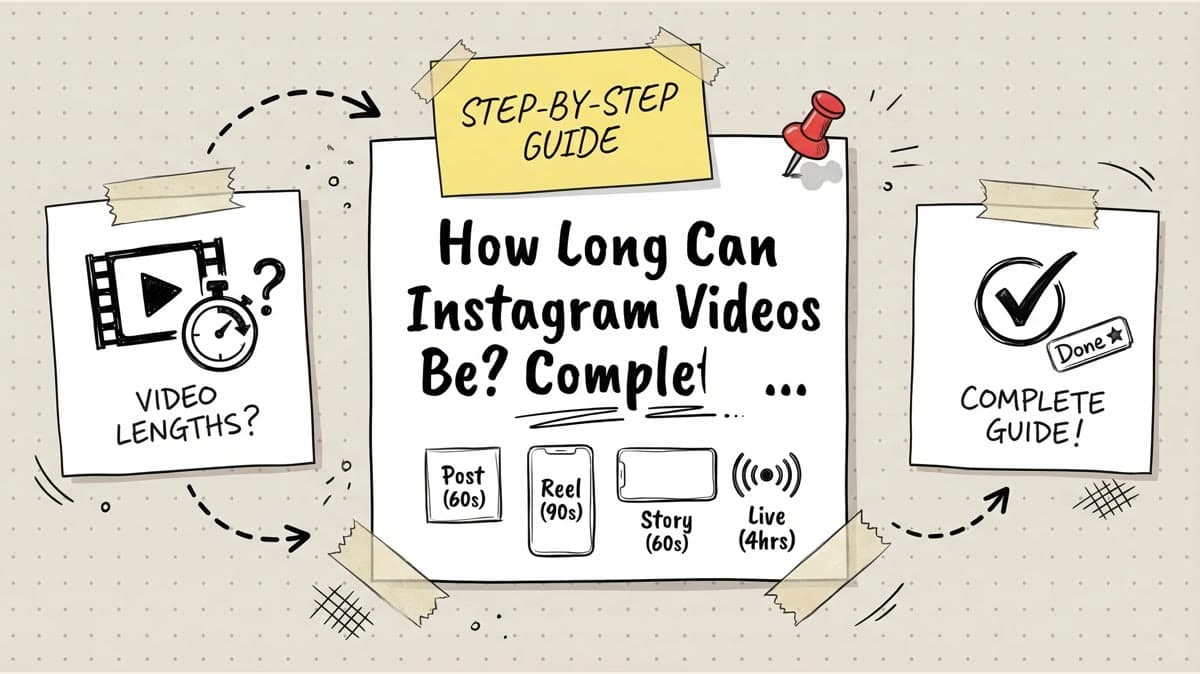
Instagram's current video limits depend on the format. The old "Reels are 90 seconds max" rule is stale: Instagram's own Help Center says you can record and edit videos up to 3 minutes with Reels. For regular Instagram video, Instagram also has a Help Center page that says your Instagram video can be 3 to 60 seconds long.
Use this planning table before you edit:
| Format | Limit to plan around | Better working length | Best use |
|---|---|---|---|
| Reels | Up to 3 minutes | 15 to 45 seconds for most posts | Discovery, trends, short tutorials, product proof |
| Stories | Short temporary clips | 5 to 15 seconds per beat | Daily updates, polls, reminders, behind-the-scenes context |
| Feed videos | 3 to 60 seconds for standard video posts | 20 to 60 seconds | Announcements, product demos, polished brand posts |
| Live | Live broadcast session, not a normal post | 15 to 60 minutes for most creators | Q&A, launches, interviews, community sessions |
| Long-form video | Do not force it into Instagram by default | Cut clips for Instagram, host the full version elsewhere | YouTube tutorials, webinars, podcast clips, full demos |
One more rule: trust the upload screen in the current Instagram app for the final cap on your account. Instagram changes formats, and some features can vary by account, region, or app version. Build your content plan around the official format docs, then confirm before you shoot something expensive.
If the real problem is that you have to make one video work on Instagram, TikTok, YouTube Shorts, LinkedIn, and X, start with Timed Post's multi-platform posting guide before you cut the file.
instagram video length limits by format
reels
Reels are the main short-form discovery format on Instagram. They can now go up to 3 minutes, according to Instagram's Reels Help Center. That extra room is useful for tutorials, stories, product walkthroughs, and educational posts that need a real setup.
But the maximum is not the recommendation.
For most accounts, the safer default is still a tight Reel between 15 and 45 seconds. Shorter edits are easier to finish, easier to replay, and easier to send to a friend. A 2-minute Reel can work, but it has to earn every second.
Use a longer Reel when:
- The viewer needs the full process to understand the payoff.
- The first 3 seconds show the result, not a vague intro.
- The edit has a new visual beat every few seconds.
- Captions make it watchable without sound.
- The ending is worth staying for.
Do not use a longer Reel because you did not want to cut. If your 3-minute version is really three separate ideas, make three Reels and schedule them as a mini-series. If you need help turning longer video into short social cuts, Timed Post's guide on how to clip YouTube videos is a better workflow than posting the full file everywhere.
stories
Stories are temporary by design. Instagram says photos and videos shared to your story disappear after 24 hours unless you add them as a Highlight. That should change how you use them.
Treat Stories as short beats, not polished episodes:
- One beat for the setup.
- One beat for proof.
- One beat for the question, poll, link, or reminder.
Even if your account lets you upload a longer Story clip, long uninterrupted Story videos are easy to skip. People are tapping through a queue. A quick 8-second clip with one clear point will usually feel better than a 45-second talking-head clip with no movement.
Stories are best for:
- Daily check-ins.
- Event reminders.
- Polls and questions.
- Soft product nudges.
- Behind-the-scenes clips.
- Teasing a Reel, carousel, or Live.
If you are scheduling Instagram content in batches, plan Stories around timing. A launch reminder belongs closer to the event. A behind-the-scenes clip can go between bigger posts. Timed Post's guide to the best time to post on Instagram can help you decide where those reminders fit.
feed videos
Feed video is where many creators overbuild.
Instagram's Help Center still has a standard video page that says Instagram video can be 3 to 60 seconds long. That makes a simple rule useful: treat Feed video as a one-minute format unless your app clearly gives you another option and you have a reason to use it.
Feed video works well when the content has a little more context than a fast Reel:
- A product demo with a problem, solution, and result.
- A founder update.
- A customer proof clip.
- A short announcement.
- A polished educational post.
A good Feed video does not need a long intro. Open with the reason to watch, show the proof, then end. If the post needs a full tutorial, turn the complete version into a YouTube video and cut the best 30 to 60 seconds for Instagram.
If you want to publish the same campaign across Instagram and other channels, do not upload the same cut blindly. Timed Post's guide to scheduling posts to multiple social media platforms explains how to adapt one idea without rebuilding it in every app.
live
Live is different because people join gradually. A 5-minute Live often ends before the audience arrives. A 90-minute Live can work only if the topic, guests, or Q&A keep people there.
Instagram's Help Center page on starting a live broadcast frames Live as a real-time way to connect with followers. That is the right way to think about length: it is a session, not an edited clip.
Use this structure for most Lives:
- First 2 minutes: say what the Live is about and who it helps.
- Minutes 3 to 10: deliver the first useful point so early viewers are not punished for showing up.
- Middle section: answer questions, demo the product, interview the guest, or teach the topic.
- Final 5 minutes: recap, give the next step, and tell people where to find the replay or follow-up post.
For most creators, 15 to 60 minutes is the practical range. Go shorter only for a quick announcement. Go longer only when the audience is active and the format has a reason to keep going.
how to choose the right format
Do not start with "How long can this be?" Start with "What job is this video doing?"
| Content job | Best Instagram format | Suggested edit | Why |
|---|---|---|---|
| Get discovered by new people | Reel | 15 to 45 seconds | Fast hook, high replay potential |
| Explain one useful tactic | Reel or Feed video | 30 to 60 seconds | Enough room for steps without dragging |
| Announce a product or sale | Feed video plus Stories | 20 to 45 seconds | Feed gives context, Stories add reminders |
| Show daily context | Stories | 5 to 15 seconds per beat | Low polish, easy to tap through |
| Teach a full lesson | YouTube plus Reel clips | Full video elsewhere, short clips on Instagram | Instagram gets the highlights, not the whole lecture |
| Talk with the audience | Live | 15 to 60 minutes | Real-time questions need room |
This is where a lot of content teams save time. Instead of making one "Instagram video," decide the format first. A Reel needs a sharper hook. A Story needs a faster beat. A Feed post needs enough context to make sense without feeling slow.
If you also post to TikTok, compare this with Timed Post's guide to scheduling TikTok videos. The best Instagram cut is not always the best TikTok cut.
suggested lengths by content type
tutorials and how-to posts
Use 30 to 60 seconds for most Instagram tutorials. Open with the result:
Here is the fastest way to cut a 3-minute demo into three Reels.
Then show the steps. Do not spend 12 seconds explaining why the topic matters before you show anything useful.
If the tutorial needs more than 60 seconds, either make a longer Reel with tight chapters or split it into a series. A series often works better because each post has one job.
product demos
A product demo usually fits into 30 to 45 seconds:
- 5 seconds: show the problem.
- 15 to 20 seconds: show the product doing the job.
- 10 seconds: show the result.
- 5 seconds: give the next step.
If the demo is for a complex product, make the full walkthrough elsewhere and use Instagram for the proof clip.
entertainment and trend posts
Keep these short. A joke, trend, reaction, or meme usually does not need 90 seconds, let alone 3 minutes. The punchline should arrive before the viewer starts wondering why they are still watching.
For most entertainment Reels, 7 to 30 seconds is enough.
behind-the-scenes posts
Behind-the-scenes content can breathe a little more because people are watching for personality and context. Still, cut dead air. A good behind-the-scenes Reel might be 30 to 60 seconds, while Stories should be broken into smaller moments.
announcements
Announcements work best when they are short and specific. If you are launching something, use one Feed video or Reel for the main message, then use Stories for reminders. If you manage several accounts, Timed Post's Instagram scheduling guide can help you batch the announcement instead of rebuilding it at the last minute.
Schedule your posts across every platform
Draft once, publish everywhere — automatically.
No credit card · Cancel anytime
how to repurpose one video without hurting retention
The most efficient workflow is not "post the same file everywhere." It is "record once, cut by format."
Use this workflow:
- Record the full version first. This can be a 3-minute explanation, a product walkthrough, a webinar clip, or a YouTube segment.
- Mark the strongest 3 to 5 moments.
- Cut a 15 to 45-second Reel from the best moment.
- Cut a 30 to 60-second Feed version if the idea needs more context.
- Pull 3 to 5 Story beats from the same footage.
- Write captions for silent viewing. If the same clip is going to TikTok too, adapt the hook and CTA with these caption ideas for short-form video.
- Schedule the versions at times that match the platform and audience.
The goal is to keep the same idea, not the same edit. A good Reel cut might remove the intro entirely. A Story cut might show only the setup and send people to the full post. A LinkedIn cut might need a clearer business takeaway.
If that sounds like a lot of tabs, it is. That is the point where Timed Post helps: draft the batch once, adapt the captions for X, Instagram, LinkedIn, Facebook, TikTok, YouTube, Threads, and Pinterest, then schedule the set from one place.
common video length mistakes
using the maximum as the target
A 3-minute Reel is allowed. That does not make it better. Use the maximum only when the content earns it.
saving the best part for too late
If the payoff is at second 52, many viewers will never see it. Show the outcome early, then explain how you got there.
posting one cut to every format
A 60-second talking-head clip may be fine in Feed, slow in Reels, and too heavy for Stories. Recut before you schedule.
ignoring silent viewers
Captions make short video easier to watch in public, at work, on a commute, or while the sound is off. They also make your edit easier to follow when the pacing is fast.
trimming until the video makes no sense
Short is not the only goal. If you cut the context, the proof, or the ending, the post feels unfinished. Remove waste, not meaning.
final word
Instagram video length rules matter, but the best edit is still the one that keeps people watching.
Use Reels for discovery, Stories for quick temporary context, Feed videos for clear polished updates, and Live for real-time conversation. Start shorter than you think, test what your audience finishes, and build a repeatable cutting workflow so every video does not become a custom emergency.
Then schedule the finished batch instead of uploading each version by hand. That is where the time savings show up.


