TikTok reach drops are easy to misread.
One video flops? Normal.
Five posts in a row get almost no For You traffic after your account had a steady baseline? That is worth investigating.
Most creators call this a "TikTok shadowban," but treat that phrase as a symptom, not a diagnosis. TikTok usually will not send you a clean message that says "you are shadowbanned." What you can check is whether your videos stopped getting recommended, stopped appearing in normal discovery surfaces, or were limited because of safety, spam, copyright, or quality signals.
That difference matters. If the problem is a normal weak post, panic-posting more videos will not help. If the problem is a policy or spam signal, posting more can make the account look worse.
quick answer
To fix a suspected TikTok shadowban in 2026:
- Check analytics before guessing. Compare your last 5-10 videos against your normal baseline, especially For You traffic, non-follower views, watch time, completion, and shares.
- Check for obvious eligibility problems: removed videos, warnings, copyright issues, risky hashtags, spammy captions, duplicate uploads, or aggressive follow/comment behavior.
- Pause for 48-72 hours if the drop happened after a violation, spam burst, or automation tool.
- Remove or appeal the specific problem content. Do not delete everything blindly.
- Come back with 2-3 safe, native TikTok videos over the next week.
- Watch whether For You traffic returns over 7-14 days.
- Build a boring posting rhythm so you do not disappear for three weeks, then dump 12 videos in a weekend.
A scheduler cannot magically remove a TikTok account limit. What it can do is prevent the posting chaos that often creates bad signals: long gaps, rushed reposts, duplicate captions, and manual spam bursts. If your recovery plan needs a steady cadence, Timed Post's guide to scheduling TikTok videos is the better next step after you finish the account audit.
first: make sure it is actually a shadowban
A TikTok shadowban is usually described as a hidden reach limit: your account still exists, your followers may still see your posts, but new viewers stop seeing your content through normal discovery.
That is different from:
| Problem | What it looks like | What to do |
|---|---|---|
| One weak video | One post underperforms, but other posts are normal | Improve the hook, topic, or timing |
| Normal niche mismatch | Views are low, but traffic sources still look normal | Test stronger topics and first 2 seconds |
| Suspected shadowban | Several posts lose For You/non-follower traffic at once | Run the checks in this guide |
| Content violation | TikTok removes or limits a specific video | Review the violation and appeal if wrong |
| Account ban or restriction | Login, posting, or account access is blocked | Follow TikTok's appeal process |
TikTok's own recommendation docs say its feeds use signals like user interactions, content information, and user information, while safety systems can remove content that violates guidelines or limit content that does not meet For You eligibility standards. In plain English: your reach can drop because people are not responding, because the content is not eligible for broader recommendation, or because the account behavior looks suspicious.
Source to keep handy: TikTok's official page on how TikTok recommends content.
the 10-minute shadowban check
Do this before you change anything.
1. compare traffic sources
Open TikTok analytics for your recent videos and compare them with your normal posts.
Look for a pattern like this:
| Metric | Normal account | Suspected shadowban |
|---|---|---|
| For You traffic | Similar to your recent baseline | Drops sharply across several posts |
| Follower-only views | Part of the mix | Becomes most of the traffic |
| Profile/search/hashtag discovery | Still visible | Almost gone |
| Watch time | Weak on one post only | Weak because the posts never get tested |
| Comments/shares | Lower on one bad video | Lower across several posts at once |
Do not use someone else's numbers as the rule. A brand account, meme account, local business, and faceless clip account can all have different baselines. Compare your account against itself.
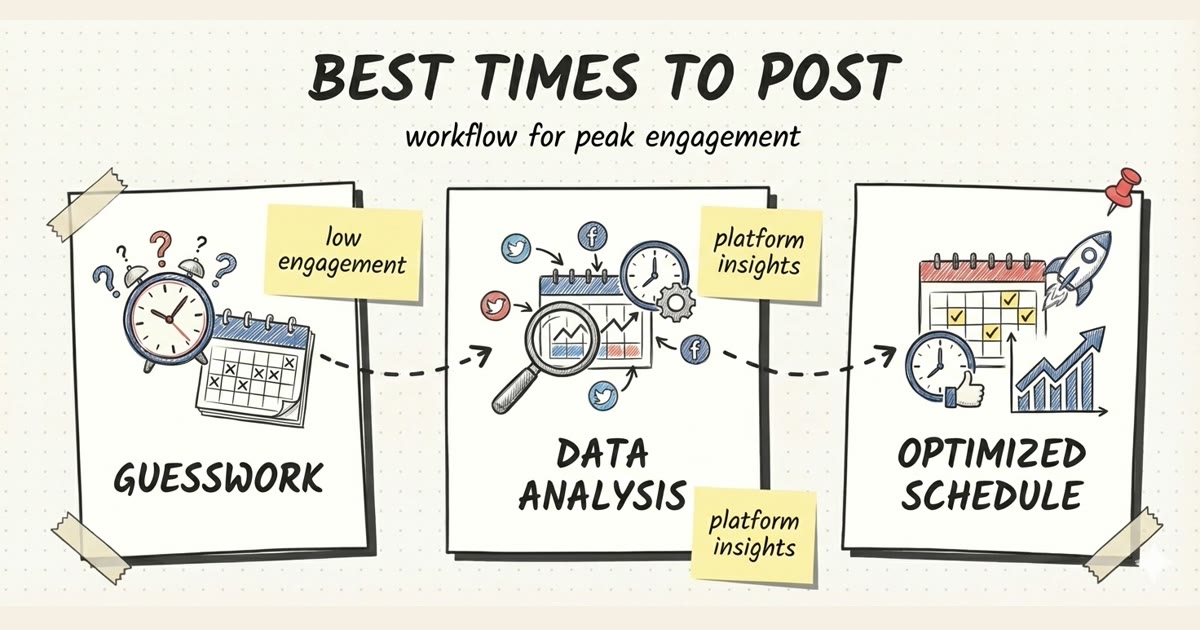
If you do not have a clean baseline yet, start tracking one. Timed Post's best times to post on social media guide explains how to run simple timing tests without turning every post into a guess.
2. check the last thing that changed
Most reach problems have a trigger.
Ask what changed in the 24-72 hours before the drop:
- Did TikTok remove a video?
- Did you get a warning or account notice?
- Did you upload a borderline topic?
- Did you use copyrighted audio outside TikTok's normal music workflow?
- Did you post the same clip repeatedly?
- Did you copy/paste the same comment or caption pattern?
- Did you suddenly follow, like, comment, or DM much more than normal?
- Did you connect a growth tool, auto-commenter, scraper, or engagement service?
- Did you repost another creator's content without adding real value?
This is where most shadowban advice gets too confident. A reach drop is not always a shadowban. The useful move is to find the trigger, then fix that specific trigger.
3. check visibility from another account, but do not overdo it
You can do a light discovery check:
- Post one safe test video.
- Use a niche hashtag that is not crowded.
- Wait a little, then check from another account whether the video appears through your profile, search, or the hashtag page.
- Do not spam searches, logins, VPN switches, or burner accounts.
A single missing hashtag result does not prove a shadowban. TikTok search and hashtag pages are inconsistent. But if several fresh posts disappear from normal discovery while analytics also show For You traffic collapsing, you have stronger evidence.
what usually causes TikTok shadowban symptoms
TikTok does not publish a public "shadowban formula." It does publish enough safety, recommendation, and content rules to make the likely causes clear.
guideline or eligibility problems
If a video crosses TikTok's Community Guidelines, TikTok can remove it, restrict it, or reduce distribution. Even when a video is not removed, it may still fail broader For You eligibility if the system sees it as unsuitable for general recommendation.
Common risk areas:
- harassment, hate, threats, or bullying
- nudity, sexualized content, or suggestive material around minors
- dangerous acts or self-harm content
- health, election, finance, or crisis misinformation
- graphic violence or shock content
- reused clips with no meaningful edit, context, or commentary
- content that tries to manipulate engagement
If your account handles edgy topics, do not rely on vibes. Read the rules and assume the algorithm will be more conservative than you are.
copyright and audio problems
Music is a common hidden problem, especially for business and creator accounts that cross-post videos from another app.
TikTok's own music usage confirmation says you need the right to use copyright-protected music before posting. If you cannot confirm that, the post can be taken down.
Safer rule: use TikTok's in-app sounds or properly licensed audio. If you edit a clip outside TikTok, check the audio before uploading. Do not assume a song is safe because it worked on Instagram Reels.
spam behavior
Spam behavior is not just bots. Normal humans can look spammy when they panic.
Watch for:
- posting 8-15 videos after weeks of no activity
- reposting the same clip with tiny edits
- using the same caption and hashtag block on every video
- commenting the same line across many videos
- follow/unfollow bursts
- auto-like, auto-comment, or auto-follow tools
- engagement pods that generate unnatural comments
This is the part Timed Post can actually help with. Not by "beating" TikTok's system, but by keeping your cadence sane. If you batch videos once a week and schedule them across a few days, you avoid the ugly pattern of disappearing, panicking, and dumping everything at once.
For multi-platform creators, use the multi-platform posting checklist before scheduling. It catches the basic mistakes: wrong crop, wrong caption, wrong account, stale hashtags, and duplicate copy.
low-quality or mismatched posts
Sometimes the account is not limited. The post is just not working.
TikTok's recommendation page says signals such as likes, shares, comments, full watches, skips, sounds, hashtags, and video information can influence what gets recommended. If your first few posts after a break have weak hooks or do not match your audience, the platform may simply stop testing them widely.
That is not a shadowban. It is a content problem.
Signs it is probably a content problem:
- one or two posts dropped, not every recent post
- traffic sources did not collapse across the account
- the video starts slow
- the topic is unrelated to your usual audience
- the caption asks for engagement in a spammy way
- the video is a recycled trend without a fresh angle
Before you blame the algorithm, rewrite the hook and caption. Timed Post's TikTok caption ideas guide is useful here because it gives you cleaner caption patterns instead of hashtag soup.
Schedule your posts across every platform
Draft once, publish everywhere — automatically.
No credit card · Cancel anytime
how to fix a suspected TikTok shadowban
Use the fix that matches the cause. Do not run every internet trick at once.
step 1: stop the behavior that created the signal
If the drop happened after spammy behavior, stop immediately.
For the next 48-72 hours:
- do not post five more videos to "break through"
- do not switch devices, VPNs, usernames, and bios in one panic session
- do not mass delete your entire account history
- do not buy followers, likes, comments, or views
- do not connect a new growth tool to "warm up" the account
Use the pause to audit. The goal is not to punish yourself with silence. The goal is to stop adding messy signals while you find the source.
step 2: review your last 10-15 videos
Make a simple audit table.
| Video | Posted | Trigger to check | Action |
|---|---|---|---|
| Video A | Monday | copyrighted audio? guideline topic? duplicate clip? | keep, edit, delete, or appeal |
| Video B | Tuesday | spam hashtag block? reused caption? | rewrite caption for future posts |
| Video C | Wednesday | removed or warning shown? | appeal if wrong |
For each post, check:
- topic risk
- audio rights
- caption and hashtag quality
- whether it was copied from another platform
- whether TikTok removed, muted, or limited it
- whether it was dramatically different from your normal content
Delete only the posts that are clearly risky, removed, duplicated, or not worth defending. If a post was removed and you believe it was a mistake, use TikTok's appeal/report flow instead of quietly deleting all evidence.
TikTok's support docs for content violations and bans and reporting a problem are the official starting points.
step 3: clean up captions and hashtags
Do not use a giant banned-hashtag list from a random blog as your main source of truth. Those lists go stale fast.
Use a practical check instead:
- keep hashtags relevant to the actual video
- use fewer hashtags, usually 3-5 useful ones
- avoid sexual, violent, hateful, scammy, or unrelated tags
- stop using the exact same tag block on every upload
- check the hashtag page before using a risky tag
- remove "viral," "follow me," and engagement-bait language when it makes the post look desperate
Bad recovery caption:
why is no one seeing my videos?? follow for part 2 #fyp #viral #blowthisup #shadowban #algorithm #followback
Cleaner recovery caption:
3 mistakes that quietly killed my TikTok reach this week. fixing them one by one.
The second caption still has tension, but it does not look like a spam account begging the algorithm.
step 4: come back with a controlled 7-day plan
After the pause, do not flood the account.
Use this comeback plan:
| Day | Action | What to watch |
|---|---|---|
| 0 | Finish the audit and remove/appeal the obvious problem post | No new spam signals |
| 1-2 | Pause posting, but use TikTok normally | Watch, save, comment like a normal user |
| 3 | Post one safe, original video in your normal niche | For You traffic and completion rate |
| 5 | Post a second safe video | Compare with Day 3 |
| 7 | Post a third safe video or wait if signals are still bad | Trend across three posts |
| 8-14 | Return to a steady schedule if reach improves | Keep the cadence boring |
The first comeback videos should be boring in the best way:
- original video or clearly transformed clip
- no risky audio
- no shock topic
- no engagement-bait caption
- no huge hashtag block
- clear first 2 seconds
- normal posting time for your audience
If you are also posting to Instagram, YouTube Shorts, Threads, or Pinterest, do not copy the same file and caption everywhere without checking platform fit. Timed Post's guide to posting to TikTok, Pinterest, and Threads without the chaos is a better workflow than uploading the same thing in six tabs while stressed.
step 5: track recovery with a tiny scorecard
Do not rely on feelings. Track three posts before deciding whether the account recovered.
Use this scorecard:
| Metric | Before drop | Recovery post 1 | Recovery post 2 | Recovery post 3 |
|---|---|---|---|---|
| Views | ||||
| For You traffic | ||||
| Non-follower views | ||||
| Average watch time | ||||
| Completion rate | ||||
| Shares/comments | ||||
| Any warnings? |
If For You traffic starts returning, keep the same safe cadence. If it does not, review the account notices again and consider whether the issue is a real restriction, a bad content streak, or a niche/audience mismatch.
what not to do
A lot of shadowban advice makes the account look even weirder.
do not keep posting harder
Posting 10 videos in a day after a reach drop is not a recovery plan. It is more noise for the system to judge.
If you had one weak post, improve the next one. If you had a suspected account-wide limit, slow down.
do not trust instant shadowban checkers
Most "TikTok shadowban checker" tools cannot see TikTok's internal recommendation system. At best, they can check public visibility, hashtag appearance, or engagement changes. Useful, but not definitive.
Do not hand a random checker your password. Do not connect an app that asks for permissions you do not understand.
do not use VPN/location tricks as a shadowban fix
Changing your IP does not fix a policy or spam signal attached to an account. It can also make the account pattern look less normal.
If your actual goal is reaching US viewers, that is a different problem. Use content signals, posting times, niche interaction, and analytics. Timed Post has a separate guide on getting a US audience on TikTok without VPN myths.
do not start a new account too early
Starting over is the last move, not the first.
Consider it only when:
- the account has multiple serious violations
- reach stays dead for weeks after clean recovery attempts
- the niche, username, or old content history is permanently working against you
- TikTok support/appeals do not help
Even then, do not treat a new account as a way to dodge rules. If you repeat the same behavior, the new account will inherit the same problems.
how to prevent the next TikTok shadowban scare
The prevention plan is not glamorous. It is mostly account hygiene.
keep a steady posting rhythm
Do not post like this:
week 1: 0 videos
week 2: 0 videos
week 3: 11 videos in two days
week 4: panic because reach dropped
Post like this:
monday: 1 video
wednesday: 1 video
friday: 1 video
next week: repeat
For creators and small teams, this is exactly where scheduling helps. Batch the videos once, schedule the rollout, and avoid the manual "I forgot for three weeks, now I need to spam" pattern.
If you are comparing schedulers for this, the best TikTok scheduling tools guide breaks down the tradeoffs. If you need TikTok plus other platforms, compare that with the best multi-platform social media scheduler guide.
make each post platform-native
TikTok can smell lazy cross-posting because users can too.
Before publishing:
- crop for vertical video
- check that text overlays are not hidden by UI
- use TikTok-safe audio
- write a caption for TikTok, not a recycled LinkedIn sentence
- remove watermarks from other platforms when possible
- use a hook that works without a long intro
If one video is going to multiple platforms, adapt it before scheduling. Timed Post's multi-platform posting strategy guide is useful here because the goal is not identical posts everywhere. The goal is one content idea adapted cleanly for each platform.
separate account recovery from content strategy
Shadowban recovery is defensive. Content strategy is offensive.
Do not spend two weeks only asking "am I shadowbanned?" Spend one hour on the account audit, then fix the content system:
- better hooks
- safer captions
- fewer duplicate uploads
- realistic cadence
- clearer niche
- analytics review every week
- a calendar that shows what is going live and where
If your current workflow is five tabs, five uploads, five captions, and no proof of what shipped, draft the batch once in Timed Post and schedule the clean version across TikTok, Instagram, X, LinkedIn, Facebook, YouTube, Threads, and Pinterest.
final checklist
Use this when reach suddenly drops:
- Check analytics before calling it a shadowban.
- Compare the last 5-10 videos against your normal baseline.
- Look for the trigger: violation, audio, spam behavior, duplicate post, risky caption, or abrupt posting burst.
- Pause for 48-72 hours if the drop followed a clear risk signal.
- Remove or appeal the specific problem content.
- Come back with 2-3 safe videos over a week.
- Track For You traffic, non-follower views, watch time, completion, and warnings.
- Stop using bots, engagement pods, spammy hashtag blocks, and panic-posting.
- Build a steady TikTok schedule so the next recovery plan is boring.
A shadowban scare is usually a sign that the account needs less chaos, not more hacks. Fix the likely trigger, restart carefully, and keep the posting rhythm clean.
Updated on June 10, 2026.