
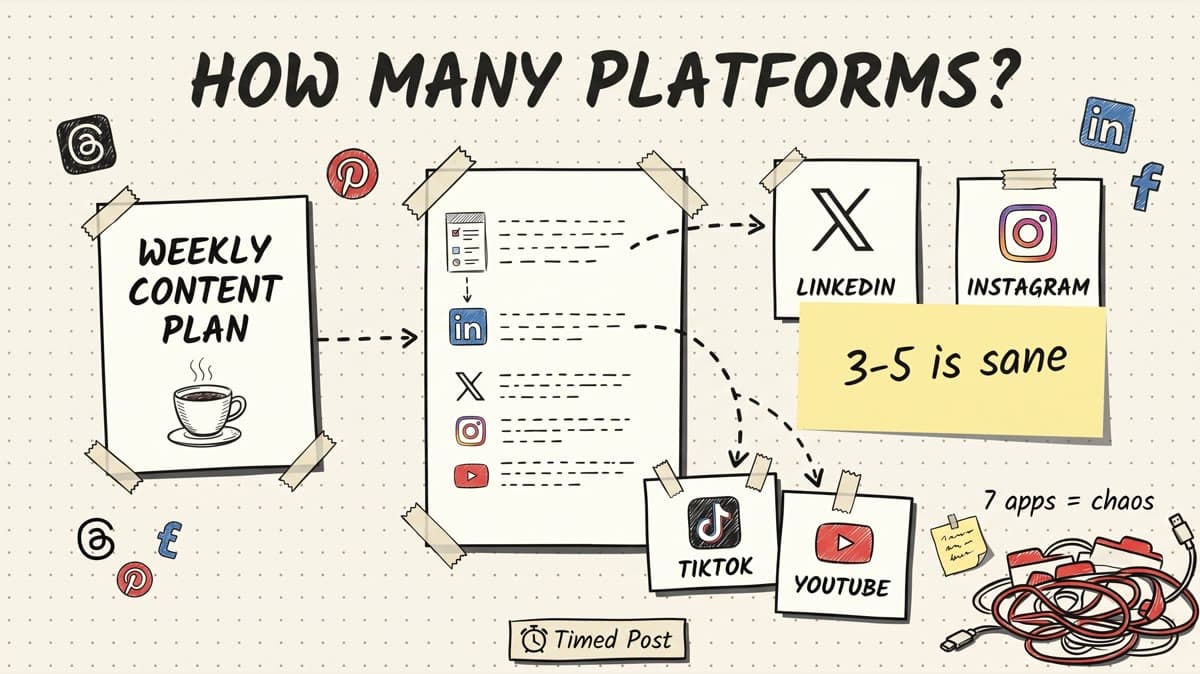
The honest answer: most solo creators should actively post on 3 to 5 social platforms each week.
Not 1, unless you are still finding your voice.
Not 8, unless you have a real system, a team, or a scheduler doing the repetitive work.
The mistake is treating every platform like it needs original content from scratch. That is how a founder, creator, or freelancer ends up opening X, LinkedIn, Instagram, TikTok, YouTube, Threads, Facebook, and Pinterest every day, rewriting the same caption seven times, then calling it "content strategy."
It is usually just platform chaos.
This guide gives you a practical way to choose how many platforms to post on weekly, how to avoid spreading yourself too thin, and when a multi-platform workflow starts making sense.
If you already know you need to post across channels, start with Timed Post's guide on how to schedule posts to multiple social media platforms at once. This article is about choosing the right platform count before you build the schedule.
Quick answer: 3 to 5 platforms is the sane range
For most creators, the weekly platform count should look like this:
| Creator stage | Weekly platform count | Best setup | Why |
|---|---|---|---|
| Finding voice | 1-2 platforms | One main platform, one light repost channel | You need feedback, not a giant calendar |
| Consistent creator | 3 platforms | One home platform, two growth platforms | Enough reach without burning the week |
| Multi-format creator | 4-5 platforms | Short video, text, and visual channels | Good if you batch and adapt posts |
| Agency or full-time operator | 5-8 platforms | Scheduler, templates, workspaces, analytics | Manual posting becomes too expensive |
The default recommendation is simple:
- Pick one home platform where your best audience lives.
- Pick two growth platforms where the same idea can be adapted naturally.
- Add a fourth or fifth platform only when the extra version takes less than 10 minutes to create and schedule.
- Do not add a new platform just because the app exists.
Data backs up the reason this feels messy. DataReportal's 2025 social report says the average social user visits 6.83 platforms per month, and younger users average more than 7 platforms monthly. A separate DataReportal global social media page says the typical social media user actively uses or visits 6.5 social platforms each month and spends 18 hours and 36 minutes on social media weekly.
Creator data points in the same direction. Linktree's 2023 creator report says social media users have an average of seven social media profiles, and its 2022 report says the company surveyed more than 9,500 creators while looking at creator behavior across platforms and formats.
That does not mean creators should post everywhere every week.
It means the audience is fragmented. Your job is to cover the right fragments without turning your whole week into uploads, caption rewrites, and notification traps.
The platform count problem
The hard part is not deciding whether X, LinkedIn, Instagram, TikTok, YouTube, Threads, Pinterest, or Facebook matter.
They all can matter.
The hard part is deciding which ones deserve weekly effort right now.
A creator sees the same pressure from every direction:
- LinkedIn is good for authority and founder content.
- X is fast feedback and build-in-public.
- TikTok is discovery.
- YouTube Shorts compounds better than most short-form feeds.
- Instagram is still where a lot of people check if you are real.
- Threads is easy to cross-post into, but it still needs a native feel.
- Pinterest can work for evergreen visual topics.
- Facebook still matters for some communities, groups, and local audiences.
The bad response is to post the same thing everywhere with no adjustment.
The worse response is to write totally separate content for every platform.
The better response is to build a platform portfolio.
Think of your weekly content like a small campaign. One idea can become a LinkedIn post, a short X version, a Threads version, a 30-second video script, an Instagram caption, and a Pinterest pin. The idea stays the same. The execution changes.
That is the difference between a multi-platform strategy and copy-paste posting. If you need the bigger strategic version, Timed Post already has a multi-platform posting strategy guide that walks through audience, formats, and scheduling.
Why posting to 7 platforms manually breaks fast
Here is the simple workload math.
Say you publish 5 ideas per week.
If you post those ideas on 2 platforms, that is 10 platform versions.
If you post them on 5 platforms, that is 25 platform versions.
If you post them on 8 platforms, that is 40 platform versions.
That does not include:
- rewriting hooks for each feed
- changing links and CTAs
- cropping images or video
- checking handles and hashtags
- choosing times
- selecting the right account or workspace
- confirming the post actually went live
A five-platform weekly schedule is not impossible. It is just not one task. It is 25 small publishing tasks wearing a fake mustache.
Buffer's 2026 engagement report analyzed more than 52 million posts across 10 platforms. That kind of data set is a good reminder that "social media" is not one feed. Platform behavior changes, and the creator still has to make each version fit.
This is where creators burn out. They do not burn out from writing one good idea. They burn out from tiny repeated admin work.
Open the app. Upload the asset. Paste the caption. Fix the line break. Add the link. Pick a time. Check the preview. Repeat.
That is the manual tax.
A scheduler does not remove creative judgment, but it can remove the dumb repetition. In Timed Post, the better workflow is: draft once, adapt per platform, schedule from one calendar, and use bulk scheduling when you are preparing a full week or client queue.
The 1-2-2 framework for creator platforms
Use this if you are stuck choosing platforms.
1 home platform
Your home platform is where your strongest audience or best buyer signal lives.
For a SaaS founder, that might be LinkedIn or X.
For an AI video creator, that might be TikTok or YouTube Shorts.
For a freelance social media manager, that might be Instagram or LinkedIn.
The home platform gets the most thoughtful version of the idea. Longer context, better examples, stronger positioning. This is where you should spend real writing time.
Do not pick a home platform because it is trendy. Pick it because it gives you one of these:
| Signal | What it means |
|---|---|
| Buyer conversations | People reply, DM, book calls, or ask for help |
| Audience fit | Your target people actually hang out there |
| Format fit | The platform matches how you naturally create |
| Proof | Old posts there already performed better than random |
If you do not know your home platform yet, run a 30-day test on two platforms and keep the one with better replies, not just better vanity numbers.
2 growth platforms
Growth platforms are where the same idea can travel without becoming a full second job.
If your home platform is LinkedIn, your growth platforms might be X and Threads.
If your home platform is TikTok, your growth platforms might be Instagram Reels and YouTube Shorts.
If your home platform is YouTube, your growth platforms might be X for clips/thoughts and LinkedIn for lessons.
The key is format compatibility.
Do not force a text post into a video platform every day. Do not force a video script into LinkedIn without adding the lesson or story. Do not pretend an Instagram caption with "link in bio" belongs on X.
Good growth platforms let you reuse the idea while changing the wrapper.
| Source idea | Home version | Growth version 1 | Growth version 2 |
|---|---|---|---|
| Founder lesson from a customer call | LinkedIn story post | X short founder note | Threads casual version |
| 30-second product workflow | TikTok video | Instagram Reel | YouTube Short |
| Blog article with a practical framework | LinkedIn carousel/post | X checklist | Pinterest graphic |
| Client content batch | Instagram carousel | Facebook page post | LinkedIn process post |
If the platform needs a completely new creative asset every time, it is probably not a weekly growth platform yet.
2 optional distribution platforms
Distribution platforms are useful, but they should not control your week.
These are platforms where you can publish a lighter version of the idea, especially if you already have the asset:
- Pinterest for visual guides, checklists, templates, evergreen topics
- Facebook for groups, pages, local audiences, and some niches
- Threads for lighter text variations
- YouTube Shorts if you already made vertical video
- Instagram if you already have visual or video assets
The rule: distribution platforms should be cheap.
If adding Pinterest to a weekly workflow means making five new custom graphics from scratch, it is not cheap. If adding Pinterest means reusing one article visual and writing a native description, it might be worth it.
If adding Facebook means manually logging in and posting the same caption every day, it is not cheap. If it is already part of your scheduled batch, it is fine.
Schedule your posts across every platform
Draft once, publish everywhere — automatically.
No credit card · Cancel anytime
Recommended weekly setups by creator type
There is no perfect platform count, but these setups are sane starting points.
Solo founder building in public: 3 platforms
Start with:
- X for quick founder updates, questions, and build-in-public notes
- LinkedIn for longer lessons, customer calls, and product thinking
- Threads as a lighter text channel if the same ideas translate naturally
Optional fourth platform: YouTube Shorts or TikTok if you are already recording product clips or founder videos.
A simple weekly schedule:
| Platform | Weekly cadence | Best content |
|---|---|---|
| X | 5-7 short posts | progress, blockers, questions, tiny product notes |
| 2-3 posts | lessons, customer stories, deeper founder reflections | |
| Threads | 3-5 posts | lighter versions of X/LinkedIn ideas |
| TikTok/Shorts optional | 1-2 videos | product workflows, founder screen recordings, before/after clips |
The trap is adding Instagram, TikTok, YouTube, Facebook, and Pinterest before you have a repeatable story. If you are still figuring out what people care about, stay tighter.
For LinkedIn specifically, Timed Post's guide to LinkedIn scheduling tools is useful once the cadence is real and you need a calendar instead of random posting windows.
AI video creator: 4 to 5 platforms
Start with:
- TikTok
- YouTube Shorts
- Instagram Reels
- X or Threads
- optional Pinterest if your visuals are evergreen
This creator type can support more platforms because the source asset is already video. One clip can become multiple native posts if you adjust caption, cover, and timing.
A sane weekly schedule:
| Platform | Weekly cadence | What changes per platform |
|---|---|---|
| TikTok | 4-7 videos | search-friendly captions, hooks, trend fit |
| YouTube Shorts | 3-5 videos | title, description, stronger context |
| Instagram Reels | 3-5 videos | cover frame, caption, account vibe |
| X or Threads | 3-5 posts | behind-the-scenes, prompt notes, lessons |
| Pinterest optional | 1-3 pins | evergreen visual idea, not every short |
Do not assume short-form video is one-click cross-posting. Each platform has its own caption behavior, discovery signals, and audience expectations. Timed Post's guide on how to schedule TikTok videos covers the TikTok side, and the Instagram video length guide is worth checking before you batch a week of vertical content.
Freelance social media manager: 4 to 6 platforms
A freelancer managing client content usually needs more platforms than a solo creator because clients care about coverage.
A typical setup:
- TikTok
- Pinterest for visual businesses
- X only if the client has a reason to be there
The weekly count depends on the client's business, not your personal preference.
For example:
| Client type | Weekly platforms | Why |
|---|---|---|
| local service business | 2-3 | Facebook, Instagram, maybe Google/LinkedIn content support |
| B2B consultant | 2-4 | LinkedIn first, then X, newsletter/blog, maybe YouTube Shorts |
| ecommerce brand | 4-5 | Instagram, TikTok, Pinterest, Facebook, YouTube Shorts |
| AI/video creator client | 4-6 | TikTok, Shorts, Reels, X/Threads, Instagram, maybe Pinterest |
For client work, the issue is not just platform count. It is account safety.
Wrong account mistakes happen when you are switching between client tabs and personal profiles. If you manage multiple brands, use a workspace-based workflow. Timed Post's article on managing multiple social media accounts goes deeper on that problem.
Agency or content team: 5 to 8 platforms
Teams can handle more platforms because the work can be split:
- one person creates or edits
- one person approves
- one person schedules
- one person checks analytics
But teams can also create more chaos if the process is unclear.
If you are posting across 5 to 8 platforms, you need:
| System | Why it matters |
|---|---|
| content calendar | stops people from guessing what is going live |
| platform templates | keeps captions native without rewriting from zero |
| workspace/account separation | prevents wrong-brand posts |
| bulk scheduling | removes repetitive upload work |
| analytics review | tells you which platforms deserve more effort |
This is where a tool like Timed Post fits naturally. It is not about posting everywhere for the sake of it. It is about keeping the platform portfolio under control when the work is already bigger than one app.
If you are comparing tools, start with the best multi-platform social media scheduler guide.
When to add another platform
Add a platform only when at least three of these are true:
| Question | Add the platform if... |
|---|---|
| Audience | Your target audience already spends time there |
| Format | Your existing content can adapt without major extra work |
| Signal | You have seen replies, leads, saves, clicks, or useful comments there |
| Time | Each weekly post version takes less than 10 minutes to prepare |
| System | You can schedule and check it without opening the app every day |
| Strategy | The platform has a clear job: reach, authority, community, search, or sales |
Do not add a platform because one post went viral there.
Do not add a platform because a competitor is there.
Do not add a platform because a creator on YouTube said "you need to be everywhere."
A platform is worth adding when it gives you either reach you cannot get elsewhere, audience you cannot reach elsewhere, or leverage from content you already create.
When to drop a platform
Dropping a platform is not failure. Sometimes it is the smartest content decision.
Drop or pause a platform when:
- it takes more time than your main channels and gives weaker signal
- you only post there because you feel guilty
- the format does not match your content style
- it creates no comments, clicks, calls, saves, or useful audience learning
- it makes you inconsistent everywhere else
The easiest way to check this is a monthly platform review.
Look at:
| Metric | What to ask |
|---|---|
| replies/comments | Did anyone useful talk back? |
| saves/shares | Did the content help enough to be saved or shared? |
| profile visits/clicks | Did the platform send people somewhere useful? |
| leads or calls | Did it create actual business signal? |
| production time | Was the output worth the time? |
Do not over-read one week of data. But if a platform is dead for 60 to 90 days and takes real effort, pause it and put that energy into the channels that respond.
The goal is not to be everywhere. The goal is to be consistently useful where it counts.
A practical 3-platform weekly plan
If you are starting from chaos, use this plan for 30 days.
Pick:
- One text/authority platform: LinkedIn or X.
- One discovery platform: TikTok, Instagram Reels, or YouTube Shorts.
- One easy distribution platform: Threads, Facebook, Pinterest, or the text platform you did not pick.
Then run this weekly schedule:
| Day | Source idea | Platform versions |
|---|---|---|
| Monday | founder/customer lesson | LinkedIn post, X short version, Threads version |
| Tuesday | short workflow/video | TikTok/Reels/Shorts, X behind-the-scenes note |
| Wednesday | practical tip | LinkedIn post, X checklist, Pinterest/Instagram visual if relevant |
| Thursday | proof/update | X build-in-public note, LinkedIn reflection |
| Friday | recap or question | X question, Threads version, LinkedIn short post |
That gives you roughly 10 to 15 platform versions without requiring 10 to 15 original ideas.
This is the workflow Timed Post is built for. Write the source idea once, adapt the platform versions, and schedule the batch before you open the apps and get pulled into notifications.
For timing, use the best times to post on social media guide as a starting point, then adjust based on your own analytics.
A practical 5-platform weekly plan
Use this only if you already have a repeatable source format.
Example: you record 3 short videos per week and write 2 text posts per week.
| Source content | Platform 1 | Platform 2 | Platform 3 | Platform 4 | Platform 5 |
|---|---|---|---|---|---|
| Short video 1 | TikTok | Reels | Shorts | X note | Threads note |
| Short video 2 | TikTok | Reels | Shorts | LinkedIn lesson | Instagram Story |
| Short video 3 | TikTok | Reels | Shorts | X note | Pinterest idea pin |
| Text post 1 | X | Threads | Pinterest graphic | ||
| Text post 2 | X | Threads | Instagram caption |
This is powerful, but only if you batch.
If you try to create and publish each version one by one inside the apps, it becomes a daily mess. If you draft once, prepare variants, and schedule in one sitting, it becomes manageable.
A good rule: the more platforms you add, the more boring your process should become.
Creative work can be messy. Publishing should not be.
How Timed Post fits the weekly platform workflow
Timed Post is useful once your content starts crossing 3 platforms.
Below that, native posting might be fine.
At 3 platforms, you start feeling the copy-paste tax.
At 4 or 5 platforms, manual posting becomes a real workflow problem.
At 6 to 8 platforms, you need a calendar, account separation, analytics, and a way to batch without opening every app.
Timed Post lets you schedule across X, Instagram, LinkedIn, Facebook, TikTok, YouTube, Threads, and Pinterest from one workflow. The point is not "post more." The point is:
- draft once
- adapt per platform
- avoid wrong-account mistakes
- keep the weekly calendar visible
- batch when you are in content mode
- check what is working later
If your current routine is five tabs, five uploads, five captions, and five chances to get distracted, move the publishing part into Timed Post and keep your creative energy for the actual content.
Common questions
Should creators post on every social platform?
No. Most creators should not post on every platform weekly. Start with 3 platforms if you already have a repeatable content rhythm. Add a fourth or fifth only when the extra versions are easy to adapt and schedule. Posting everywhere manually usually creates weaker content and more missed details.
Is one platform enough for a creator?
One platform can be enough while you are finding your voice or building a first audience. It becomes risky once your income, leads, or reach depend on one algorithm. A better long-term setup is one home platform plus two supporting platforms.
What is the best platform mix for a solo founder?
For many solo founders, the best starting mix is LinkedIn, X, and Threads. LinkedIn handles longer founder lessons and customer stories. X handles fast feedback and build-in-public notes. Threads can carry lighter versions of the same ideas. Add short-form video later if you can create clips without breaking your weekly rhythm.
How often should creators post each week?
A practical starting point is 5 source ideas per week, adapted into 10 to 15 platform versions across 3 platforms. If you create video, 3 short videos plus 2 text posts can cover a solid weekly schedule. The exact cadence matters less than consistency and platform fit.
When should I use a scheduler instead of native posting?
Use a scheduler when you are posting on 3 or more platforms, managing multiple accounts, batching posts ahead of time, or losing time to repetitive uploads. Native posting is fine for one platform. Multi-platform posting needs a calendar and a cleaner workflow.
Final take
Do not ask "how many platforms can I post on?"
Ask "how many platforms can I post on without making the work worse?"
For most creators, the answer is 3 to 5.
Three gives you focus and reach. Five can work if you batch and adapt. More than five needs systems, or it turns into tab-switching with a content calendar costume.
If you are copying the same post into 5 apps every week, draft it once in Timed Post, adapt each platform version, and schedule the whole batch across X, LinkedIn, Instagram, Facebook, TikTok, YouTube, Threads, and Pinterest before you open the apps.


