
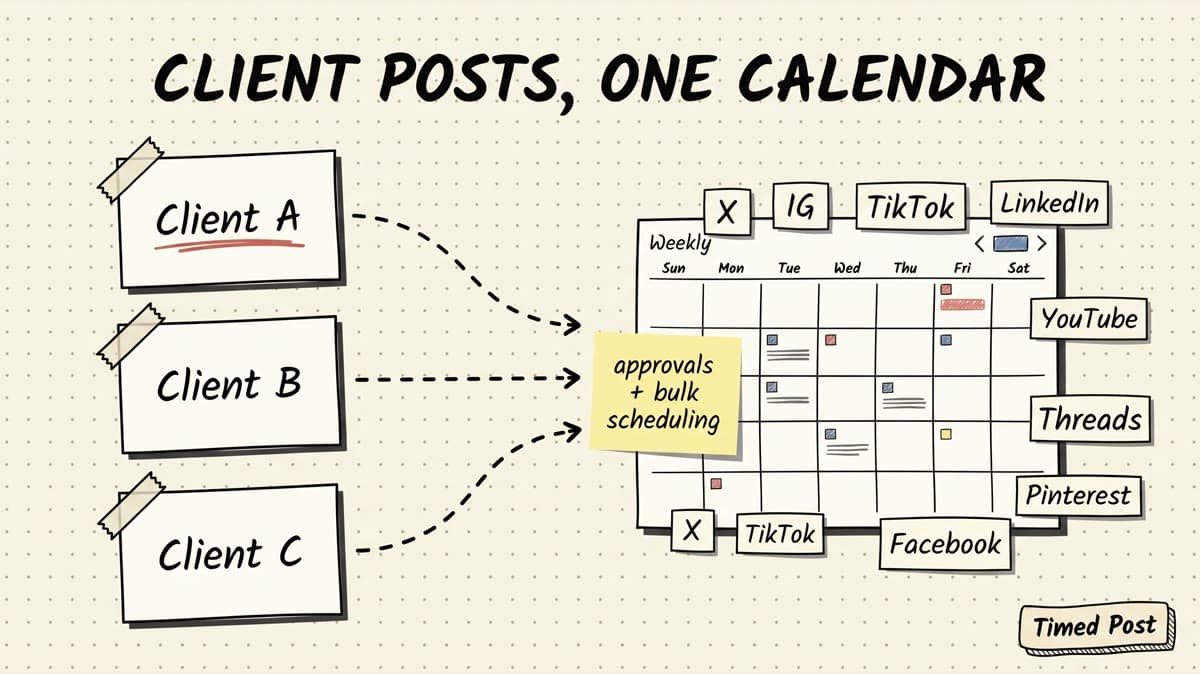
The best social media scheduler for small agencies is not always the biggest tool.
Small agencies have a specific problem: too many client accounts, too many platform tabs, too many small mistakes that make the operation feel heavier than it should.
One client needs Instagram, Facebook, and LinkedIn. Another wants TikTok, YouTube Shorts, X, and Threads. A founder client sends last-minute edits in WhatsApp. A local business asks why the post went live with the wrong link. Your content person made the draft, your designer exported the carousel, and now someone still has to upload the same asset six times.
That is the real agency scheduling problem.
Not “can this tool post to social media?”
The question is: can it keep client work separated, move posts through review, schedule in bulk, show what is going live this week, and stop your team from copy-pasting content into the wrong account at 11:47 PM?
If you are already juggling multiple brands, also read our guide on how to manage 10+ client accounts in under 5 hours a week. This article is the tool-selection version: which scheduler fits a lean agency, what tradeoffs matter, and when you should pay for heavier agency software.
Quick verdict
For most small agencies, Timed Post is the best social media scheduler if you want multi-platform scheduling, client workspaces, bulk planning, and simple pricing without enterprise bloat.
It is strongest when your agency posts across several platforms for each client and needs an execution layer: draft once, adapt per platform, schedule on a calendar, and check performance without opening every native app.
It is not the right fit if you need deep social listening, a fully white-labeled client portal, enterprise governance, or a massive reporting suite. In those cases, tools like Sendible, SocialPilot, Hootsuite, or Sprout-style platforms may make more sense.
Here is the short version:
| Tool | Best for | Pricing model signal | Main tradeoff |
|---|---|---|---|
| Timed Post | Lean agencies managing client posts across many platforms | Starter / Growth / Premium plans; Premium is positioned for agencies and power users | Newer tool; not built as a heavy enterprise suite |
| SocialPilot | Agencies that need client approval and white-label reporting | Standard/Premium/Ultimate tiers; Premium and Ultimate are agency-oriented | More process-heavy than a simple scheduler |
| Pallyy | Visual content teams that like social sets and approvals | Pro and Agency tiers; Agency is positioned for multiple clients | Social-set model may or may not match your client/account structure |
| Sendible | White-label agency operations | Agency and advanced tiers; higher-end plans get expensive | Better for agencies selling a managed-service portal, not lean execution |
| Buffer | Simple scheduling for small teams | Per-channel pricing | Gets expensive as client channels multiply |
| Later | Visual-first Instagram/TikTok/Pinterest workflows | Social-set pricing | Strong visual planning, less ideal if LinkedIn/X/client ops are equally important |
| Hootsuite | Larger teams needing enterprise social management | Standard / Advanced / Enterprise | Powerful, but often too much tool for a boutique agency |
Pricing pages were checked on May 29, 2026 from the public plan pages for Buffer, SocialPilot, Pallyy, Later, Sendible, and Hootsuite. Always verify current pricing before buying because social scheduler plans change often.
What small agencies actually need from a scheduler
A solo creator can survive with one queue and a reminder.
A small agency cannot.
Once you manage three to ten clients, the scheduler becomes part of your delivery system. It needs to prevent operational mistakes, not just publish posts.
The agency checklist looks like this:
| Need | Why it matters |
|---|---|
| Client or brand workspaces | Client A’s posts, assets, and accounts should never mix with Client B’s. |
| Multi-platform publishing | Most clients do not live on one channel anymore. You need Instagram, Facebook, LinkedIn, TikTok, YouTube, X, Threads, and Pinterest coverage when possible. |
| Platform-specific variants | The LinkedIn version should not be the TikTok caption pasted into LinkedIn. |
| Bulk scheduling | Agencies batch work. Scheduling one post at a time destroys margins. |
| Approval/review flow | Someone needs to check copy, media, links, dates, and account selection before it goes live. |
| Calendar view | You need to see campaign collisions before they happen. |
| Account limits that make sense | Per-channel pricing can punish agencies as they add clients. |
| Basic analytics | Enough reach, engagement, and growth data to know what worked and talk to clients. |
| Fast failure visibility | If a post fails on one platform, your team needs to know before the client does. |
That is why a generic “best social media management tool” list is not enough.
Small agencies care about throughput. How many client posts can the team move from idea to approved to scheduled without babysitting every platform?
If your workflow is still mostly spreadsheets and native apps, start with the broader guide on managing multiple social media accounts. Then use this article to choose the scheduling layer that should replace the messy parts.
The 7 best social media schedulers for small agencies
1. Timed Post — best for lean agencies that want one calendar for every client
Timed Post is built for the agency that wants the scheduling workflow to feel lighter.
You connect client accounts, separate work by workspace, draft content, adapt it for different platforms, drag posts around the calendar, and schedule across X, Instagram, LinkedIn, Facebook, TikTok, YouTube, Threads, and Pinterest.
That matters because small agencies usually do not have a dedicated ops person for social publishing. The person writing the caption may also be the person uploading the video, checking the link, replying to the client, and making sure the post is not going to the founder’s personal account by mistake.
Timed Post is strongest for:
- agencies managing several small brands,
- freelancers turning into a small team,
- social media managers posting across 4+ platforms,
- creators or founders who manage multiple projects,
- teams that batch a week or month of posts at once.
The product-native advantage is simple: Timed Post treats scheduling as the execution layer.
You can keep the strategy somewhere else. Use Notion, Trello, Google Docs, or whatever your agency already uses. Timed Post handles the part where content becomes scheduled posts across client accounts.
That includes:
- client/brand workspaces,
- drafts and scheduling,
- a drag-and-drop calendar,
- bulk scheduling,
- multi-platform publishing,
- analytics for reach, engagement, and growth,
- platform coverage across the main eight networks.
If you publish high-volume client content, the bulk scheduling workflow is the feature to care about. Bulk scheduling protects margin because every minute saved per post compounds across clients.
Best fit: agencies with 2-15 clients that want to reduce posting admin without paying for enterprise software.
Not best fit: agencies that need advanced social listening, complex ticketing, white-label portals, or custom enterprise reporting.
2. SocialPilot — best for agency process and client approval
SocialPilot is one of the clearest agency-focused schedulers in the category.
Its public pricing page positions Standard for small teams, Premium for growing agencies, and Ultimate for established agencies and multi-location brands. The fetched pricing page showed Standard at $40/month monthly for 10 social accounts and 3 users, Premium at $100/month monthly for 20 social accounts and 6 users, and Ultimate at $200/month monthly for 50 accounts and unlimited users.
The agency appeal is obvious:
- client approval,
- team collaboration,
- bulk scheduling,
- analytics,
- white-label reports on higher tiers,
- extra accounts and users as add-ons.
If your agency has a formal review process and clients expect reports, SocialPilot deserves a serious look.
The tradeoff is that it can feel more like an agency system than a lightweight scheduler. That is good if you sell managed social retainers with client approval built in. It may be overkill if you are a two-person agency mostly trying to stop content from getting stuck in spreadsheets.
Best fit: agencies that already have account managers, recurring approval cycles, and reporting calls.
Not best fit: very lean teams that want the fastest possible calendar and scheduling workflow.
3. Pallyy — best for visual agencies that like social sets
Pallyy is a strong option for agencies managing visual social content.
Its pricing page showed Starter, Pro, Agency, and Scale plans. The Pro plan was listed at $25/month for one social set with up to 10 social accounts, while the Agency plan was listed at $99/month for 10 social sets, 3 users, approvals, shared calendar, advanced analytics, custom reports, and other agency features.
Pallyy works especially well when your client structure matches its “social set” model.
For example:
- Client A has Instagram, Facebook, TikTok, LinkedIn, Pinterest.
- Client B has Instagram, Facebook, TikTok.
- Client C has Instagram, Facebook, LinkedIn.
If those map cleanly into social sets, Pallyy can be easy to understand.
The tradeoff is that agencies with odd account structures may need to check the math carefully. Some clients have multiple locations. Some have two Instagram accounts and one LinkedIn page. Some need YouTube, Threads, Pinterest, and TikTok together. The social-set model is clean, but only if it matches your client reality.
If you are comparing Pallyy specifically, read the Pallyy alternative page for a more direct breakdown.
Best fit: visual-first agencies that want approvals, shared calendars, and clear client sets.
Not best fit: agencies whose clients have messy account combinations or need a flatter workspace model.
4. Sendible — best for agencies that need white-label client operations
Sendible is built with agencies in mind.
It leans into client management, collaboration, reporting, and white-label workflows. If your agency sells social media management as a packaged service and wants clients to see branded reports or dashboards, Sendible is closer to a full agency operating system than a simple scheduler.
The pricing page text fetched during research highlighted agency use cases, white-label options, and higher-end Advanced and Enterprise pricing. It also mentioned additional users and social profiles as paid additions in lower-plan examples.
That tells you the key tradeoff: Sendible is useful when the agency layer matters.
You may want Sendible if:
- clients need branded reporting,
- multiple team members touch each account,
- you need a more mature approval process,
- social scheduling is part of a larger managed-service workflow.
But if you are still early, the same depth can slow you down. Many small agencies do not need a client portal before they have consistent delivery. They need to ship this week’s posts accurately and profitably.
Best fit: agencies selling white-label social media services.
Not best fit: freelancers or boutique agencies that mostly need fast multi-platform scheduling.
5. Buffer — best for simple scheduling, weakest when agency channels multiply
Buffer is still one of the easiest schedulers to understand.
The interface is simple, the brand is trusted, and the learning curve is low. For a small team managing a few channels, Buffer is comfortable.
The issue for agencies is pricing structure.
Buffer’s pricing page showed Essentials at $5 per channel per month and Team at $10 per channel per month in the fetched yearly-style snippet. That can be fine for one brand. It gets painful when each client adds five to eight channels.
Example:
| Agency setup | Channels |
|---|---|
| 3 clients × 4 channels | 12 channels |
| 5 clients × 5 channels | 25 channels |
| 8 clients × 6 channels | 48 channels |
Per-channel pricing turns every new client platform into a cost decision.
Buffer can still make sense if your agency is small and the client mix is simple. But if you are actively growing, compare the math against account-based or agency-tier tools before you commit.
For a wider category comparison, see our guide to the best multi-platform social media scheduler.
Best fit: small teams that want simple scheduling and do not manage many client channels.
Not best fit: agencies scaling across many clients, platforms, and approval steps.
6. Later — best for visual planning, especially Instagram-heavy clients
Later is strongest when visual planning matters.
If your agency handles Instagram-heavy brands, lifestyle clients, ecommerce content, creator partnerships, or Pinterest-style visual calendars, Later has a natural fit.
The pricing page fetched during research showed Starter, Growth, and Scale tiers with social sets, plus add-ons for extra social sets, users, and AI credits. The annual-equivalent snippets showed Starter at $18.75/month, Growth at $37.50/month, and Scale at $82.50/month.
Later is not weak. It is just more opinionated.
If your agency lives in visual planning, it can be excellent. If your agency gives equal weight to LinkedIn, X, YouTube, TikTok, Threads, and Facebook, make sure the workflow does not become Instagram-first by accident.
Best fit: visual agencies managing Instagram, TikTok, Pinterest, and creator-style campaigns.
Not best fit: agencies where LinkedIn, X, YouTube, and multi-client workspace operations matter as much as visual planning.
7. Hootsuite — best for larger teams, often too heavy for small agencies
Hootsuite is one of the original social media management platforms.
It is powerful, mature, and broad. Its public plans page highlights Standard, Advanced, and Enterprise tiers, with features like social accounts, unlimited scheduling, best-time recommendations, analytics, inbox workflows, and larger-team support.
For larger teams, Hootsuite can make sense.
For small agencies, the question is whether you actually need the whole machine.
If your agency has multiple departments, formal governance, support workflows, social inbox routing, reporting stakeholders, and enterprise requirements, Hootsuite is worth evaluating. If you are five people trying to get 20 client posts scheduled before Friday, it may be more tool than you need.
Best fit: larger agencies and enterprise teams.
Not best fit: lean agencies that mainly need fast scheduling, clean workspaces, and affordable platform coverage.
Small agency scheduler comparison table
Use this table to narrow the choice quickly.
| Scenario | Best option | Why |
|---|---|---|
| You manage 2-10 clients and post across many platforms | Timed Post | Workspaces, multi-platform scheduling, bulk planning, calendar-first workflow |
| You need formal client approval and white-label reports | SocialPilot | Agency tiers include approval and reporting depth |
| You manage visual clients and like social sets | Pallyy | Clean visual planning and agency/social-set model |
| You sell white-label social media services | Sendible | Stronger agency-service infrastructure |
| You only manage a few channels and want simplicity | Buffer | Very easy to use, familiar interface |
| Your clients are mostly Instagram/Pinterest/TikTok visual brands | Later | Strong visual calendar and social-set workflow |
| You are a larger team with enterprise needs | Hootsuite | Mature suite with broad social management features |
The dangerous mistake is buying based on brand recognition instead of workflow fit.
A small agency does not win because it has the most complex scheduler. It wins because posts go out correctly, clients trust the process, and the team can handle more accounts without adding chaos.
Schedule your posts across every platform
Draft once, publish everywhere — automatically.
No credit card · Cancel anytime
The exact workflow a small agency should build
Here is the workflow I would use for a small agency managing five clients.
Step 1: create one workspace per client
Do not use one giant calendar for every brand.
Create separate workspaces for each client or brand. Each workspace should contain only that client’s connected accounts, drafts, assets, calendar, and scheduled posts.
This prevents the most expensive small mistake in agency social: posting the right content to the wrong account.
Step 2: map each client’s platform mix
Make a simple account map before scheduling anything.
| Client | Platforms | Notes |
|---|---|---|
| SaaS founder | X, LinkedIn, Threads, YouTube Shorts | Founder voice matters; keep LinkedIn polished and X raw. |
| Local business | Instagram, Facebook, TikTok | Visual content and local offers. |
| Ecommerce brand | Instagram, Pinterest, TikTok, YouTube Shorts | Product visuals, UGC, short video. |
| Consultant | LinkedIn, X, Facebook | Thought leadership and repurposed posts. |
| Creator | TikTok, Instagram, YouTube, Threads | Video-first distribution. |
This gives your scheduler a job: each client’s posts need platform-specific versions, not one pasted caption everywhere.
Step 3: batch source ideas before writing captions
Agencies lose time when they write directly inside each platform.
Start with a source idea:
- the point of the post,
- the client goal,
- the media asset,
- the offer or CTA,
- the platforms it should go to,
- the required approval date,
- the publish window.
Then adapt it.
The LinkedIn version can be longer and more structured. X may need a tighter hook. Instagram needs a caption that matches the creative. TikTok and Shorts need title/description choices that fit the video. Pinterest needs a different asset mindset. Facebook may need a more local/community angle.
If your team needs a full workflow template, use the ideas in 5 social media workflows that cut your workload in half.
Step 4: schedule in bulk, not one post at a time
Bulk scheduling is where agency margin improves.
A single post scheduled manually is not a big deal. Fifty posts across five clients is a tax.
Batch by client or by campaign:
- Upload the week’s approved assets.
- Create platform-specific versions.
- Assign publish dates.
- Review the full calendar.
- Schedule.
- Check platform-level status after publishing.
If you charge clients on retainer, your profit is tied to how repeatable this loop is.
Step 5: run a pre-publish QA pass
Before anything goes live, check:
- correct client workspace,
- correct social account,
- correct media file,
- correct platform version,
- links and UTMs,
- tagged handles,
- hashtags,
- date and timezone,
- media format and length,
- approval status,
- spelling in the first line.
Platform-specific details matter.
Instagram, TikTok, Reels, and Shorts care about aspect ratio, hooks, captions, and video length. LinkedIn needs cleaner formatting and a more professional first line; our LinkedIn scheduling tools guide covers that platform more deeply. X is tighter and more conversational. Pinterest needs a search/visual mindset. Facebook often needs the local or community angle.
No scheduler removes those differences. A good scheduler makes them easier to manage without rebuilding the post eight times.
Step 6: use timing rules, but do not worship them
Best-time data helps, but client consistency matters more.
Use timing guides to set a starting schedule, then adjust based on the client’s actual analytics. If you need a baseline, use our guide to the best times to post on social media.
For agencies, the real win is calendar spacing:
- do not publish five client posts at the exact same minute,
- avoid campaign overlap,
- spread high-effort content across the week,
- leave room for timely posts,
- keep approval deadlines visible.
Step 7: review performance by client, not just by platform
A small agency needs enough analytics to answer client questions:
- What grew this month?
- Which posts got engagement?
- Which formats should we repeat?
- Which platform is underperforming?
- What should we change next month?
You do not always need enterprise dashboards for this. In early agency stages, a simple reach/engagement/growth loop is often enough.
The key is separating performance by client. A viral creator post should not hide a local business account that has gone quiet.
How to choose the right scheduler by agency stage
If you are a freelancer with 2-3 clients
Choose the tool that reduces admin fastest.
You probably do not need white-label dashboards yet. You need workspaces, account separation, a clean calendar, and simple scheduling.
Timed Post, Buffer, Pallyy, or Later can all make sense depending on platform mix. If your clients are spread across many platforms, Timed Post has the better multi-platform fit. If they are mostly visual, Later or Pallyy may feel natural.
If you are a small agency with 4-10 clients
Choose the tool that protects margin.
At this stage, pricing model and bulk workflows matter more. You are not just buying software. You are buying back hours.
Watch for:
- per-channel pricing that scales too fast,
- account limits that force premature upgrades,
- weak workspace separation,
- no approval/review process,
- no bulk scheduling,
- messy analytics.
Timed Post is a strong fit here because it focuses on the execution layer: workspaces, calendar, multi-platform scheduling, and bulk planning without turning the tool into a heavy agency suite.
If you are a mature agency with 10+ team members
Choose the tool that supports process.
Once you have account managers, strategists, copywriters, designers, and reporting stakeholders, heavier tools become more valuable.
SocialPilot, Sendible, Hootsuite, and similar suites can justify their cost if they replace multiple internal processes.
Do not buy them early just because they look “more professional.” Buy them when your process actually needs them.
Red flags when choosing an agency scheduler
Avoid tools that create these problems:
| Red flag | Why it hurts agencies |
|---|---|
| One shared calendar with weak client separation | Higher risk of wrong-account publishing. |
| No bulk scheduling | Your team loses hours every week. |
| Per-channel pricing with no agency-friendly cap | Costs climb every time a client adds a platform. |
| No platform-specific variants | Captions become generic or wrong for the channel. |
| No clear failed-post visibility | You find out from the client instead of the tool. |
| Weak media handling | Video-heavy clients become painful fast. |
| Too much enterprise complexity | The team avoids the tool and goes back to spreadsheets. |
The right scheduler should make the agency calmer.
If the tool adds meetings, admin, and confusion before you even schedule a post, it is probably not the right fit for a small agency yet.
Migration checklist: moving client scheduling into one tool
If you are switching from spreadsheets, native apps, or another scheduler, do not migrate everything in one messy afternoon.
Use this checklist:
- Pick one pilot client.
- Connect only that client’s accounts.
- Rebuild the next two weeks of posts in the new scheduler.
- Create platform-specific variants.
- Schedule a small batch.
- Verify publish status after the first posts go live.
- Add the second client only after the workflow feels clean.
- Document the QA checklist.
- Move recurring campaigns.
- Review pricing before connecting every account.
This prevents migration chaos.
It also gives your team proof before you move all clients into a new tool.
If you are comparing competitor-specific options, these pages may help:
Final verdict
The best social media scheduler for small agencies is the one that matches your client delivery model.
If you are a lean agency posting across many platforms, Timed Post is the strongest fit because it keeps the workflow simple: separate workspaces, one calendar, drafts, bulk scheduling, analytics, and multi-platform publishing across the main social networks.
If your agency needs formal approval chains, white-label reports, or enterprise social management, look at SocialPilot, Sendible, or Hootsuite.
If your agency is visual-first, compare Pallyy and Later.
But if the real problem is client posting chaos — too many accounts, too many tabs, too much copy-paste, and not enough margin — start with a scheduler built around execution.
Timed Post is live for that exact job: draft once, publish everywhere, automatically.
FAQ
What is the best social media scheduler for small agencies?
The best scheduler for small agencies is usually the one with strong client workspaces, multi-platform scheduling, bulk scheduling, calendar planning, and pricing that does not punish every extra client channel. Timed Post is a strong fit for lean agencies that manage several clients across X, Instagram, LinkedIn, Facebook, TikTok, YouTube, Threads, and Pinterest.
Do agencies need a different scheduler than solo creators?
Yes. Solo creators mainly need consistency and reminders. Agencies need client separation, approval/review workflows, bulk scheduling, account mapping, calendar visibility, and analytics by client. The scheduler becomes part of the agency delivery system, not just a posting queue.
Is per-channel pricing bad for agencies?
Per-channel pricing is not always bad, but it can get expensive quickly. A five-client agency with five platforms per client already has 25 channels. Before choosing a per-channel tool, calculate the cost at your next client milestone, not only your current account count.
Should a small agency choose a white-label scheduler?
Only if clients actually need a branded portal or white-label reports. Many small agencies should prioritize speed, clean scheduling, and reliable publishing first. White-label tools can be useful later, but they often add cost and complexity before a small team needs them.
How many social accounts should an agency scheduler support?
A small agency should choose a scheduler that supports its next stage, not just today. If you manage three clients across four platforms, you already need 12 accounts. If you plan to reach eight clients across five platforms, you need around 40 account slots or a pricing model that can scale without breaking the margin.
Can one scheduler post to every platform perfectly?
No scheduler removes platform-specific rules. Instagram, TikTok, YouTube Shorts, LinkedIn, X, Facebook, Threads, and Pinterest all have different content formats, caption norms, media limits, and engagement patterns. A good scheduler helps you manage those differences from one workflow instead of forcing you to rebuild every post manually.


