A big follower count can still feel dead.
You post. A few loyal people reply. The same accounts like everything. The follower number looks fine, but reach feels soft and the audience does not match the business anymore.
That is the real job of Instagram follower management. It is not chasing every unfollow or punishing people who do not follow back. It is figuring out who is actually part of your audience, who is noise, and what your next content batch should do about it.
quick answer
The safest Instagram follower management setup is a mix of native Instagram data, a spreadsheet, and a careful analytics tool if you need more reporting. Start with Instagram's own data export, which Instagram explains in its Help Center page on how to review and request a copy of your Instagram information. Use third-party follower apps only when you trust the permissions and do not need them to automate follow or unfollow actions.
Use this decision framework:
| Need | Best first tool | Add a paid tool when |
|---|---|---|
| See who does not follow back | Instagram data export plus spreadsheet | You manage a large account and need faster recurring reports |
| Clean up accounts you follow | Instagram Following list and least-interacted-with view, if available | You need team notes or client reporting |
| Spot ghost or inactive followers | Instagram Insights plus manual review | You need deeper audience quality scoring |
| Track unfollows over time | Lightweight follower tracker | You accept the access risk and have checked recent reviews |
| Vet influencers or partners | Audience quality tool | You are spending money on partnerships |
| Manage social work after the audit | Scheduler and content workflow | You post across Instagram plus several other channels |
If you only want the non-mutual list, read Timed Post's guide to seeing who you follow on Instagram that does not follow back. If you want the broader cleanup and tool choices, keep reading.
what follower management really means
Follower management is not one task. It is a set of smaller jobs:
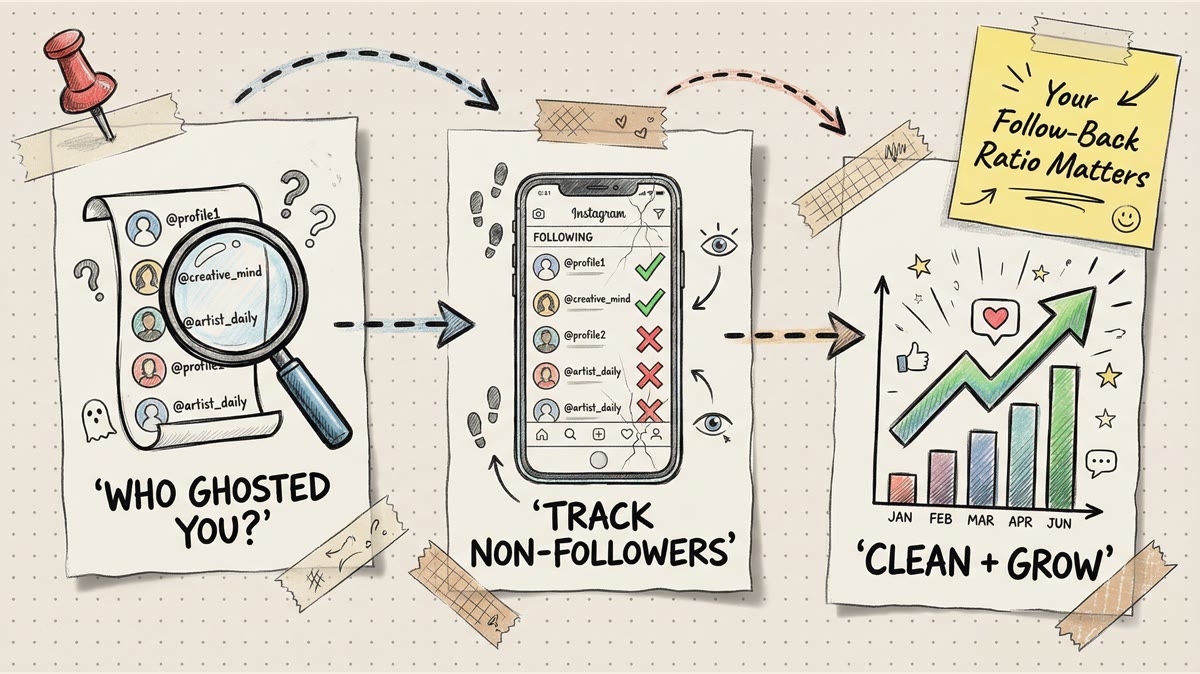
- Finding accounts you follow that do not follow you back.
- Removing spammy or irrelevant followers.
- Understanding which followers actually engage.
- Watching follower growth and unfollow patterns.
- Cleaning your own following list so Instagram feels less noisy.
- Turning the audit into better posting decisions.
The mistake is treating all of those as the same problem. A simple unfollow tracker can show who left. It cannot tell you whether your content is aimed at the wrong people. A spreadsheet can compare followers and following. It cannot tell your team which content to post next week.
For a smaller account, manual cleanup is usually enough. For a brand, creator, or agency, the better goal is a repeatable monthly audit that feeds the content calendar.
the safest free stack
Before you connect a third-party app, use the tools Instagram already gives you.
instagram data export
Instagram lets you request a copy of account information from Your Activity. That export can include follower and following information, depending on the data package and account state. It is slower than a tracker app, but it gives you an auditable way to compare lists without handing your password to a random tool.
A simple workflow:
- Request your Instagram information.
- Download the export when it is ready.
- Put followers and following into a spreadsheet.
- Compare the following list against the followers list.
- Mark accounts that do not follow back.
- Review before unfollowing anything.
This is best for people who care about privacy and do not need a daily tracker. It also pairs well with Timed Post's Instagram unfollow tracker guide if you want a more detailed explanation of the comparison process.
instagram following list
Instagram's Following list can help you clean up the accounts you follow. Some accounts also see categories such as accounts they interact with least. Treat those as prompts, not commands.
Keep accounts that still help you:
- Customers or clients.
- Collaborators.
- Industry experts.
- Local businesses.
- Competitors you monitor.
- Creators who give you useful ideas.
Cut accounts that only create noise:
- Follow-for-follow accounts you do not recognize.
- Inactive accounts with no value to monitor.
- Spam accounts.
- Accounts outside your niche that you followed during an old growth push.
The point is not a perfect ratio. The point is a feed and following list that support your actual work.
instagram insights
If you have a professional account, Instagram Insights can show audience and performance data. Use it to answer bigger questions:
- Are your followers in the locations you actually serve?
- Are your best posts attracting the right audience?
- Did follower growth come from one Reel, one campaign, or one partnership?
- Are you losing people after a certain content type?
Follower management gets useful when you connect the follower data to content data. If your audit shows that your active audience loves Reels, Timed Post's guide to Instagram video length limits can help you cut the next batch to the right size.
tool categories worth considering
There are many Instagram follower tools. Do not pick based on the longest feature list. Pick based on the job and the access risk.
lightweight follower trackers
Examples from the existing tool category include Reports+, InReports, Unfollowgram-style dashboards, and similar follower tracker apps.
Use them for:
- Recent unfollows.
- Accounts that do not follow back.
- Basic follower gain and loss reports.
- Quick lists you can review manually.
Be careful with:
- Tools that ask for your Instagram password instead of a safer authorization flow.
- Tools that promise bulk auto-unfollow actions.
- Tools with recent reviews saying accounts were locked or challenged.
- Tools that do things on your behalf without clear approval.
A lightweight tracker is convenient, but convenience is not worth losing access to a business account.
analytics suites
Tools such as Iconosquare and Sprout Social sit in a different category. They are less about "who unfollowed me yesterday" and more about reporting, team workflows, engagement trends, and content performance.
Use an analytics suite when:
- You manage a brand account.
- You report to a client or manager.
- You need post-level engagement trends.
- You want comments, reporting, and scheduling in the same operational stack.
- You need repeatable monthly reports instead of one-off checks.
Do not buy a full analytics suite just to see who does not follow back. That is overkill. Use it when follower data is part of a wider social reporting process.
audience quality and influencer tools
Tools such as HypeAuditor-style audience quality platforms are useful when follower quality affects money: influencer partnerships, sponsorships, brand deals, and creator vetting.
Use them for:
- Checking whether an influencer's audience looks real.
- Comparing audience location and demographics to your target buyer.
- Spotting suspicious engagement patterns.
- Building shortlists for partnerships.
Do not use them as a vanity score for your own account every day. Use them when the decision has budget attached.
growth tools and automation apps
Be careful here.
Some growth tools track followers and also offer automated engagement. That is where risk climbs. Instagram's Terms of Use and its guidance on abuse, spam, and scams are good reminders not to treat the platform like a bulk action machine.
Skip tools that:
- Auto-follow people at scale.
- Auto-unfollow people at scale.
- Auto-like or auto-comment from your account.
- Hide what actions they are taking.
- Ask you to bypass Instagram's normal login or security flow.
If a tool only helps you review data and make manual decisions, the risk is lower. If it starts acting like a bot, walk away.
Schedule your posts across every platform
Draft once, publish everywhere — automatically.
No credit card · Cancel anytime
how to choose the right follower management tool
Start with the outcome. Then choose the tool.
| Situation | Use this | Avoid this |
|---|---|---|
| You follow fewer than 200 accounts | Manual review or data export | Paying for a full suite |
| You manage a creator account with regular growth | Data export plus a lightweight tracker | Auto-unfollow tools |
| You run a brand account | Instagram Insights plus analytics suite | One-off apps with unclear permissions |
| You manage multiple clients | Analytics/reporting suite plus a documented audit process | Manual notes scattered across chats |
| You are buying influencer partnerships | Audience quality tool | Judging by follower count alone |
| You mainly need a better posting workflow | Scheduler plus content calendar | More follower dashboards |
This matters because follower management can become procrastination. It feels productive to sort lists for two hours. It is only useful if it changes what you do next.
If the audit shows that you are managing too many accounts by hand, Timed Post's guide to managing multiple social media accounts is a better next read than another tracker review.
safety checklist before connecting an app
Before you connect any follower management app, run this checklist.
- Does the tool explain exactly what data it reads?
- Does it require your Instagram password?
- Does it perform follows, unfollows, likes, comments, or DMs automatically?
- Does it have recent reviews from real users?
- Can you revoke access later?
- Does your client or employer allow third-party social tools?
- Would you be comfortable connecting this to your main business account?
If the answer is no, do not connect it.
Also know the difference between removing a follower, blocking someone, and reporting abuse. Instagram has official Help Center pages for actions like blocking or unblocking people, and separate guidance for spam and scams. Use those paths for bad actors instead of trying to solve abuse with a follower dashboard.
a monthly follower audit workflow
A good audit should take less than an hour for most accounts once the process is set up.
Use this monthly workflow:
- Export or review follower data.
- Check follower growth and unfollow patterns.
- Compare following against followers if the follow-back ratio matters for your account.
- Review least-interacted-with follows, if Instagram shows that view.
- Mark obvious spam, inactive, or irrelevant accounts.
- Remove or unfollow slowly and manually.
- Write down what changed.
- Compare the audit to your best and worst posts from the month.
- Plan next month's content around the audience that is actually engaging.
Do not mass-unfollow because a tool produced a scary list. Work in small batches. Review the account. Ask whether the relationship has value even without a follow-back.
Here is the keep-or-cut framework:
| Account type | Keep or cut? | Reason |
|---|---|---|
| Customer, client, partner, or collaborator | Keep | Relationship value beats the follow-back ratio |
| Industry expert or competitor | Usually keep | Research value may matter |
| Active follower who comments or shares | Keep | Engagement matters more than vanity cleanup |
| Random follow-for-follow account | Cut | No real relationship |
| Obvious spam or impersonation account | Remove, block, or report | Protect the account and audience |
| Inactive account you do not know | Usually cut | Adds noise without value |
After the cleanup, look at content. If your best audience is local, schedule more local proof. If your active followers respond to tutorials, batch tutorials. If your unfollows spike after off-topic posts, tighten the content lane.
Timed Post's guide to the best time to post on Instagram can help turn that audit into a schedule instead of another spreadsheet.
turn follower cleanup into a posting system
The worst version of follower management is checking dashboards every day and changing nothing.
The better version looks like this:
- Audit the audience.
- Remove obvious noise carefully.
- Identify which followers actually engage.
- Decide what those people need next.
- Batch the posts.
- Schedule them across the channels where that audience finds you.
- Review the results next month.
This is where Timed Post fits. It is not a ghost follower detector, and it should not pretend to be one. Its job starts after the audit shows what you need to say.
If you are opening Instagram, X, LinkedIn, Facebook, TikTok, YouTube, Threads, and Pinterest separately to keep the same brand alive, use Timed Post to draft and schedule the batch once. Pair your follower audit with a real content workflow, and the cleanup becomes more than a vanity exercise.
For a broader scheduler comparison, read Timed Post's guide to the best multi-platform social media scheduler. If you are rebuilding your whole process, the social media workflows guide is the stronger next step.
final word
Instagram follower management tools are useful when they answer a clear question. Use native Instagram data when you can. Use third-party trackers carefully. Use analytics suites when you need reporting. Use audience quality tools when money is attached to follower quality.
Most importantly, do not stop at the cleanup. The point is a better audience, a clearer content plan, and less time wasted managing Instagram by hand.