You follow a few hundred accounts. Some are customers, creators, old friends, niche peers, brands you wanted to watch, and people you followed during a growth sprint you now regret.
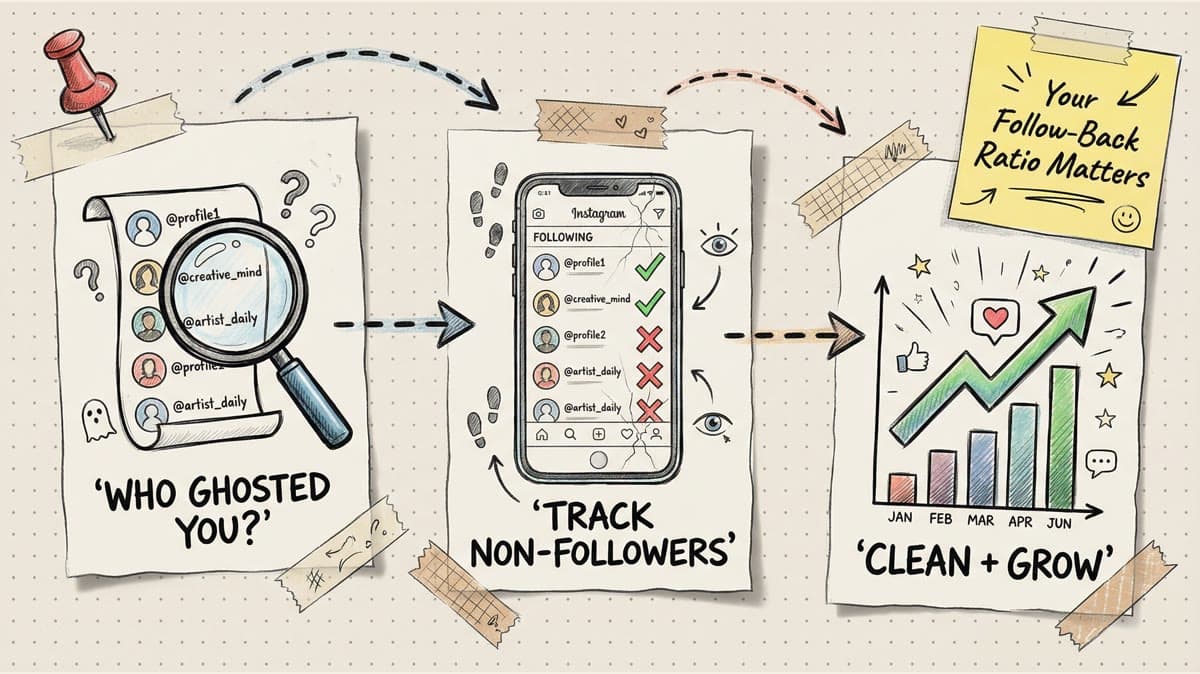
Then the question hits: who am I following on Instagram that does not follow me back?
Instagram does not give you a clean native report called "not following back." You can still find the answer, but the right method depends on how much time you have, how private you want to be, and how much risk you are willing to take with third-party tools.
quick answer
The safest way to see who you follow on Instagram that does not follow back is to compare your following list against your followers list. For a small account, do it manually inside Instagram. For a bigger account, use Instagram's data download and compare the two lists in a spreadsheet. Third-party follower apps can be faster, but you should be careful with any tool that asks for your Instagram login or promises bulk automation.
Use this rule of thumb:
| Situation | Best method | Why |
|---|---|---|
| You follow fewer than 100 accounts | Manual profile checks | Fast enough, no extra app access |
| You want to clean up low-value follows | Instagram's following list and "least interacted with" sorting, if available | Good for feed quality, even if it is not a true non-follower list |
| You follow hundreds or thousands of accounts | Instagram data export plus spreadsheet | Private, auditable, no tracker app login |
| You need a quick tracker | A reputable third-party follower tool | Faster, but review permissions and avoid auto-unfollow behavior |
If your real problem is not the ratio but the time sink of managing Instagram, pair the cleanup with a better posting workflow. Timed Post's guide to scheduling Instagram posts is a good next step once you know who you are trying to reach.
why checking non-mutual follows is useful
This is not about punishing every person who does not follow you back. Some accounts are worth following even when the relationship is one-way: industry writers, customers you want to learn from, competitors you monitor, local businesses, or creators whose posts make you better.
The audit is useful because it tells you where your attention is going.
If your following list is packed with random accounts you never engage with, your feed gets noisy and your daily Instagram work takes longer. If you manage a brand account, a bloated following list can also make the account look less intentional. And if you are already using follower tools, unfollow trackers, or dashboards, this is the moment to separate useful account hygiene from vanity cleanup. For a broader look at tool choices, read Timed Post's guide to Instagram follower management tools.
The goal is simple: follow accounts that help your content, your relationships, or your research. Cut the ones that do not.
method 1: check manually inside Instagram
Manual checking is boring, but it is the least risky method.
Here is the process:
- Open Instagram and go to your profile.
- Tap Following.
- Open an account you follow.
- Look for the relationship shown on their profile or in your follower search.
- If they do not follow you and you do not care about their content, add them to a notes list or unfollow them.
- Repeat until you have checked the accounts that matter.
Do not try to audit 800 accounts in one sitting. Start with obvious groups: accounts you followed recently, accounts you do not recognize, accounts with no recent posts, or accounts you followed only because you hoped they would follow back.
Manual checking is best when your list is short or when you only want to review a specific group. It is also the cleanest option if you do not want to connect a follower tracker to your Instagram account.
method 2: use Instagram's own following tools
Instagram sometimes shows sorting and management options inside the following list, including categories such as accounts you interact with least. This is not a true follow-back checker. It will not say, "these people do not follow you." It can still point you toward accounts that are not part of your real community.
Use it like this:
- Go to your profile.
- Tap Following.
- Review any sorting or category options Instagram gives you.
- Look at accounts you rarely interact with.
- Keep the accounts that still help you. Remove the ones that only add noise.
This method works better for feed cleanup than for exact follower matching. If you want a precise list, use the export method below.
A good cleanup is only half the work. Once your following list is less chaotic, focus on posting when your real audience is around. Timed Post's best time to post on Instagram guide can help you turn the audit into a better content schedule instead of another vanity exercise.
Schedule your posts across every platform
Draft once, publish everywhere — automatically.
No credit card · Cancel anytime
method 3: export your Instagram data and compare lists
If you want a more private way to check non-mutual follows, use Instagram's own data export.
Instagram's Help Center explains how to review and export a copy of your Instagram information. After you request your data, you can compare your followers list with your following list outside Instagram.
The spreadsheet version looks like this:
- Request your Instagram information from Instagram settings.
- Wait for the export to be prepared.
- Download the file when Instagram makes it available.
- Find the followers and following data in the export.
- Put both lists into a spreadsheet.
- Use a lookup formula or spreadsheet comparison tool to find usernames in your following list that are not in your followers list.
You do not need to be a spreadsheet expert. The logic is just: "show me everyone I follow who is missing from my followers list."
This method is slower than a follower app, but it has two big advantages: you are not handing your Instagram login to another service, and you can keep a copy of the audit so you know exactly what changed.
method 4: use a third-party follower checker carefully
Third-party follower tools can compare followers and following quickly. Some also show unfollowers, ghost followers, or accounts you do not follow back.
The risk is access. Some apps ask you to log in with Instagram. Some scrape data in ways that may break, lose access, or violate platform rules. Before you connect anything, read the app's permissions, check recent reviews, and understand that Instagram's Terms of Use restrict misuse of the service. Meta also publishes Community Standards and Instagram has help pages covering abuse, spam, and scams, which is a useful reminder not to trust random tools with account access.
A practical safety checklist:
- Do not give your password to a tool you do not trust.
- Do not use bots that auto-follow or auto-unfollow at scale.
- Do not run huge unfollow sessions just because a tool lets you.
- Do revoke access if you stop using the tool.
- Do change your password if an app feels suspicious or starts behaving oddly.
If a follower checker is part of a wider cleanup project, compare it with Timed Post's guide to checking who does not follow you back on Instagram so you are not making decisions from one noisy metric.
how to decide who to unfollow
Do not unfollow every non-mutual account. That is how a useful audit turns into petty busywork.
Keep accounts that fit one of these jobs:
- Research: competitors, creators, journalists, local brands, or niche experts.
- Community: customers, partners, collaborators, friends, and peers you actually engage with.
- Content quality: accounts that teach you something or give you ideas.
- Brand monitoring: accounts you follow for market context, not reciprocity.
Cut accounts that fit these patterns:
- You followed them only because you wanted a follow-back.
- You never recognize their posts in your feed.
- Their content has drifted away from your niche.
- They are inactive and no longer useful to monitor.
- They make your account work feel heavier every time you open Instagram.
Here is a quick decision framework:
| Account type | Keep or cut? | Reason |
|---|---|---|
| Customer, client, partner, or collaborator | Keep | Relationship value matters more than a follow-back |
| Industry expert you learn from | Keep | Useful inputs are worth the one-way follow |
| Random follow-for-follow account | Cut | No relationship, no content value |
| Inactive account you do not know | Cut | Adds noise without upside |
| Competitor you monitor | Usually keep | Research value may matter |
clean up without acting like a spam account
Instagram does not publish one universal safe number for unfollows. Any article that promises an exact daily limit is guessing.
A safer approach is slower and more human:
- Review before you unfollow.
- Work in small batches.
- Pause if Instagram shows an action block or warning.
- Avoid rapid follow-unfollow loops.
- Do not use automation that hammers the same action over and over.
If you manage social for a business, log your changes. A simple note like "removed 37 inactive/non-relevant follows from brand account on June 4" helps if someone asks why the following count changed.
The cleanup should also feed your content plan. If you see that your mutual followers are mostly creators, not buyers, your next few posts should test buyer-focused topics. If you see strong local connections, schedule more local proof. If you are managing several channels at once, Timed Post's guide to managing multiple social media accounts can help you turn that insight into a repeatable workflow.
turn the audit into better posting
The worst version of this task is spending two hours unfollowing people and changing nothing about your content.
A better version:
- Identify non-mutual follows.
- Keep the accounts that still help you.
- Remove low-value noise slowly.
- Look for patterns in the accounts that do follow back.
- Build your next content batch around the audience that is actually there.
For example, if your mutual followers respond to tutorials, draft more how-to posts. If they are mostly local customers, add location-specific proof. If your best posts are Reels, review Timed Post's guide to Instagram video length limits before you batch the next set.
This is where Timed Post fits naturally. If the cleanup shows you have been opening Instagram, X, LinkedIn, Facebook, TikTok, YouTube, Threads, and Pinterest separately just to keep your brand active, batch the next week once. Draft the Instagram posts, adapt the captions for each channel, and schedule the set in Timed Post instead of rebuilding the same message in eight apps.
final word
Use manual checks for a small list, Instagram's data export for a private audit, and third-party follower tools only when you trust the app and understand the risk. Do not chase a perfect follower-to-following ratio. Chase a cleaner feed, better relationships, and a content plan aimed at people who actually care.