
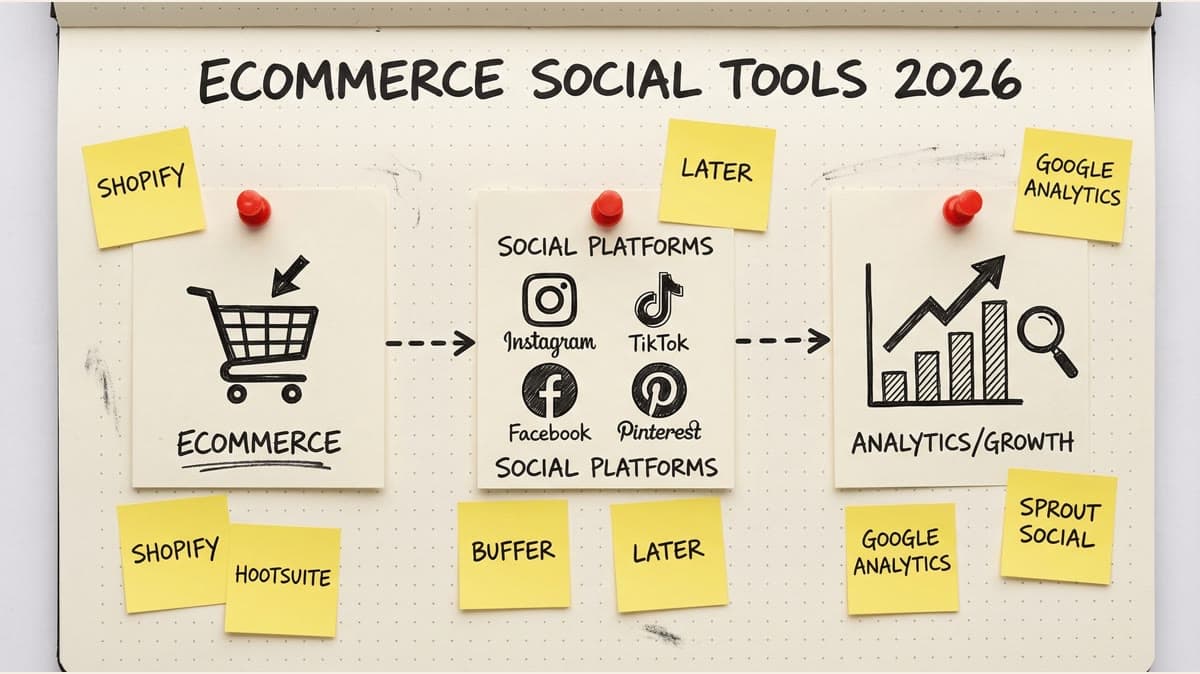
Social media drives 30% of ecommerce traffic, but most store owners waste 15+ hours weekly on manual posting. You're juggling Instagram product shots, TikTok trends, Facebook ads, and Pinterest boards while running an actual business. Native platform tools can't handle cross-posting. Switching between five dashboards kills momentum.
Ecommerce brands need social tools that understand product catalogs, seasonal campaigns, and multi-channel coordination. Not influencer features. Not agency bloat. Just efficient posting, smart scheduling, and clear analytics.
This guide covers 12 platforms built for online stores. We'll compare pricing, integrations, bulk scheduling, and real limitations competitors won't mention.
Why Ecommerce Needs Specialized Social Media Tools
Standard social schedulers don't account for ecommerce workflows. You're not posting inspirational quotes. You're coordinating product launches across platforms, running flash sales, and tracking which posts drive actual purchases.
Core ecommerce requirements:
- Product catalog integration with Shopify, WooCommerce, BigCommerce
- Multi-platform posting (Instagram, TikTok, Pinterest prioritize visual commerce)
- Bulk upload for seasonal campaigns (Black Friday, holiday drops)
- UTM tracking to connect posts to sales
- Team collaboration when you've got VAs handling content
- Calendar view for launch coordination
Generic tools like Buffer or Hootsuite add ecommerce features as afterthoughts. You'll pay for enterprise tiers to get Shopify integration while 80% of features target agencies.
The right tool should feel like it's built for stores, not retrofitted.
Top Social Media Management Tools for Ecommerce
1. Timed Post
Best for: Builders and solo operators who need simplicity without sacrificing power.
Timed Post strips away agency bloat. You get multi-platform scheduling (X, Instagram, LinkedIn, Facebook, TikTok, YouTube, Threads, Pinterest), drag-and-drop calendars, and workspace isolation for multiple brands. No 47-step onboarding. No "contact sales."
Key features:
- Connect up to 5 accounts on Starter ($19/month), or 15 on Growth ($49/month)(https://timedpost.com)
- Bulk scheduling for campaign batches
- Visual calendar with drag-to-reschedule
- Analytics dashboard (reach, engagement, growth trends)
- Clean interface that doesn't require a tutorial
Ecommerce advantages: Unlike platforms built for agencies, Timed Post doesn't force you into approval workflows or client management features. You can manage three Shopify stores across different workspaces without paying for unused seats.
The bulk scheduler handles product launch coordination. Upload 30 posts for a collection drop, assign them to platforms, set intervals. Done.
Limitations: No direct Shopify integration yet (you'll manually pull product images). Analytics focus on engagement, not conversion tracking. If you need A/B testing or advanced attribution, you'll need separate tools.
Pricing:
- Starter: $19/month (5 social accounts, AI captions and hashtags)
- Growth: $49/month (15 social accounts, 5 workspaces, bulk scheduling)
- Premium: $49/month early bird / $79/month normal (unlimited accounts, approval workflows)
Verdict: If you're running 1-5 stores and hate overpaying for features you won't use, Timed Post delivers exactly what ecommerce operators need. Try it free. Nothing more, nothing less.
2. Later
Best for: Visual-first brands on Instagram and Pinterest.
Later built its reputation on Instagram scheduling when the platform didn't allow third-party posting. Now it's a full multi-platform tool with strong visual planning features.
Key features:
- Visual Instagram grid planner (see how your feed looks before posting)
- Linkin.bio tool to make Instagram posts shoppable
- Best time to post suggestions based on audience data
- User-generated content library
- Pinterest and TikTok scheduling
Ecommerce advantages: The visual planner matters for product photography. You can arrange posts to maintain aesthetic consistency, critical when your Instagram feed is basically a digital storefront.
Linkin.bio converts single Instagram link into a landing page with product links. Tag products in posts, followers click the link in bio, see a grid matching your feed with purchase links.
Limitations: Starts at $25/month for basic features. Visual planner is Instagram-only (doesn't help with TikTok or Twitter). Analytics are surface-level. If you're not heavily Instagram-focused, you're paying for features you'll skip.
Pricing:
- Starter: $25/month (1 social set, 60 posts)
- Growth: $45/month (3 social sets, 150 posts)
Verdict: Worth it if Instagram drives your sales and you've got a cohesive visual brand. Overkill if you're multi-platform with equal weight on TikTok and Facebook.
3. Hootsuite
Best for: Established stores with team collaboration needs and budget for enterprise features.
Hootsuite is the 800-pound gorilla of social management. It's comprehensive, powerful, and expensive. You'll get every feature imaginable, plus 50 you don't need.
Key features:
- Post scheduling across 20+ platforms
- Social inbox (manage comments/messages in one place)
- Team permissions and approval workflows
- Detailed analytics with custom reports
- Integration marketplace (Shopify, Canva, Google Analytics)
Ecommerce advantages: The Shopify integration lets you pull product catalogs directly into posts. Shoppable posts for Instagram and Facebook get created faster. Analytics connect social engagement to website traffic (with proper UTM setup).
Team features shine when you've got VAs creating content, managers approving, and admins handling customer service. Set permissions so your designer can't accidentally publish to the main account.
Limitations: Starts at $99/month and quickly escalates. Interface feels dated compared to newer tools. Learning curve is steep. Customer support is hit-or-miss unless you're on enterprise plans.
Most ecommerce stores use maybe 30% of Hootsuite's features. You're paying for enterprise social listening and crisis management tools you'll never touch.
Pricing:
- Professional: $99/month (1 user, 10 accounts)
- Team: $249/month (3 users, 20 accounts)
- Enterprise: Custom pricing
Verdict: Only makes sense if you're doing $500k+ annual revenue with a dedicated social team. For everyone else, you're subsidizing features built for Fortune 500 companies.
4. Pallyy
Best for: Agencies and multi-brand operators who need client management.
Pallyy targets agencies but works well for ecommerce brands managing multiple stores. Clean interface, strong scheduling, reasonable pricing for what you get.
Key features:
- Unlimited posts and scheduling
- Instagram first comment scheduling
- Media library with organization tags
- Client approval workflows
- Grid planner for Instagram
Ecommerce advantages: If you run multiple Shopify stores (maybe you've got a main brand plus a DTC side project), Pallyy's workspace system keeps them separated. Upload assets to specific client folders, schedule without cross-contamination.
First comment scheduling is clutch for Instagram. Put your CTA and product links in the first comment instead of the caption (cleaner look, better engagement).
Limitations: No Shopify integration. Analytics are basic (engagement metrics, no conversion tracking). TikTok support is newer and less robust than Instagram features.
Pricing:
- Premium: $25/month (unlimited posts, 5 accounts)
- Agency: $75/month (unlimited posts, 25 accounts)
Verdict: Solid middle-ground option. Better than Buffer for ecommerce, cheaper than Hootsuite, more features than Timed Post. Good fit if you're scaling past one store but not ready for enterprise tools.
5. Tailwind
Best for: Pinterest and Instagram-heavy brands (fashion, home decor, crafts).
Tailwind specializes in Pinterest marketing with Instagram features added later. If Pinterest drives meaningful traffic to your store, this is purpose-built for that.
Key features:
- SmartSchedule finds optimal posting times for Pinterest
- Hashtag suggestions based on performance data
- Create multiple pins from one design (A/B test images)
- Communities feature (join groups for cross-promotion)
- Instagram scheduling with visual planner
Ecommerce advantages: Pinterest is underrated for ecommerce. Users have 85% higher purchase intent than other platforms. Tailwind's pin creation workflow helps you generate 10 variations of a product shot, each optimized for different search terms.
SmartSchedule analyzes when your audience is active and automatically fills your queue at peak times. Set it and forget it.
Limitations: Weak on TikTok, Twitter/X, and LinkedIn. If Pinterest and Instagram aren't your primary channels, half the platform is useless. Analytics focus on pins and saves, not conversions.
Pricing:
- Pro: $14.99/month (1 account, unlimited posts)
- Advanced: $24.99/month (2 accounts, additional features)
Verdict: Best value if you're in a visual niche where Pinterest matters. Don't bother if you're B2B or if your audience lives on TikTok and Twitter.
6. Sprout Social
Best for: Enterprise ecommerce brands with serious budgets and complex team structures.
Sprout Social competes with Hootsuite at the top end. Better UX, stronger analytics, higher price tag. This is for brands doing eight figures who need robust social listening and competitive analysis.
Key features:
- Unified social inbox across all platforms
- Advanced analytics with custom reporting
- Social listening (track brand mentions, competitor activity)
- CRM features to track customer interactions
- Approval workflows with role-based permissions
Ecommerce advantages: The social listening features help you spot trends before competitors. See what people are saying about your niche, identify product requests, catch customer service issues early.
ViralPost feature analyzes your audience and schedules posts at optimal times automatically. Better than guessing or using platform-native "best time" suggestions.
Limitations: Starts at $249/user/month. Seriously. That's not a typo. You're looking at $3,000+ annually for basic access. Interface is powerful but overwhelming for small teams.
Pricing:
- Standard: $249/user/month
- Professional: $399/user/month
- Advanced: $499/user/month
Verdict: If you can't justify this cost in a spreadsheet within 60 seconds, you don't need Sprout Social. Built for enterprises with dedicated social teams and six-figure marketing budgets.
7. Planoly
Best for: Instagram-focused brands who prioritize visual aesthetics.
Planoly started as an Instagram planner and expanded to other platforms. The core strength remains visual content planning.
Key features:
- Drag-and-drop Instagram grid planner
- Auto-posting to Instagram, Facebook, Twitter, LinkedIn, Pinterest
- Linkinbio feature for shoppable Instagram
- User-generated content discovery
- Analytics for posts and stories
Ecommerce advantages: The grid planner helps maintain visual consistency across your Instagram feed. Critical when your aesthetic is part of your brand (fashion, beauty, lifestyle products).
Discover feature helps find user-generated content. See how customers are tagging your products, repost with permission, build social proof without creating everything from scratch.
Limitations: Instagram-centric design means other platforms feel like afterthoughts. No TikTok support. Analytics are lighter than competitors. Pricing jumps quickly as you add accounts.
Pricing:
- Starter: $15/month (1 social set)
- Growth: $30/month (2 social sets)
- Professional: $50/month (4 social sets)
Verdict: Best for Instagram-first brands who post to other platforms occasionally. If you're multi-platform with equal weight on each, the Instagram bias will frustrate you.
8. CoSchedule
Best for: Content-heavy ecommerce brands running blogs alongside product marketing.
CoSchedule started as a WordPress plugin for content marketing. The social scheduler integrates with broader content calendars.
Key features:
- Marketing calendar combines blog posts, email, and social
- ReQueue feature auto-reposts top-performing content
- Social templates for faster post creation
- Team collaboration and approval workflows
- Analytics across content types
Ecommerce advantages: If you run a content marketing strategy (blog posts about how to use your products, guides, SEO content), CoSchedule connects social promotion to your editorial calendar.
ReQueue is clever: it automatically recycles your best-performing posts when you have gaps in your schedule. Fill downtime with proven content without manual work.
Limitations: Best value comes from using the full marketing suite (calendar, social, email). If you just need social scheduling, you're paying for unused features. Learning curve is steeper than simpler tools.
Pricing:
- Social Calendar: $29/month (10 social profiles)
- Content Calendar: $39/month (social + marketing calendar)
- Marketing Suite: Custom pricing
Verdict: Makes sense if you're running integrated content marketing campaigns. Overkill if you just want to post product photos and promotions.
9. Sendible
Best for: Agencies managing ecommerce clients (or ecommerce brands with multiple stores).
Sendible targets agencies but the multi-brand management features work well for operators running several stores.
Key features:
- White-label reporting for clients
- Bulk post scheduling from CSV
- Content suggestions based on RSS feeds and keywords
- Client approval workflows
- Integration with Canva for image creation
Ecommerce advantages: Bulk scheduling via CSV is underrated. Export your product catalog with copy and image URLs, format in Excel, upload. Schedule 100 posts in minutes.
RSS integration can auto-pull blog content. If you're running content marketing alongside product posts, it'll suggest relevant articles to share.
Limitations: Agency-focused features (white-labeling, client portals) add cost without value for single-brand operators. Interface feels cluttered. TikTok support is limited.
Pricing:
- Creator: $29/month (1 user, 6 profiles)
- Traction: $89/month (4 users, 24 profiles)
- Scale: $199/month (7 users, 49 profiles)
Verdict: Good fit if you're managing 3+ ecommerce brands and need separation between them. Single-store operators should look elsewhere.
10. MeetEdgar
Best for: Brands with evergreen content libraries who want automation.
MeetEdgar takes a different approach: it focuses on recycling and automating your content library instead of one-time scheduling.
Key features:
- Content categories with automated rotation
- Automatically recycles posts when queue is empty
- Variation testing (post same content with different copy)
- Unlimited content library
- Auto-posting based on category schedules
Ecommerce advantages: If you've got evergreen products (not seasonal fashion), MeetEdgar keeps promoting them automatically. Load your library once with product posts, set category schedules, let it run.
Great for stores with large catalogs. Add 200 product posts, categorize by collection, set rotation rules. The system ensures even distribution without manual queue management.
Limitations: Recycling focus doesn't fit time-sensitive content (sales, launches, trends). No Instagram visual planner. Analytics are basic. Costs more than simpler schedulers.
Pricing:
- Monthly: $29.99/month (unlimited posts, 5 accounts)
- Annual: $24.91/month (billed annually)
Verdict: Best for stores with evergreen catalogs and limited time for social management. Poor fit for trend-driven brands or frequent promotional campaigns.
11. SocialBee
Best for: Small to medium ecommerce brands who want category-based scheduling.
SocialBee combines content categorization with recycling features. It's positioned between simple schedulers and complex platforms.
Key features:
- Content categories with posting schedules
- Evergreen post recycling
- RSS feed integration for auto-posting
- Workspaces for multiple brands
- Canva integration for image creation
Ecommerce advantages: Category system works well for product organization. Create categories for new arrivals, bestsellers, customer testimonials, blog posts. Set different posting frequencies for each.
Workspaces let you manage multiple stores without contamination. Good if you're running a main brand plus testing side projects.
Limitations: Learning curve for category setup. Interface isn't as polished as newer tools. Instagram features lag behind specialized platforms. No TikTok support.
Pricing:
- Bootstrap: $29/month (5 social profiles, 1 workspace)
- Accelerate: $49/month (10 profiles, 5 workspaces)
- Pro: $99/month (25 profiles, 10 workspaces)
Verdict: Solid option if you like the category approach and manage 2-3 brands. Pricing is competitive but you'll outgrow it faster than tools with clearer scaling paths.
12. Loomly
Best for: Teams who need collaboration features without enterprise pricing.
Loomly positions itself as "Brand Success Platform" with focus on team workflows and post optimization.
Key features:
- Post ideas based on trending topics and events
- Preview how posts look on each platform before scheduling
- Collaboration with comments and approvals
- Advanced analytics with competitor tracking
- Automated posting with best time optimization
Ecommerce advantages: Post ideas feature suggests content around holidays, events, and trends. Helpful for planning seasonal campaigns (Black Friday, Valentine's Day product bundles).
Platform-specific previews catch formatting issues before you post. See how your Instagram caption gets truncated, adjust before scheduling.
Limitations: Starts affordable but pricing scales quickly with team members. Analytics require higher tiers. No standout ecommerce features (Shopify integration is basic).
Pricing:
- Base: $32/month (2 users, 10 accounts)
- Standard: $60/month (6 users, 20 accounts)
- Advanced: $131/month (16 users, 35 accounts)
Verdict: Good middle-tier option for growing teams. Better collaboration than budget tools, cheaper than Hootsuite/Sprout. No compelling reason to choose it over competitors unless team workflows are priority.
How to Choose the Right Tool for Your Store
Start with platform priorities. Where does your audience actually engage? If 70% of traffic comes from Instagram and Pinterest, don't pay for robust Twitter features.
Match pricing to revenue. Spending $249/month on Sprout Social makes sense at $2M annual revenue. At $200k, that's wasteful. Aim for social tools to cost 0.5-1.5% of revenue max.
Consider team size. Solo operators don't need approval workflows. Teams of 5+ need role permissions and collaboration features.
Test bulk scheduling. Most tools offer trials. Load 30 posts and see how the workflow feels. If you're clicking through five screens per post, you'll hate it by week two.
Check integration requirements. Need Shopify product sync? Analytics connected to Google Analytics? Make sure it's native, not a half-baked Zapier workaround.
Don't pay for features you won't use. Social listening sounds cool until you realize you're a $300k/year store without time to analyze sentiment trends.
Common Mistakes Ecommerce Brands Make
Picking tools based on features, not workflow. You don't need 47 features. You need the six that match how you actually work. A tool with fewer features you'll use beats one with everything you'll ignore.
Ignoring mobile apps. You're running an ecommerce store. You're not at a desk all day. If the mobile app sucks, you won't use the platform. Test it during the trial.
Over-investing too early. Don't buy Sprout Social when you're doing $50k annual revenue "because you'll grow into it." Start with Timed Post or Pallyy, upgrade when constraints appear.
Underestimating learning curves. Complex tools need training time. If you're already stretched thin running the store, a simple tool you'll actually use beats a powerful one you'll abandon after two weeks.
Forgetting about content creation. Schedulers don't create content for you. If you don't have a system for generating posts (product photos, copy, graphics), the best scheduler in the world won't help. Fix content creation first.
Schedule your posts across every platform
Draft once, publish everywhere — automatically.
No credit card · Cancel anytime
Integration Requirements for Ecommerce
Shopify/WooCommerce/BigCommerce: Direct integration saves hours pulling product images and writing copy. Look for tools that can import product catalogs automatically.
Google Analytics: Connect social posting to website traffic and conversions. Without this, you're guessing which posts drive sales.
Canva/design tools: Creating graphics inside your scheduler is faster than switching between apps. Integration or native design features matter.
Email marketing platforms: Coordinate social campaigns with email promotions. Mailchimp/Klaviyo integration helps maintain consistent messaging.
Customer service tools: If you handle support via social DMs, integration with Zendesk or Gorgias keeps everything organized.
Platform-Specific Considerations
Instagram: Visual planner is non-negotiable if this is a primary channel. First comment scheduling, story posting, and hashtag tools save significant time.
TikTok: Support is still maturing across schedulers. Check that your tool can handle TikTok's vertical video format and doesn't compress quality.
Pinterest: If you're in visual niches (home decor, fashion, food), Pinterest-specific features (multiple pin variations, SmartSchedule) drive results.
Facebook: Shop integration matters if you're running Facebook Marketplace or have a Facebook Shop. Check that product tagging works properly.
Twitter/X: Less critical for most ecommerce, but if you're in tech or run promotions via Twitter, you'll want thread scheduling and @mention management.
The Real Cost of Social Media Tools
Monthly subscription is just the start. Factor in:
Setup time: 2-10 hours to connect accounts, configure settings, learn interface. Multiply by hourly rate to get true cost.
Content creation: The scheduler doesn't make posts for you. Budget time or money for graphics, copywriting, product photography.
Monitoring and engagement: Scheduling is half the job. Someone needs to respond to comments and DMs. Budget 30-60 min daily minimum.
Analytics review: Looking at numbers without acting on them wastes time. Plan 1-2 hours weekly to review performance and adjust strategy.
Platform updates: When Instagram changes algorithms or adds features, you'll spend time adjusting your approach. Not a direct cost, but it's real.
A $29/month tool might actually cost $500/month when you include labor. A $249/month tool with better automation might cost $400/month total. Calculate the complete picture.
FAQ
Which social media platform drives the most ecommerce sales? Instagram and TikTok dominate ecommerce social traffic in 2026. Instagram Shopping and TikTok Shop enable direct in-app purchases. Facebook still works for retargeting older demographics. Pinterest drives discovery for home goods and fashion. Start with Instagram and TikTok, then expand based on your audience data.
Do I need different tools for Instagram vs TikTok product posts? No. Multi-platform tools like Timed Post, Hootsuite, and Planoly handle both Instagram and TikTok from one dashboard. You can cross-post content, but customize captions and hashtags per platform. Instagram prefers polished product shots; TikTok rewards raw, authentic demos. Same tool, different creative approach.
How much should an ecommerce store spend on social media management tools? Startups: $0-20/month (Buffer free plan or Timed Post Starter). Growing stores ($50K-500K/year): $20-50/month (Later, Planoly, Timed Post Starter). Established brands ($500K+): $100-300/month (Hootsuite, Sprout Social). Avoid overpaying for enterprise features you won't use. Most stores under $1M/year don't need tools over $50/month.
Can I track sales from specific social media posts? Yes, with UTM parameters and platform analytics. Add tracking codes to your product links (example: ?utm_source=instagram&utm_campaign=spring_sale). Then check Google Analytics to see which posts drove sales. Shopify also tracks social referrals. Tools like Later and Hootsuite show clicks, but you need Google Analytics or Shopify to see actual revenue per post.
Which tools integrate with Shopify and WooCommerce? Most major tools integrate with both. Shopify: Hootsuite, Buffer, Later, Planoly, Sprout Social (official Shopify apps). WooCommerce: Requires third-party connectors or manual product imports. For seamless Shopify integration, Later and Planoly are strongest. For WooCommerce, consider tools with RSS feed support or manual CSV imports.
Do I need a social media tool if I'm just starting my store? Not immediately. Focus on product-market fit first. Once you're posting 3+ times per week across 2+ platforms, manual posting becomes unsustainable. That's when scheduling saves 5-10 hours weekly. If you're pre-revenue, use free native tools. Once you hit $10K/month, invest in a scheduler to scale without burning out.
What's the difference between free and paid social media tools? Free plans limit: scheduled posts (10-30/month), social accounts (1-3), team members (solo only), analytics (basic stats only). Paid plans unlock: unlimited scheduling, 5-10+ accounts, team collaboration, advanced analytics, bulk uploading, best time recommendations, and priority support. Upgrade when you hit free plan limits or need team features.
Can social media management tools help with customer service? Some can. Hootsuite and Sprout Social have inbox features for managing DMs and comments across platforms. Most scheduling-focused tools (Buffer, Later, Planoly) don't handle customer service well. If you get 20+ customer messages daily on social, invest in a tool with unified inbox. Otherwise, handle DMs in native apps and use schedulers for posting only.
What's the best free social media management tool for ecommerce?
Buffer offers a free plan with three accounts and 10 scheduled posts. Later has a free tier with 60 posts per month. Both are functional but limited. For serious ecommerce use, expect to pay. Free plans work for testing stores under $10k annual revenue, but you'll outgrow them fast.
Do I need a social media management tool if I only post to Instagram?
If you're posting 3+ times per week, yes. Native Instagram scheduling is clunky and doesn't let you plan ahead visually. Even single-platform stores benefit from queue management and analytics. Later or Planoly make sense for Instagram-only brands.
How many social media accounts should an ecommerce store manage?
Focus on 2-3 platforms where your customers actually engage. Posting mediocre content to seven platforms dilutes effort. Better to excel on Instagram and Pinterest than be mediocre everywhere. Add platforms when you've maxed out the first ones.
Can social media scheduling tools integrate with Shopify?
Some can (Hootsuite, Later, Sprout Social), but integration quality varies. Most pull product data for easier posting but don't push sales data back. You'll still need Google Analytics and UTM parameters to track conversions properly.
What's the difference between scheduling and automation?
Scheduling queues posts for specific times. Automation handles ongoing tasks without intervention (like MeetEdgar recycling content or Tailwind's SmartSchedule). Ecommerce stores benefit from both: schedule launches manually, automate evergreen product posts.
Should I post at the same time every day?
Consistency matters more than specific times. Test different posting times for 2-3 weeks, check analytics, optimize. Most tools offer "best time" suggestions based on your audience data. Don't stress about perfect timing, stress about posting regularly.
How far in advance should I schedule social media posts?
Product launches: 1-2 weeks out. Evergreen content: 30 days or more. Trending/timely content: 1-3 days max. Balance efficiency with flexibility. Don't schedule so far ahead that you can't adjust when opportunities or issues arise.
Can I manage multiple ecommerce brands with one tool?
Yes, but check workspace/client features. Timed Post, Pallyy, SocialBee, and Sendible support multiple brands cleanly. Avoid tools that mash everything into one feed. You want separation between brands to prevent posting mistakes.
Do social media tools help with hashtag research?
Some do (Tailwind, Later, Planoly). Most provide suggestions based on your content or past performance. Don't expect deep hashtag research. Use dedicated tools like Hashtagify or Display Purposes for serious hashtag strategy, then import to your scheduler.
Is it worth paying for analytics in a social media tool?
Depends on your setup. If you're already using Google Analytics with UTM tracking and platform-native analytics, paid scheduler analytics might be redundant. If you need consolidated reporting across platforms in one dashboard, it saves time. Evaluate based on how much you're currently spreadsheet-wrangling data.


